Last Updated on 26/07/2026
List of the Best Valheim Server Hosting: Quick Comparison
Below is a comparison of popular Valheim server hosting providers frequently discussed on Reddit, based on mod support, refund policy, ideal use case, and starting pricing.
| Provider | Best For | Mod Support | Refund Policy | Player Slots | Starting Price (Monthly) |
|---|---|---|---|---|---|
| DatHost | Reliable performance & scaling | Yes | 7-day guarantee | 10 | €14.90 |
| GravelHost | Budget-friendly small groups | Yes | 3-day guarantee | 10 | $7.00 |
| Apex Hosting | Large communities & global reach | Yes | 7-day guarantee | Configurable | $7.49 |
| Zap-Hosting | Affordable EU-based hosting | Yes | 7-day guarantee | 10 | €7.90 |
| Fozzy Hosting | Entry-level hosting | Yes | 3-day guarantee | 10 | $11.98 |
| GTXGaming | Modded & multi-game servers | Yes | 24-hour guarantee | Varies | £9.99 |
| Shockbyte | Low-cost starter servers | Yes | 72-hour guarantee | 10 | $14.99 |
| Scalacube | All-in-one control panel features | Yes | 7-day guarantee | 10 | €13.80 |
| Host Havoc | Stable uptime & mod support | Yes | 72-hour guarantee | 10 | Varies by region |
9 Best Valheim Server Hosting
Here is the curated list of the best cheap and affordable game hosting companies that helps you to choose the best Valheim game servers as per your requirements.
1. DatHost – Best for Reliable Performance & Flexible Scaling
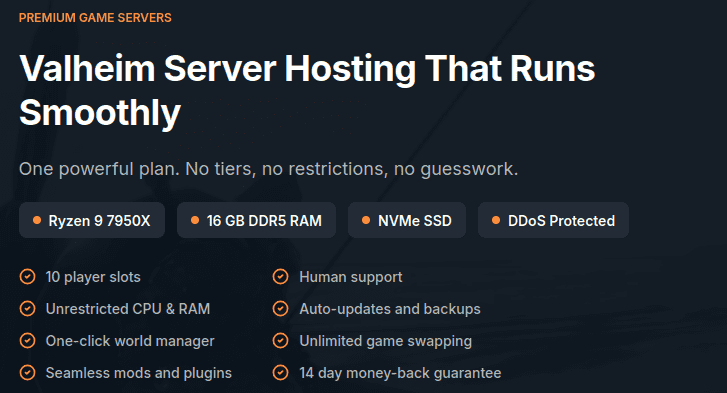
DatHost is a Valheim server hosting provider known for stable performance and flexible configuration options. It operates multiple server locations across Europe, North America, Asia, and Australia, helping reduce latency for multiplayer sessions.
DatHost uses SSD storage and game-optimized infrastructure designed for consistent uptime. One of its main advantages is flexible resource allocation — users can adjust RAM and CPU based on their server needs, which is useful for modded worlds or growing communities.
Key Features
Global Server Locations — Multiple regions to help minimize ping.
Flexible Resource Scaling — Adjust RAM and CPU depending on player load.
Mod Support — Compatible with Valheim mods and custom configurations.
Automated Backups — Protects world data from accidental loss.
DDoS Protection Included — Network-level protection for stable gameplay.
Pros
Flexible pricing structure
Suitable for modded Valheim servers
Simple setup process
Scalable for growing player groups
Cons
No permanent free trial
Slightly higher starting price compared to entry-level hosts
Why Choose DatHost?
DatHost is a strong option for players who prioritize uptime stability and the ability to scale server resources as their world grows. It’s commonly recommended for reliable multiplayer performance and mod compatibility.
Who Should Use DatHost?
Players running modded Valheim servers
Groups expecting consistent uptime
Community servers that may scale over time
Users who want adjustable RAM/CPU settings
Starting Price: €14.90/month
Refund Policy: 7-day money-back guarantee
Best For: Reliable Valheim hosting with flexible scaling
2. GravelHost – Best Budget Valheim Server Hosting
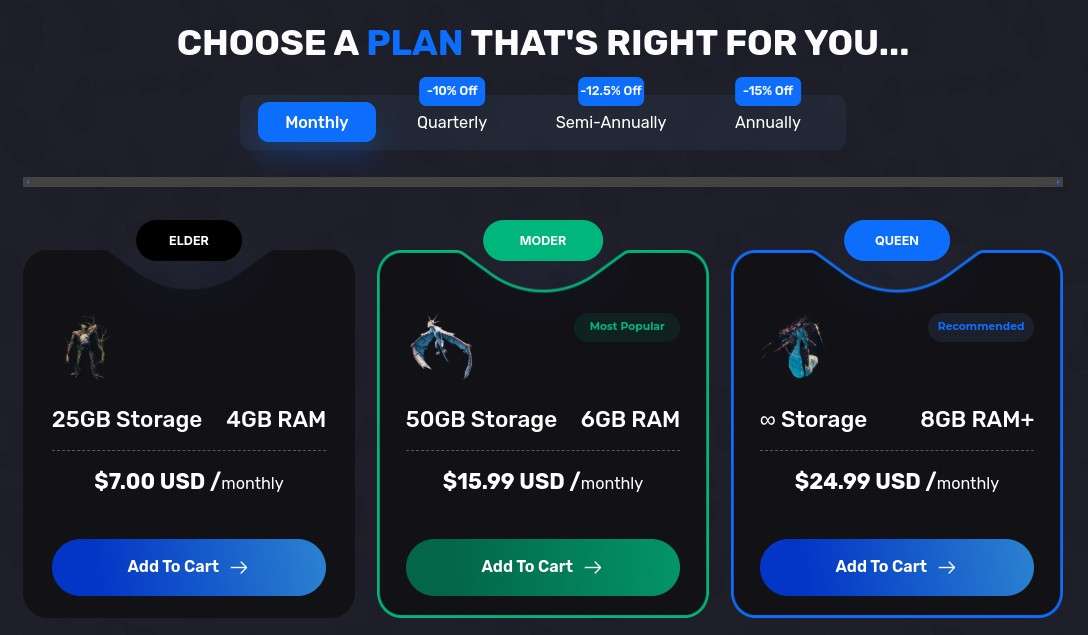
GravelHost is a budget-friendly Valheim server hosting provider suited for small groups that want stable performance without a complex setup. It’s often mentioned by players looking for affordable pricing, mod support, and simple server management.
GravelHost uses SSD-based infrastructure and modern CPUs to support smooth multiplayer gameplay for up to 10 players. Its plans are structured for smaller communities that want consistent uptime, DDoS protection, and basic customization without paying for unnecessary extras.
Key Features
One-Click Mod Installation — Supports easy setup for popular Valheim mods.
DDoS Protection Included — Network-level protection against common attacks.
Automated Backups — Helps prevent world data loss.
SFTP Access — Direct file access for advanced configuration.
Sub-User Access — Share server management with trusted players.
Pros
Competitive starting price ($7/month)
Beginner-friendly control panel
Mod support included
Quick server deployment
Cons
Fewer global server locations compared to larger providers
May not be ideal for larger or heavily modded communities
Why Choose GravelHost?
GravelHost is a practical choice for players who want an affordable Valheim server with essential features included. It focuses on simplicity, mod compatibility, and stable performance for small multiplayer groups.
Who Should Use GravelHost?
Small friend groups (up to 10 players)
First-time server hosts
Budget-conscious gamers
Casual modded Valheim worlds
Starting Price: $7.00/month
Refund Policy: 3-day money-back guarantee
Best For: Budget Valheim hosting
3. Apex Hosting – Best for Large Valheim Communities
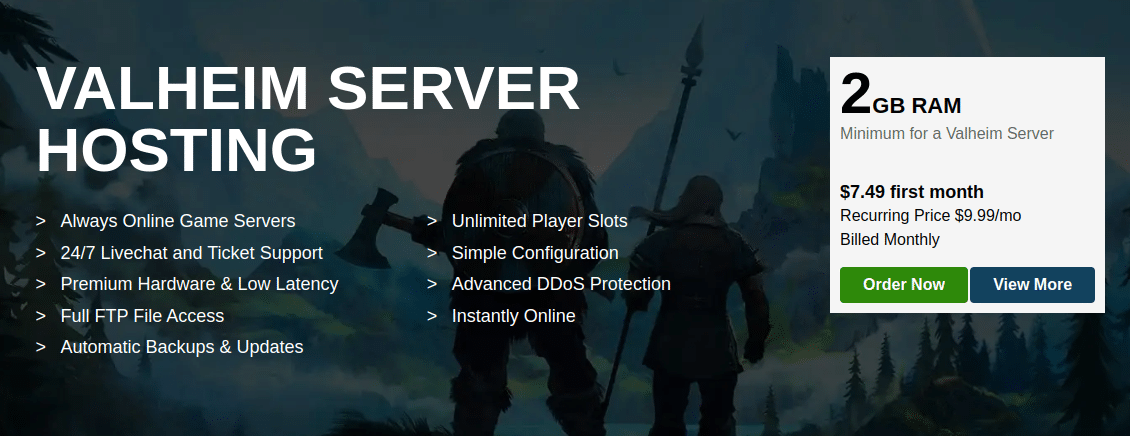
Apex Hosting is suited for players who want a professionally managed Valheim server with global location options and built-in management tools. It’s often chosen by larger communities that need stable performance, mod support, and easy server administration.
Apex provides SSD-based servers, integrated DDoS protection, and automated backups. Its control panel lets users manage files, install mods, and configure server settings without advanced technical knowledge.
Key Features
Global Server Locations — Multiple regions to reduce latency.
Automatic Backups — Helps restore world data if needed.
DDoS Protection Included — Network-level protection for uptime stability.
Web-Based Control Panel — Manage files, settings, and mods from a browser.
FTP Access — Direct file access for manual configuration.
Pros
Suitable for larger or active multiplayer servers
Multiple global data center options
Mod support available
Structured server management tools
Cons
Higher pricing compared to entry-level hosts
May be more than small groups require
Why Choose Apex Hosting?
Apex Hosting is a practical option for community-driven Valheim servers that need global reach and consistent uptime. It’s best suited for players who want structured server management and scalability rather than just a low-cost starter plan.
Who Should Use Apex Hosting?
Larger Valheim communities
Long-running multiplayer worlds
Groups needing multiple global location options
Players planning to run modded servers at scale
Starting Price: $7.49/month
Refund Policy: 7-day money-back guarantee
Best For: Large Valheim servers and community hosting
4. Zap-Hosting – Best Affordable Option for EU Players
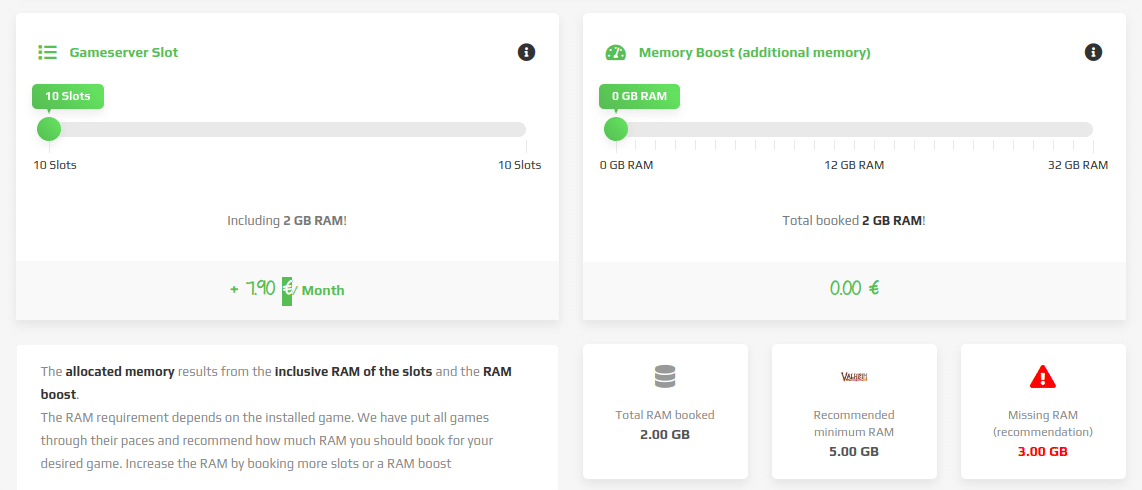
Zap-Hosting is a budget-friendly Valheim server hosting provider with strong coverage in Europe. It’s often chosen by players looking for lower monthly pricing with mod support and flexible configuration options.
Zap-Hosting includes SSD-based servers, DDoS protection, and automated backups. The web-based control panel allows users to configure settings, manage files, and install supported mods without advanced technical knowledge.
Key Features
Multiple Server Locations — Strong presence across European regions.
Mod & Plugin Support — Compatible with common Valheim modifications.
Automated Backups — Helps protect saved world data.
DDoS Protection Included — Network-level protection for uptime stability.
Web Control Panel — Manage server settings and files from a browser.
Pros
Lower starting price compared to many competitors
Suitable for small to medium player groups
Multilingual customer support
Fast server deployment after purchase
Cons
Pricing structure can be confusing, depending on add-ons
May require upgrades for larger or heavily modded servers
Why Choose Zap-Hosting?
Zap-Hosting is a practical choice for players who want affordable Valheim hosting, particularly in Europe. It balances cost and core features, making it suitable for casual multiplayer servers.
Who Should Use Zap-Hosting?
EU-based Valheim players
Budget-focused gamers
Small friend groups (up to 10 players)
Users who want basic mod support at a lower price
Starting Price: €7.90/month
Refund Policy: 7-day money-back guarantee
Best For: Affordable Valheim hosting in Europe
5. Fozzy Hosting – Best for Simple Setup & Fast Deployment
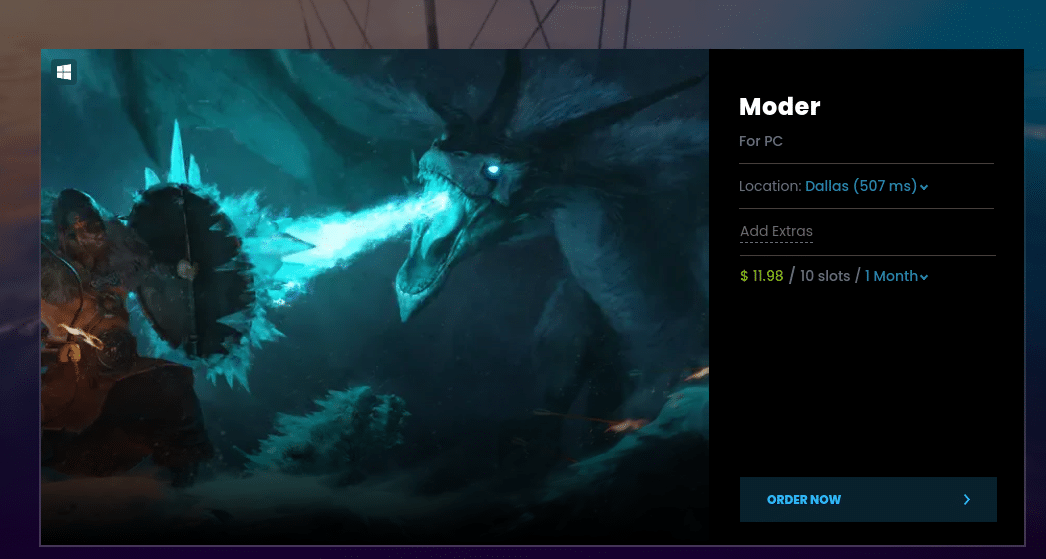
Fozzy Hosting is a Valheim server provider focused on quick setup and straightforward management. It’s suited for players who want a server online fast without dealing with complex configurations.
Fozzy uses SSD-based infrastructure and offers multiple server locations to help reduce latency. Valheim servers can be deployed quickly through its control panel, with DDoS protection and automated backups included.
Key Features
Quick Server Deployment — Servers typically go live shortly after purchase.
SSD Storage — Faster world loading and save operations.
Automated Backups — Helps protect Valheim world data.
DDoS Protection Included — Maintains uptime stability.
Web Control Panel — Manage files and settings from a browser.
Pros
Easy setup process
Suitable for small multiplayer groups
Multiple location options
24/7 support availability
Cons
Fewer advanced customization options
Not ideal for heavily modded or large-scale servers
Why Choose Fozzy Hosting?
Fozzy Hosting is a practical option for players who prioritize quick deployment and ease of use over advanced server customization. It works well for casual multiplayer worlds and small friend groups.
Who Should Use Fozzy Hosting?
New Valheim server hosts
Small groups (up to 10 players)
Players who want simple management
Casual multiplayer servers
Starting Price: $11.98/month
Refund Policy: 3-day money-back guarantee
Best For: Quick and simple Valheim server setup
6. GTXGaming – Best for Modded & Multi-Game Communities
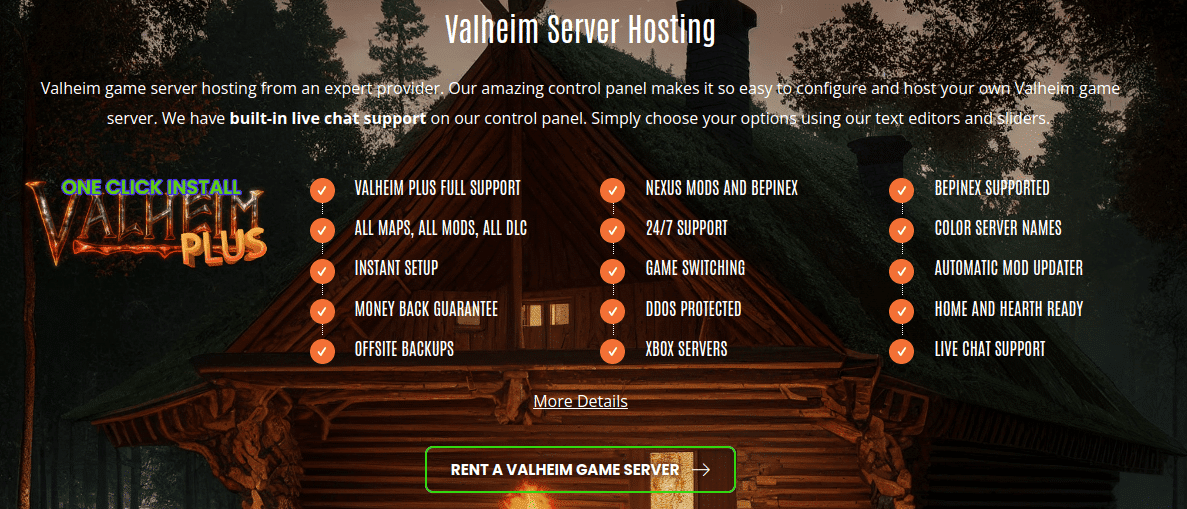
GTXGaming is a Valheim server hosting provider known for mod support and flexibility. It’s often chosen by gaming communities that run multiple titles or need advanced configuration options.
GTXGaming offers SSD-based servers, DDoS protection, and multiple global locations to help reduce latency. Its custom control panel allows users to manage files, install mods, and switch between supported games without purchasing a new server.
Key Features
Advanced Mod Support — Compatible with Valheim Plus and other common mods.
Game Switching Option — Switch between supported games on the same server plan.
Multiple Global Locations — Helps reduce latency for international players.
Automated Backups — Protects saved world data.
Custom Control Panel — Manage server settings and files from a web interface.
Pros
Strong mod compatibility
Suitable for community-run servers
Flexible for users hosting multiple games
Instant server deployment
Cons
Pricing can increase depending on the configuration
May be more than small casual groups require
Why Choose GTXGaming?
GTXGaming is a practical option for players running modded Valheim servers or communities that host multiple games. Its flexibility and mod support make it well-suited for more advanced users.
Who Should Use GTXGaming?
Modded Valheim server admins
Gaming communities hosting multiple titles
Experienced users needing more configuration control
Groups planning long-term multiplayer worlds
Starting Price: £9.99/month
Refund Policy: 24-hour money-back guarantee
Best For: Modded Valheim and multi-game hosting
7. Shockbyte Hosting – Best Low-Cost Starter Valheim Server
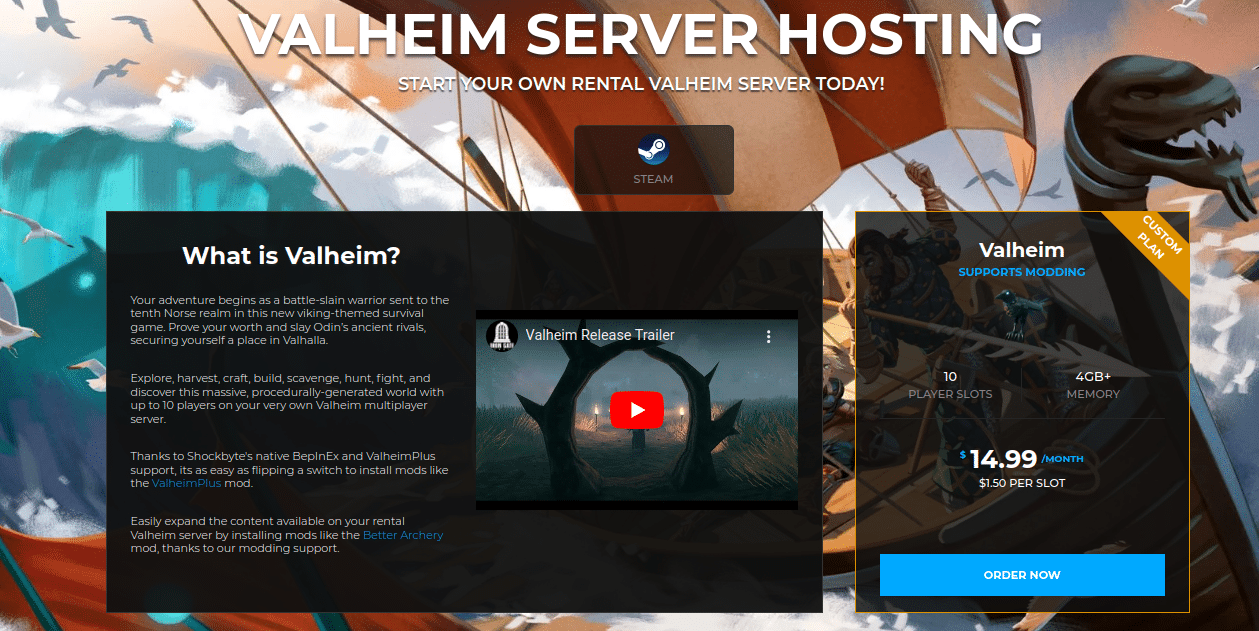
Shockbyte is a budget-focused Valheim server hosting provider designed for players who want affordable pricing with core features included. It’s commonly chosen by small groups looking for quick deployment and basic mod support.
Shockbyte uses SSD-based servers and offers multiple global locations to help reduce latency. Its control panel allows users to manage server files, install supported mods, and configure settings without advanced technical knowledge.
Key Features
Multiple Global Locations — Choose a region closer to your players.
Automated Backups & Snapshots — Protect saved Valheim worlds.
DDoS Protection Included — Helps maintain uptime stability.
Instant Setup — Servers typically deploy shortly after purchase.
Web-Based Control Panel — Manage files and configurations easily.
Pros
Lower entry pricing
Suitable for small multiplayer groups
Fast deployment process
Basic mod support available
Cons
Support response times may vary during peak periods
Advanced configurations may require upgrades
Why Choose Shockbyte?
Shockbyte is a practical option for players who want a low-cost Valheim server with standard features included. It works well for casual multiplayer sessions and short-term worlds where affordability is the priority.
Who Should Use Shockbyte?
Budget-conscious Valheim players
Small friend groups (up to 10 players)
First-time server hosts
Casual multiplayer servers
Starting Price: $14.99/month
Refund Policy: 72-hour money-back guarantee
Best For: Affordable starter Valheim hosting
8. Scalacube – Best for All-in-One Control Panel Features
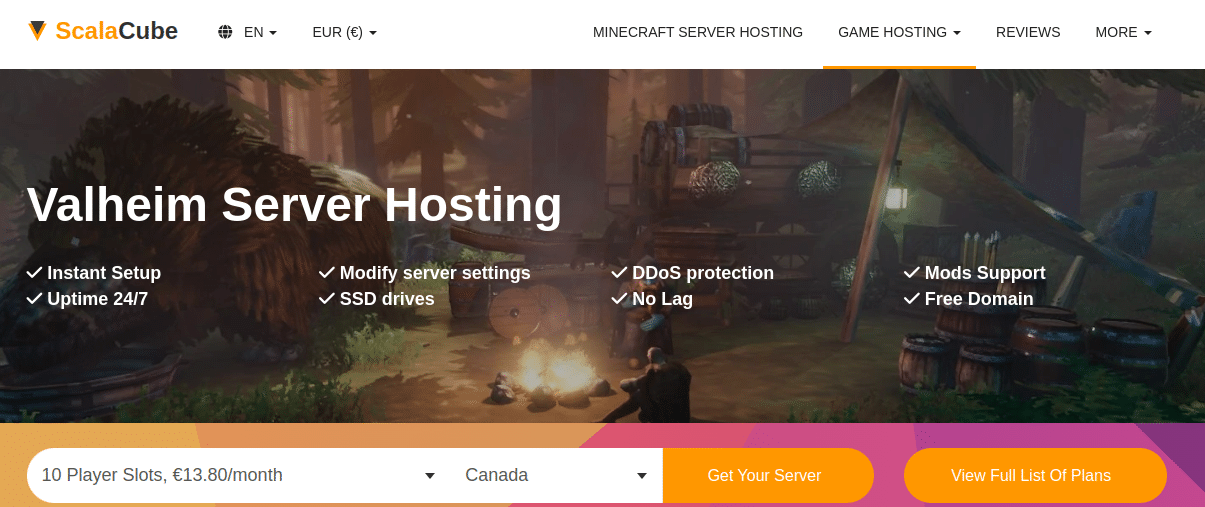
Scalacube is a Valheim server hosting provider known for its feature-rich control panel and bundled server tools. It’s often chosen by users who want more built-in management options without having to manually configure everything.
ScalaCube offers SSD-based servers, mod support, automated backups, and multiple server locations. Its control panel allows players to manage files, configure settings, and install supported mods directly from the dashboard.
Key Features
Integrated Control Panel — Manage server files, settings, and mods from one interface.
Mod & Plugin Support — Compatible with common Valheim modifications.
Automated Backups — Protects saved world data.
Flexible Upgrades — Scale server resources as needed.
Multiple Server Locations — Helps reduce latency depending on the region.
Pros
Feature-rich management panel
Suitable for modded Valheim servers
Resource upgrade options available
Backup features included
Cons
Control panel may feel complex for beginners
Pricing can increase with added resources
Why Choose ScalaCube?
ScalaCube is a practical option for players who want an all-in-one server dashboard with built-in management tools. It works well for users running modded Valheim worlds who prefer a centralized control interface.
Who Should Use ScalaCube?
Players running modded Valheim servers
Users who want advanced control panel features
Small to medium multiplayer groups
Server admins planning to scale over time
Starting Price: €13.80/month
Refund Policy: 7-day money-back guarantee
Best For: Feature-rich Valheim server management
9. Host Havoc – Best for Stable North America & EU Hosting
Host Havoc is a Valheim server hosting provider known for consistent performance and structured server management tools. It primarily operates in North America and Western Europe, making it a practical option for players in those regions.
Host Havoc includes SSD-based servers, automated backups, and DDoS protection. Its control panel allows users to configure settings, install mods, and manage files without advanced technical knowledge.
Key Features
North America & EU Locations — Suitable for players in these regions.
Mod Support — Compatible with common Valheim modifications.
Automated Backups — Helps protect saved worlds.
DDoS Protection Included — Maintains uptime stability.
Dedicated IP Option — Available for users needing direct server access.
Pros
Stable performance for NA and EU players
Beginner-friendly control panel
Suitable for modded servers
24/7 support availability
Cons
Fewer global regions compared to some competitors
May not be ideal for players in Asia or Oceania
Why Choose Host Havoc?
Host Havoc is a practical choice for Valheim players located in North America or Western Europe who want reliable hosting with mod support and straightforward server management.
Who Should Use Host Havoc?
NA and EU-based Valheim players
Small to mid-sized multiplayer groups
Modded Valheim servers
Players prioritizing regional stability
Refund Policy: 72-hour money-back guarantee
Best For: Stable Valheim hosting in North America & Europe
How to Choose the Best Valheim Server Hosting?
Choosing the right Valheim server depends on your group size, mod usage, and performance expectations. Use the checklist below before buying.
Player Count (Max 10 by Default)
A standard Valheim server supports up to 10 players.
If you’re running a small group (3–5 players), entry-level plans work fine.
For full 10-player worlds, choose higher RAM plans to avoid lag during boss fights or large builds.
RAM Requirements (4GB Minimum, 8GB for Mods)
4GB RAM – Suitable for vanilla gameplay with a few players.
6–8GB RAM – Recommended for full 10-player servers.
8GB+ RAM – Ideal for modded servers (Valheim Plus, custom plugins).
Low RAM is one of the most common causes of world lag and desync.
SSD vs HDD Storage
SSD storage is strongly recommended.
SSD improves world loading speed and save performance.
HDD storage can cause slower chunk loading during exploration.
If a host does not specify SSD, assume performance may be lower.
Server Location Proximity
Choose a server location closest to most players.
Lower physical distance = lower ping.
NA players → choose US/Canada
EU players → choose Europe-based servers
High ping results in delayed combat response and rubber-banding.
Backup Availability
Automatic backups protect your world file.
Look for:
Daily backups
Manual backup option
Easy restore feature
World corruption can happen after crashes or failed mod installs.
Mod Installation Support
If you plan to use mods:
Ensure the host supports Valheim Plus or BepInEx
Look for one-click mod installers or FTP access
Confirm the RAM plan supports modded gameplay
Modded servers require more resources and proper file access.
Final Thoughts: Which Valheim Server Hosting Should You Choose?
The best Valheim server hosting depends on your player count, budget, and whether you plan to run mods.
If you want budget-friendly hosting for small groups, GravelHost and Shockbyte are practical starting points.
If you prioritize reliable performance and flexible scaling, DatHost is a strong choice.
For larger or long-running community servers, Apex Hosting offers broader global coverage.
If you’re based in Europe and want affordable pricing, Zap-Hosting is worth considering.
For mod-heavy or multi-game communities, GTXGaming and ScalaCube provide more advanced configuration options.
Players located in North America or Western Europe who want stable regional hosting may prefer Host Havoc.
Before choosing a provider, focus on:
RAM allocation (minimum 4GB, 8GB for mods)
SSD storage
Server location proximity
Backup availability
Mod support
Valheim supports up to 10 players by default, so most groups don’t need enterprise-level resources. The key is choosing a provider that matches your gameplay style and region.
With the right hosting setup, your world stays online 24/7, performance remains stable during boss fights, and your progress is protected with backups.
Frequently Asked Questions (Valheim Server Hosting)
No, but a dedicated server improves stability and allows your world to stay online 24/7. Hosting on your personal PC works for small groups but can cause lag if your hardware or internet upload speed is limited. For vanilla gameplay, 4GB RAM is typically sufficient for small groups. For 8–10 players or modded servers, 6–8GB RAM is recommended to prevent lag and world desync issues. Valheim officially supports up to 10 players per server by default. Performance depends on server RAM, CPU allocation, and world size. Yes, you can host a server on your own PC if your hardware and internet connection are strong enough. However, paid hosting providers offer better uptime, DDoS protection, and automatic backups. 1. Do I need a dedicated server for Valheim?
2. How much RAM does a Valheim server need?
3. What is the maximum number of players in Valheim?
4. Can I host a Valheim server for free?
- 👉
- 👉
- 👉
- 👉
- 👉
- 👉
- 👉
- 👉
- 👉
- 👉
- 👉