Project Zomboid remains one of the most demanding multiplayer survival games available. Whether you’re hosting a private server for friends or managing a public community with dozens of players, the hosting provider you choose directly affects server stability, world save reliability, mod performance, and player experience.
After reviewing leading game server hosts, DatHost stands out as the best overall Project Zomboid hosting provider due to its balance of performance, ease of use, automatic backups, and global server coverage. Pine Hosting is an excellent choice for heavily modded servers, while GravelHost offers one of the best entry-level options for budget-conscious players.
This guide compares the best Project Zomboid hosting providers in 2026 and explains which host is right for your specific needs.
Quick Answer: What Is the Best Project Zomboid Server Hosting?
DatHost is currently the best Project Zomboid server hosting provider for most players. It offers automated backups, strong DDoS protection, simple server management, and reliable multiplayer performance.
Players focused on modded gameplay should consider Pine Hosting, while smaller friend groups looking to minimize costs may prefer GravelHost.
If you’re running a large public community, DatHost and G-Portal offer the strongest combination of scalability and reliability.
Comparison Table: Best Project Zomboid Server Hosting Providers
Here is a quick overview of the best Project Zomboid Server hosting providers and their gaming plan options.
| Provider | Starting Price | DDoS Protection | Backups | Mod Support | Best For |
|---|---|---|---|---|---|
| DatHost | €14.90/mo | Yes | Daily | Yes | Overall Performance |
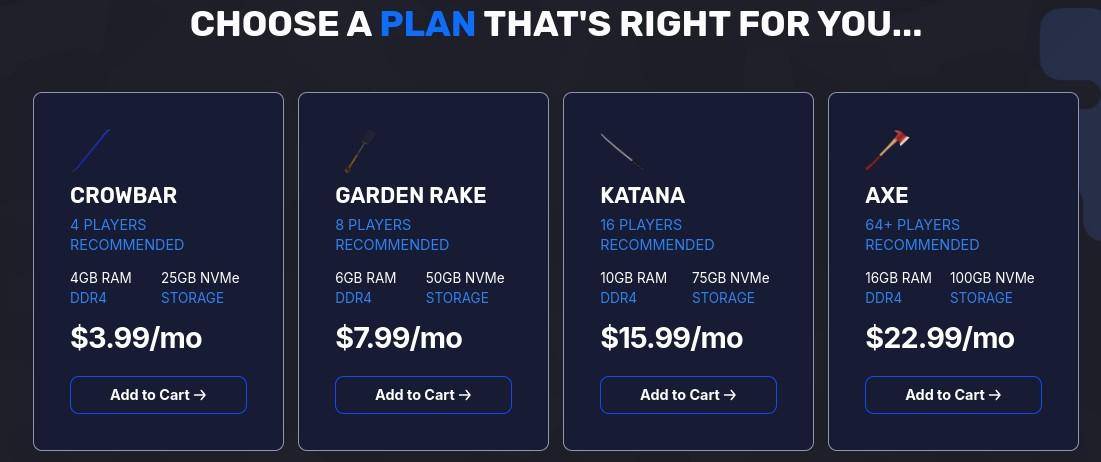
| GravelHost | $3.99/mo | Yes | Daily | Yes | Budget Hosting |
| Pine Hosting | $11.50/mo | Yes | Available | Excellent | Modded Servers |
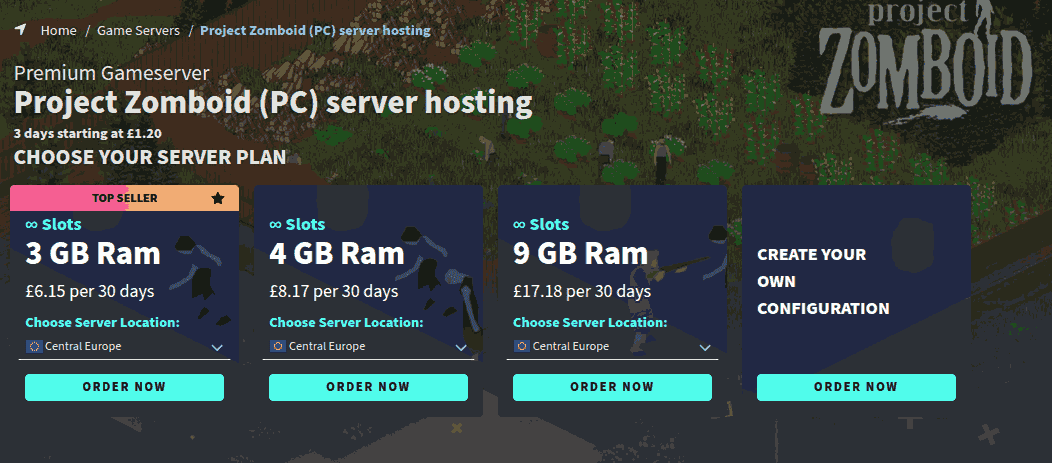
| G-Portal | £6.15/mo | Yes | Daily | Yes | Global Communities |
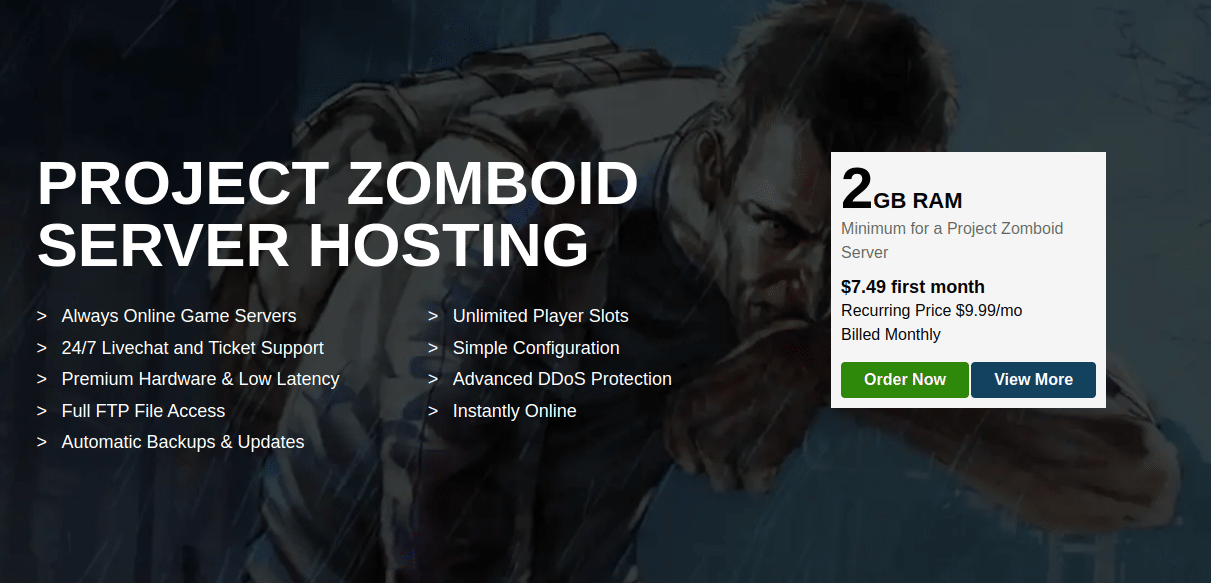
| Apex Hosting | $7.49/mo | Yes | Automated | Yes | Beginners |
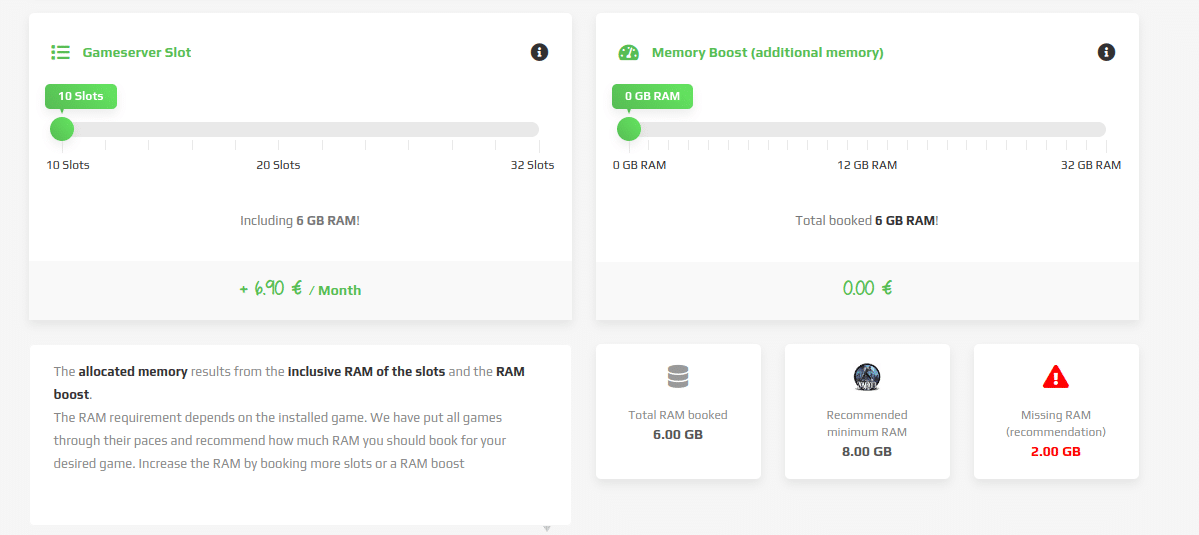
| Zap Hosting | €6.90/mo | Yes | Available | Extensive | Advanced Users |
| Shockbyte | $9.99/mo | Yes | Automated | Yes | Small Communities |
7 Best Project Zomboid Server Hosting
Let’s explore the list of the top Project Zomboid Servers.
1. DatHost — Best Overall Project Zomboid Server Hosting
Best for: Players who want the best combination of performance, reliability, ease of use, and long-term server stability.
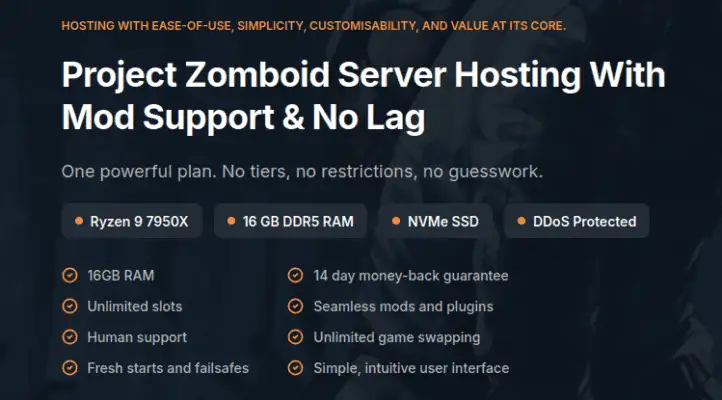
DatHost earns the top spot because it removes much of the complexity that normally comes with running a multiplayer Project Zomboid server. The platform focuses exclusively on game server hosting, and that specialization shows in its deployment process, server management tools, and overall user experience.
For Project Zomboid specifically, DatHost offers a strong balance between performance and convenience. Server deployment is fast, backups are automated, and workshop content can be managed without extensive technical knowledge.
One area where DatHost stands out is consistency. Many hosting providers advertise high-performance hardware, but server management often becomes frustrating as worlds grow larger or mod lists expand. DatHost maintains a simple workflow that works equally well for small friend groups and larger public communities.
Players running persistent Build 42 worlds should particularly appreciate the automated backup system and stable infrastructure.
DatHost’s Key Features
- Daily automated backups
- Built-in DDoS protection
- Global server locations
- Fast deployment
- Workshop mod support
- Easy server management
- Unlimited bandwidth
- FTP access
Pros
- Excellent balance of performance and usability
- Simple setup process
- Reliable backups
- Good option for both beginners and experienced admins
- Strong reputation among multiplayer communities
Cons
- Higher starting cost than some budget competitors
- Advanced users may want more granular configuration options
What Stands Out
- One of the easiest Project Zomboid hosts to manage
- Strong reliability for long-term worlds
- Good fit for both private and public servers
Who Should Choose DatHost?
Choose DatHost if you want the safest all-around recommendation without spending hours managing server infrastructure.
Verdict
DatHost is the best Project Zomboid hosting provider for most players. It combines reliability, automation, mod support, and multiplayer performance in a package that works well for nearly every type of server owner.
2. GravelHost — Best Budget Project Zomboid Server Hosting
Best for: Players looking for the lowest possible monthly cost without sacrificing essential features.
Many budget hosting providers cut corners in areas that matter for multiplayer gaming. GravelHost manages to maintain competitive pricing while still including features that Project Zomboid communities actually need.
The service includes SSD-based storage, DDoS protection, instant deployment, and backup functionality. For players running small to medium-sized multiplayer worlds, GravelHost often delivers better value than many similarly priced alternatives.
Budget-conscious players frequently make the mistake of choosing the absolute cheapest provider available. That can result in performance issues, slow support, and unreliable uptime. GravelHost occupies a useful middle ground where affordability and reliability remain reasonably balanced.
For players hosting servers with fewer than twenty active users, the platform provides enough resources to support smooth gameplay without a significant monthly investment.
GravelHost’s Key Features
- Budget-friendly plans
- SSD storage
- DDoS protection
- Daily backups
- Instant setup
- Multiple server locations
- FTP access
Pros
- Very affordable entry pricing
- Good feature set for the cost
- Suitable for smaller communities
- Easy deployment
Cons
- Fewer premium management tools than higher-end providers
- Large public communities may eventually outgrow lower-tier plans
What Stands Out
- Strong value for money
- Low barrier to entry
- Suitable for first-time server owners
Who Should Choose GravelHost?
Choose GravelHost if your primary goal is keeping costs low while maintaining a reliable multiplayer experience.
Verdict
GravelHost is one of the best budget Project Zomboid hosting providers available and offers excellent value for private groups and smaller communities.
3. Pine Hosting — Best Project Zomboid Hosting for Modded Servers
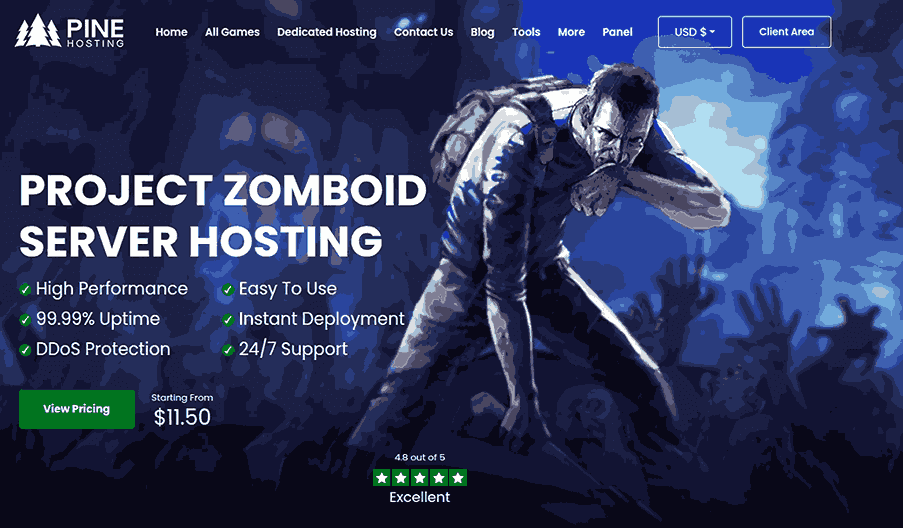
Best for: Roleplay communities, mod-heavy worlds, and long-term multiplayer servers.
Pricing: Starts at $11.50/month
Project Zomboid players often reach a point where vanilla gameplay is no longer enough. Large communities frequently install dozens—or even hundreds—of Workshop mods to create unique gameplay experiences.
This is where Pine Hosting excels.
The platform focuses heavily on simplifying server management for administrators. Features such as one-click Workshop installations, file management tools, task scheduling, and customization options reduce the amount of manual work required to maintain heavily modded servers.
For Build 42 communities, these management tools become even more valuable because updates, mods, and server maintenance can quickly become time-consuming.
Pine Hosting also provides a custom-built control panel designed specifically for game server management. Compared to generic hosting dashboards, the experience feels more streamlined and easier to navigate.
Pine Hosting’s Key Features
- One-click Workshop installation
- Custom control panel
- File manager access
- Scheduled tasks
- Mod management tools
- DDoS protection
- Multiple server locations
Pros
- Excellent mod support
- User-friendly management tools
- Strong option for roleplay communities
- Well-suited for Build 42 servers
Cons
- Slightly higher cost than some entry-level providers
- Casual players may not use all advanced features
What Stands Out
- Strongest mod-management experience on this list
- Built for long-term community growth
- Excellent control panel design
Who Should Choose Pine Hosting?
Choose Pine Hosting if your server relies heavily on Workshop content, custom gameplay systems, or community-driven roleplay.
Verdict
Pine Hosting is the strongest option for modded Project Zomboid servers and one of the best choices for serious multiplayer communities.
4. G-Portal — Best for International Communities

Best for: Public communities with players spread across multiple regions.
G-Portal has been a major player in the game server hosting industry for years. One of its biggest advantages is the broad network of server locations available to customers.
Latency can significantly impact Project Zomboid multiplayer performance, especially when players are connecting from different countries. G-Portal helps reduce this problem by providing access to servers in multiple geographic regions.
The control panel is straightforward, deployment is fast, and server management is generally beginner-friendly. While it may not offer the same level of specialization as some Project Zomboid-focused hosts, it remains a dependable option for community administrators.
For larger public servers, having access to geographically diverse infrastructure can sometimes matter more than small differences in feature sets.
G-portal’s Key Features
- Global server locations
- Fast deployment
- DDoS protection
- Daily backups
- Easy-to-use control panel
- Mod support
Pros
- Strong international coverage
- Good reputation in game hosting
- Beginner-friendly interface
- Reliable infrastructure
Cons
- Pricing can vary depending on region
- Fewer Project Zomboid-specific management tools
What Stands Out
- Excellent global reach
- Suitable for international player bases
- Established game hosting provider
Who Should Choose G-Portal?
Choose G-Portal if your players are distributed across different countries and low latency is a top priority.
Verdict
G-Portal remains one of the safest choices for larger communities and international multiplayer servers.
5. Apex Hosting — Best Project Zomboid Hosting for Beginners
Best for: First-time server owners who want a simple setup process and minimal technical management.
Apexhosting has built its reputation around ease of use. While many hosting providers target experienced server administrators, Apex focuses on making server deployment approachable for beginners.
For Project Zomboid players, this means less time configuring server settings and more time actually playing. The control panel is straightforward, backups are automated, and most server management tasks can be completed without advanced technical knowledge.
One of the biggest challenges for new server owners is troubleshooting issues after installation. Apex simplifies this process by providing management tools that reduce the learning curve associated with multiplayer hosting.
While power users may prefer platforms with deeper customization capabilities, Apex performs well for players who simply want a stable server that works without requiring extensive administration.
Apexhosting’s Key Features
- Beginner-friendly control panel
- Automated backups
- FTP access
- Mod support
- DDoS protection
- Fast deployment
- Server monitoring tools
Pros
- Easy to use
- Quick setup process
- Suitable for non-technical users
- Reliable management tools
Cons
- Less customization than advanced hosts
- Not specifically optimized for heavily modded communities
What Stands Out
- One of the easiest hosting platforms to learn
- Strong beginner experience
- Good balance between simplicity and functionality
Who Should Choose Apex Hosting?
Choose Apex Hosting if you’re launching your first Project Zomboid server and want a simple experience.
Verdict
Apex Hosting is an excellent choice for beginners who value ease of use over advanced customization.
6. Zap Hosting — Best for Advanced Customization
Best for: Experienced administrators who want extensive control over server settings and configurations.
Zap Hosting has long been popular among users who prefer flexibility over simplicity.
The platform supports a large number of games and offers substantial control over server configuration. Project Zomboid administrators who enjoy fine-tuning settings, experimenting with custom configurations, and managing specialized communities may appreciate the additional flexibility available.
Zap Hosting also supports extensive modding options, making it attractive for players who frequently customize gameplay systems.
The tradeoff is complexity. New users may find the platform less intuitive than competitors such as DatHost, Pine Hosting, or Apex Hosting.
However, for experienced administrators, that complexity often translates into additional control.
Zap-hosting’s Key Features
- Extensive customization options
- Workshop mod support
- Backup functionality
- DDoS protection
- Multiple deployment options
- File manager access
- Advanced configuration tools
Pros
- Strong customization capabilities
- Excellent mod support
- Flexible hosting environment
- Suitable for advanced users
Cons
- Steeper learning curve
- Interface can feel overwhelming for beginners
What Stands Out
- High degree of server control
- Strong flexibility for custom communities
- Suitable for specialized server configurations
Who Should Choose Zap Hosting?
Choose Zap Hosting if you want maximum control over your Project Zomboid server environment.
Verdict
Zap Hosting is one of the strongest options for advanced users who prioritize customization and flexibility.
7. Shockbyte — Best for Small Friend Groups
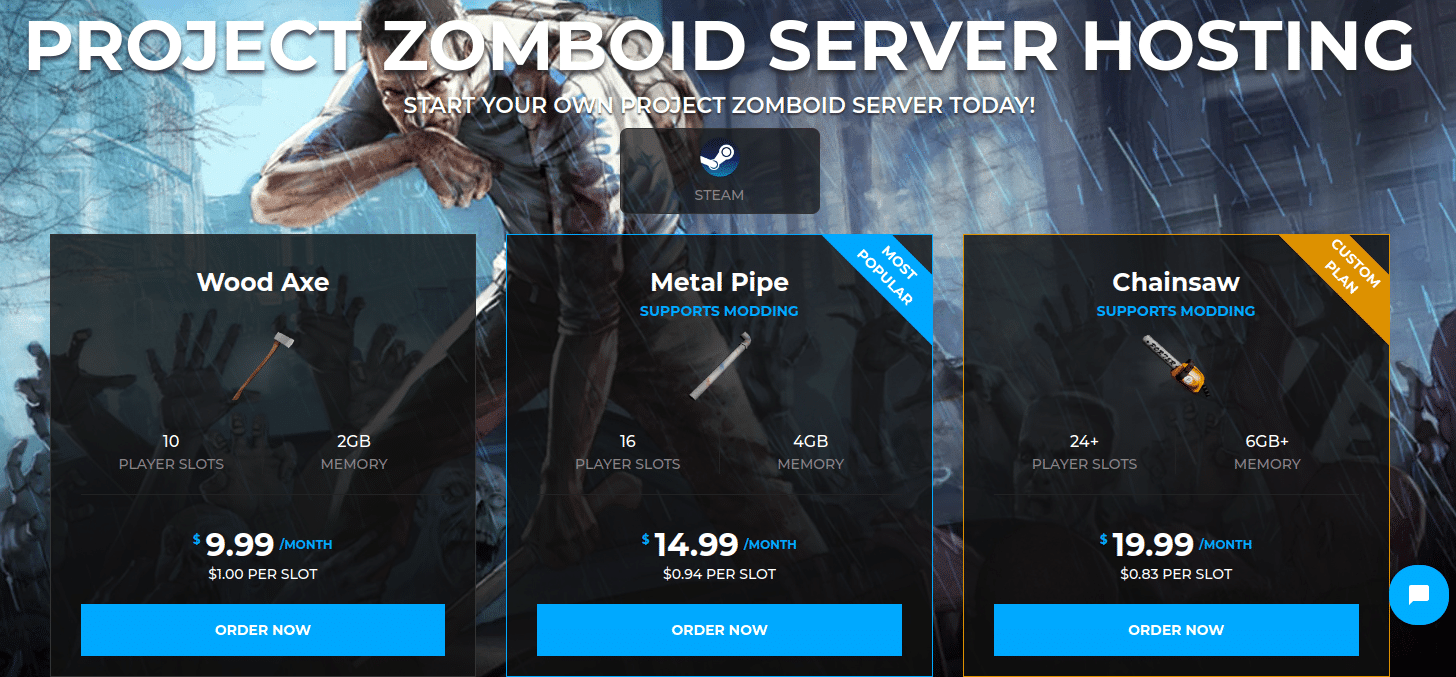
Best for: Casual multiplayer groups looking for a reliable and affordable server.
Shockbyte remains one of the most recognizable names in game server hosting. The platform focuses on providing affordable hosting plans with essential multiplayer features.
For Project Zomboid players running private worlds with friends, Shockbyte offers a straightforward hosting experience that includes automated backups, mod support, FTP access, and DDoS protection.
The platform generally performs well for smaller communities, although larger public servers may eventually benefit from hosts with stronger infrastructure or more advanced management features.
Shockbyte’s biggest strength is accessibility. Players can get started quickly without navigating a complicated setup process.
Shockbyte’s Key Features
- Automated backups
- FTP access
- Mod support
- DDoS protection
- Server console access
- Multiple server locations
- Easy deployment
Pros
- Affordable plans
- Easy setup
- Suitable for small communities
- Beginner-friendly
Cons
- Less differentiation compared to top-ranked hosts
- Large communities may require more powerful infrastructure
What Stands Out
- Good value for casual players
- Reliable core feature set
- Strong entry-level hosting option
Who Should Choose Shockbyte?
Choose Shockbyte if you’re running a private multiplayer world with friends and want a simple hosting solution.
Verdict
Shockbyte remains a solid option for smaller multiplayer groups looking for an affordable and dependable server.
Self-Hosting vs Dedicated Project Zomboid Hosting
Many players wonder whether they should host Project Zomboid themselves or pay for dedicated hosting.
The answer depends on your goals.
| Feature | Self-Hosting | Dedicated Hosting |
|---|---|---|
| Monthly Cost | Lower | Higher |
| Performance | Depends on PC | Consistent |
| Uptime | Depends on host computer | Typically better |
| DDoS Protection | Usually none | Included |
| Backups | Manual | Often automated |
| Technical Setup | More difficult | Easier |
| Scalability | Limited | Better |
When Self-Hosting Makes Sense
- Small private groups
- Temporary servers
- Testing mods
- Learning server administration
When Dedicated Hosting Makes Sense
- Persistent worlds
- Public communities
- Mod-heavy servers
- Build 42 multiplayer worlds
- Long-term gameplay
For most players planning to run a server for weeks or months, dedicated hosting is usually the better choice.
How We Evaluated Project Zomboid Hosting Providers
We compared each hosting provider using the factors that matter most for Project Zomboid multiplayer servers.
Our evaluation focused on:
- Hardware quality
- Multiplayer performance
- Mod compatibility
- Backup systems
- DDoS protection
- Server management tools
- Ease of deployment
- Support availability
- Pricing value
- Build 42 readiness
We also reviewed provider documentation, community feedback, hosting features, and long-term server management capabilities.
What Is Project Zomboid?
Project Zomboid is an open-world zombie survival game developed by The Indie Stone.
Unlike many survival games, Project Zomboid places heavy emphasis on realism and long-term survival. Players must manage hunger, fatigue, injuries, weather, illness, and mental well-being while defending themselves against increasingly dangerous zombie hordes.
Multiplayer servers allow players to:
- Build shared settlements
- Run roleplay communities
- Install custom mods
- Configure gameplay rules
- Create persistent worlds
A dedicated server provides significantly better performance and reliability compared to peer-to-peer hosting.
Why Dedicated Hosting Is Better Than Hosting From Your PC
Many new players start by hosting directly from their gaming computer. While this works for small sessions, dedicated hosting quickly becomes the better option.
Benefits of dedicated hosting include:
- Better uptime
- Lower latency
- DDoS protection
- Automatic backups
- Easier player management
- Better performance during large zombie events
- Improved stability for modded servers
For anyone planning to play regularly with friends, dedicated hosting is usually worth the monthly cost.
Recommended Project Zomboid Server Requirements
One of the most common questions players ask is how much RAM a Project Zomboid server actually needs.
The answer depends on player count, mods, and world size.
| Player Count | Recommended RAM |
| 2–4 Players | 4 GB |
| 4–8 Players | 4–6 GB |
| 8–16 Players | 8 GB |
| 16–32 Players | 10–12 GB |
| 32+ Players | 16 GB+ |
If you plan to install large mod collections, always choose additional RAM whenever possible.
Does Build 42 Require Better Hosting?
Yes.
Build 42 introduced major gameplay systems that place additional demands on multiplayer servers.
These include:
- Larger simulation workloads
- More active world systems
- Additional NPC-related processing
- Expanded crafting mechanics
- Increased save complexity
As a result, Build 42 servers generally benefit from:
- Faster CPUs
- Additional RAM
- Reliable SSD storage
- More frequent backups
Players planning long-term Build 42 worlds should prioritize performance over the cheapest available hosting plan.
What Should You Look for in a Project Zomboid Host?
Not all game server providers are equally suited for Project Zomboid. The right host can improve performance, reduce downtime, and make server management much easier as your community grows.
When comparing Project Zomboid hosting providers, look for:
- Strong CPU Performance – Project Zomboid relies heavily on processor power, especially during zombie-heavy events, large player sessions, and modded gameplay.
- Mod Support – Most servers eventually add mods. Choose a provider that offers:
- Steam Workshop integration
- File manager access
- FTP access
- Simple mod installation tools
- Automatic Backups – World corruption, configuration errors, and failed updates can happen. Daily backups make recovery faster and reduce the risk of losing progress.
- DDoS Protection – Public multiplayer servers can become targets for attacks. Built-in DDoS protection helps maintain uptime and player access.
- Global Server Locations – Hosting your server close to your player base reduces latency and improves synchronization during gameplay.
- Easy Server Management – A user-friendly control panel simplifies administration, making it easier to manage settings, mods, updates, and player permissions.
Which Host Is Best for Small Groups?
Recommended:
- DatHost
- GravelHost
- Shockbyte
These providers offer excellent value for private multiplayer worlds with friends.
Which Host Is Best for Modded Servers?
Recommended:
- Pine Hosting
- DatHost
- Zap Hosting
All three providers offer strong support for Workshop mods and custom server configurations.
Which Host Is Best for Public Communities?
Recommended:
- DatHost
- G-Portal
- Pine Hosting
These providers are better suited for larger player counts and long-term community growth.
Which Host Is Best for Beginners?
Recommended:
- Apex Hosting
- DatHost
- G-Portal
All three provide simple control panels and quick setup processes that make server management easier for first-time administrators.
Final Verdict: Which Project Zomboid Host Should You Choose?
The best Project Zomboid hosting provider ultimately depends on how you plan to play.
If you want the strongest all-around solution, DatHost is our top recommendation. It delivers an excellent balance of performance, reliability, backups, and ease of use.
If your server relies heavily on Workshop content and custom gameplay systems, Pine Hosting is the best choice for modded communities.
Players focused on affordability should consider GravelHost, while G-Portal remains an excellent option for internationally distributed player bases.
For beginners, Apex Hosting provides one of the easiest onboarding experiences available. Advanced users who want deeper customization should look at Zap Hosting, while Shockbyte remains a dependable option for smaller multiplayer groups.
Our Final Rankings
- DatHost — Best Overall
- GravelHost — Best Budget Pick
- Pine Hosting — Best for Modded Servers
- G-Portal — Best for Global Communities
- Apex Hosting — Best for Beginners
- Zap Hosting — Best for Advanced Customization
- Shockbyte — Best for Small Friend Groups
No matter which provider you choose, prioritize reliable backups, strong CPU performance, and mod support. These three factors will have the biggest impact on your Project Zomboid multiplayer experience in 2026.
FAQs: Best Project Zomboid Server Hosting
What is the best Project Zomboid server hosting provider?
DatHost is our top overall recommendation because it combines performance, automated backups, mod support, DDoS protection, and ease of use. Pine Hosting is a strong alternative for modded communities.
How much RAM does a Project Zomboid server need?
A small server can often run comfortably with 4–6 GB of RAM. Larger communities and heavily modded servers typically benefit from 8–16 GB or more depending on player count.
Does Build 42 require better hosting?
Yes. Build 42 introduces additional simulation systems that can increase server resource requirements. Faster CPUs, additional memory, and SSD storage are increasingly important for larger worlds.
Can I install mods on a hosted Project Zomboid server?
Yes. Most major hosting providers support Steam Workshop content and custom mod installations. Pine Hosting and Zap Hosting are particularly strong options for modded environments.
Is dedicated hosting worth it?
For regular multiplayer groups, dedicated hosting is usually worth the cost because it improves stability, uptime, security, and server performance.
Can I host Project Zomboid on my own computer?
Yes. Project Zomboid includes dedicated server software that allows self-hosting. However, this requires additional setup and ongoing maintenance.
How many players can a Project Zomboid server support?
This depends on hardware resources, mods, and world complexity. Many private servers comfortably support 10–32 players, while larger public communities may require more powerful hosting plans.
- 👉
- 👉
- 👉
- 👉
- 👉
- 👉
- 👉
- 👉
- 👉
- 👉
- 👉