
Choosing the best Arma Reforger server hosting provider depends on more than the advertised monthly price. You need to compare player slots, server location, mod support, crossplay, backups, DDoS protection, file access, and how much server administration you want to handle yourself.
For most communities, Shockbyte is our best overall Arma Reforger hosting choice because it offers clear player and RAM tiers, automatic backups, full file access, global locations, DDoS protection, and a beginner-friendly setup. Host Havoc is better for large 40–128-player communities, while ZAP-Hosting is the budget pick. Choose GPORTAL for short-term hosting, GTXGaming for broad configuration and crossplay options, PingPerfect when you want a free trial, and Nitrado for flexible slot and runtime choices.
Important: This guide compares companies that let you rent and run your own Arma Reforger server. It does not list public or community Arma Reforger servers that you can join.
Last verified: September 10, 2026. Prices, promotions, locations, slot availability, and refund or cancellation terms can change. Check the final checkout details before purchasing.
Best Arma Reforger Hosting at a Glance
| Best for | Recommended provider | Why it stands out |
|---|---|---|
| Best overall | Shockbyte | Clear player/RAM tiers, backups, file access, global locations |
| Beginners | Shockbyte | Simple plan structure and managed setup |
| Large communities | Host Havoc | 40–128-player plans and strong admin tools |
| Budget hosting | ZAP-Hosting | Low advertised entry price and flexible upgrades |
| Short-term hosting | GPORTAL | Three-day purchase option |
| Global communities | GTXGaming | 10–128 slots, broad location coverage, crossplay tools |
| Test before paying long term | PingPerfect | 48-hour free trial |
| Flexible runtime | Nitrado | 10–125 slots and 3–365-day configuration options |
Quick Comparison of the Best Arma Reforger Server Hosts
| Rank | Provider | Starting price or plan | Slots or resources shown | Mods and crossplay | Trial, refund, or flexibility |
|---|---|---|---|---|---|
| 1 | Shockbyte | From $13.49/month | 12 players/6GB, plus 36- and 48-player tiers | Full file access, automatic updates, configuration tools | 72-hour self-service refund advertised |
| 2 | GPORTAL | From $9.39 for 3 days; $23.49 for 20 slots/30 days | 20- and 40-slot plans shown | Web panel, backups, DDoS protection, Gamecloud | Three-day purchase option |
| 3 | Host Havoc | From $20/month | 40–128 slots | Workshop tools, FTP, file manager, PC/Xbox/PS5 crossplay | Check current billing and refund terms |
| 4 | ZAP-Hosting | From about $7.93/month | Configurable | FTP, web interface, backups, mods, game switching | Contract cancellation terms vary by billing setup |
| 5 | GTXGaming | Configuration-based | 10–128 players, up to 10GB RAM and 100GB NVMe included on published plans | Mod installer, world upload, PC/Xbox/PS5 crossplay | 24-hour refund policy advertised across game hosting |
| 6 | PingPerfect | Configuration-based | Resources vary by configuration | File access, backups, mod support | 48-hour free trial |
| 7 | Nitrado | 20-slot example shown at €19.99/30 days | 10–125 slots; 3–365 days | Server mods/plugins, backups, crossplay listed | Flexible runtime, upgrades, and downgrades |
Arma Reforger 1.8 Hosting Update
Bohemia Interactive released the Arma Reforger 1.8 major update on August 13, 2026. The update introduced gameplay changes plus crash fixes, memory improvements, pathfinding changes, VoN updates, and other optimizations.
Bohemia followed it with version 1.8.0.13 on September 3, 2026.
This matters when choosing an Arma Reforger game server host. Your provider should keep the dedicated server build current and give you enough control to deal with mod or configuration problems after a game update.
Before buying, check that the host lets you:
- Restart the server after an update
- Review server logs
- Update or remove broken mods
- Edit the server configuration
- Create a backup before major changes
- Restore a working backup if an update causes problems
If you run a heavily modded community, test your Workshop collection again after major Arma Reforger updates.
Official update references:
How We Compared Arma Reforger Hosting Providers
We compared each provider using factors that affect day-to-day server management rather than relying only on the lowest advertised price.
- Server location: A nearby data center can be more important than a small difference in storage or price.
- Player capacity: The provider should offer enough slots for your current group and a practical upgrade path.
- Mod support: We looked for Workshop support, file access, configuration editing, and world or scenario management.
- Crossplay: Mixed PC and console communities need clear support for compatible cross-platform servers.
- Backups: A useful backup system should let you recover from a failed mod, update, or configuration change.
- DDoS protection: Public servers can attract attacks, so network protection should be part of the comparison.
- Buyer protection: Short plans, free trials, or refund options reduce the cost of making a poor choice.
- Hardware transparency: Providers receive more credit when they publish CPU, RAM, storage, or network details.
- Support: Arma Reforger admins may need help with server visibility, configuration files, mods, updates, and crashes.
- Pricing clarity: We prefer hosts that show the expected slot count, resources, billing term, and renewal conditions before checkout.
Provider uptime, latency, and hardware performance claims are treated as provider claims unless they are supported by independent testing.
1. Shockbyte Arma Reforger Hosting – Best Overall
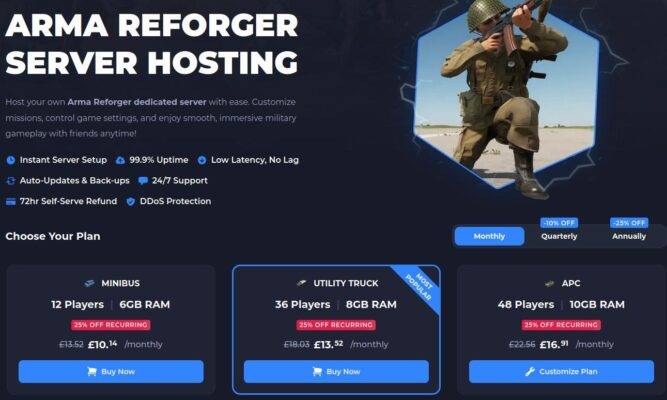
Shockbyte is the easiest provider in this comparison to understand at a glance. Its current Arma Reforger offer starts at $13.49 per month, and the published plans show:
- 12 players with 6GB RAM
- 36 players with 8GB RAM
- 48 players with 10GB RAM
Shockbyte also advertises instant setup, DDoS protection, automatic updates, automatic backups, global locations, full file access, configuration tools, 24/7 support, and a 72-hour self-service refund.
The clear player and RAM tiers make it easier to compare what you are buying before checkout.
Shockbyte advantages
- Clear player and RAM tiers
- Starting price shown before checkout
- Automatic updates
- Automatic backups
- Full file access
- Global server locations
- DDoS protection
- 72-hour refund window advertised
- Good starting point for first-time server owners
Shockbyte drawbacks
- Promotional or localized prices can differ from renewal pricing.
- Published plans stop below the 100–128-player range offered by some competitors.
- RAM alone does not tell you how a heavily modded server will perform.
- You should still test the available location before committing.
Who should choose Shockbyte?
Choose Shockbyte when you want managed Arma Reforger hosting with a simple plan structure and you do not want to build a server from a VPS.
Before paying, confirm the renewal price, available location, backup retention, and upgrade path.
2. GPORTAL Arma Reforger Hosting – Best for Short-Term Hosting
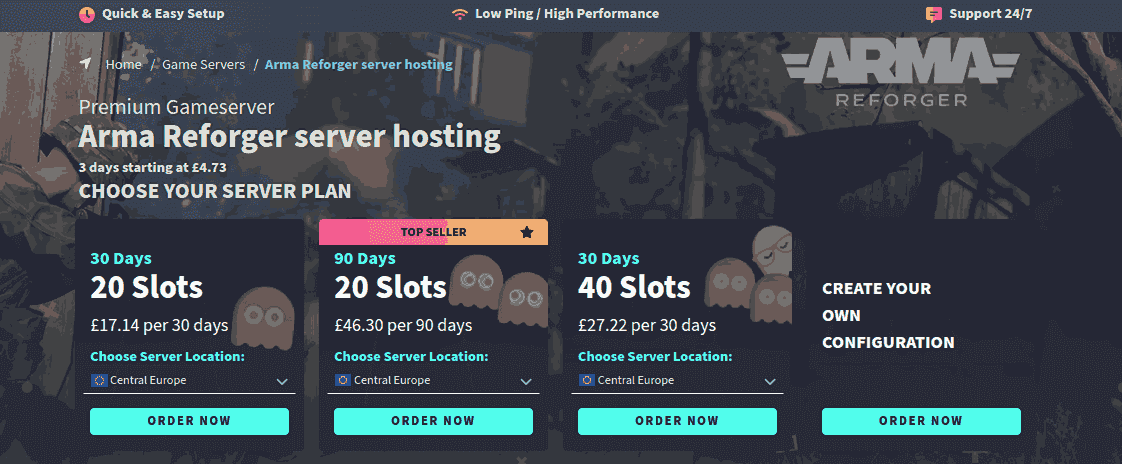
GPORTAL is useful when you need an Arma Reforger server for a weekend, Game Master event, temporary test, or short community session.
At the time of this September 2026 check, its U.S.-priced page displayed:
- Three days from $9.39
- 20 slots for 30 days from $23.49
- 40 slots for 30 days from $37.29
GPORTAL also lists fast provisioning, NVMe server hardware, DDoS protection, backups, 24/7 ticket support, and Gamecloud switching.
The three-day plan is useful because it lets you test the panel and connection quality without paying for a full month. It is a paid short-term plan, not a free trial.
GPORTAL advantages
- Three-day purchase option
- Clearly displayed 20- and 40-slot plans
- Prepaid billing
- NVMe storage
- Panel-based backups
- DDoS protection
- 24/7 ticket support
- Gamecloud switching
GPORTAL drawbacks
- Short-term hosting costs more per day than a longer plan.
- CPU and RAM allocations are not as prominent as the slot count.
- Pricing varies by region and currency.
- The three-day option should not be described as a free trial.
Who should choose GPORTAL?
Choose GPORTAL for a weekend event, temporary community server, mod test, or Game Master session where you do not need a full monthly commitment.
3. Host Havoc Arma Reforger Hosting – Best for Large Communities
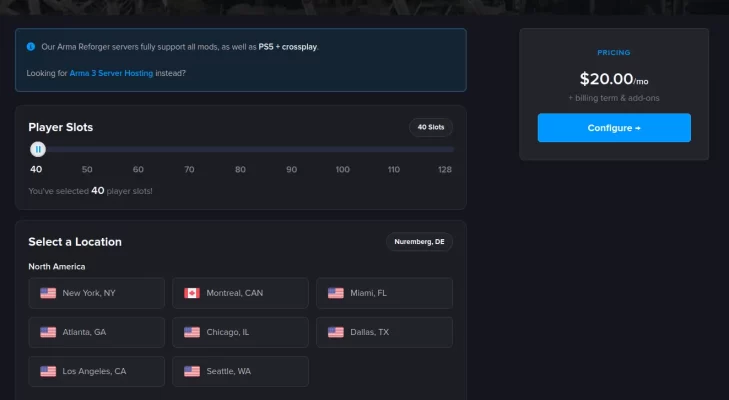
Host Havoc is the strongest choice in this comparison when your community needs a large server.
Its current Arma Reforger page offers 40 to 128 player slots and displays pricing from $20 per month before billing-term changes or optional add-ons.
Host Havoc lists North American, European, Singapore, and Sydney locations. Its game panel includes FTP access, a file manager, Workshop installation tools, a web console, log viewing, offsite backups, and restore functions.
It also advertises PC, Xbox Series X|S, and PlayStation 5 crossplay for Arma Reforger.
Host Havoc advantages
- 40–128-player configurations
- $20/month starting price displayed
- Full FTP access
- File manager
- Workshop installer
- Web console and logs
- Offsite backups
- Restore tools
- PC, Xbox, and PS5 crossplay
- North American, European, and Asia-Pacific locations
Host Havoc drawbacks
- A 40-slot minimum is excessive for a small private squad.
- Add-ons and billing terms can change the final price.
- A desired location can temporarily sell out.
- Provider hardware and performance claims should still be tested with your own workload.
Who should choose Host Havoc?
Choose Host Havoc when you are running a public Conflict server, MILSIM community, large Game Master event, or a group that could grow toward 100–128 players.
4. ZAP-Hosting Arma Reforger Hosting – Best Budget Option
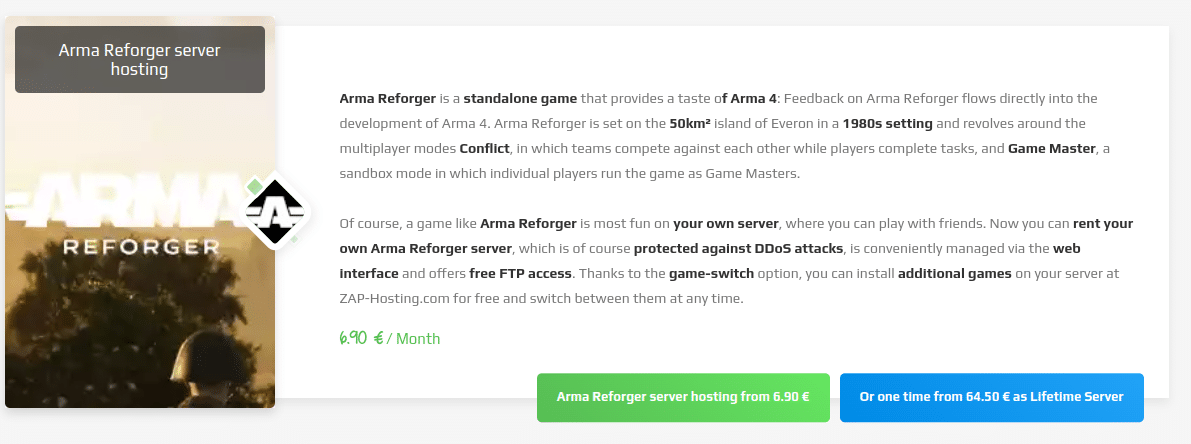
ZAP-Hosting currently lists Arma Reforger hosting from about $7.93 per month.
Its Arma Reforger service page advertises automatic setup, DDoS protection, a web interface, free FTP access, mod support, configuration tools, backups, upgrades, and game switching.
This makes ZAP-Hosting attractive when price is your first concern. However, the cheapest advertised configuration should not be compared directly with larger plans until you check its slots, RAM, storage, and optional upgrades.
ZAP-Hosting advantages
- Low advertised starting price
- Automatic setup
- FTP access
- Web control panel
- Mod support
- Backups
- DDoS protection
- Game switching
- Upgrade and downgrade options
- Good fit for price-sensitive private groups
ZAP-Hosting drawbacks
- The lowest price can represent a minimal configuration.
- Extra RAM, storage, or features can raise the final cost.
- Hardware information on the product page includes older CPU references.
- You need to review the billing and cancellation rules carefully.
Important note about ZAP cancellation and refunds
Do not describe ZAP’s seven-day rule as a general “7-day refund.”
ZAP’s published documentation says most products have a seven-day cancellation notice period before renewal. Its terms also describe a separate statutory right of revocation that can depend on customer location and whether service has already started.
Check the contract terms shown during your checkout.
Who should choose ZAP-Hosting?
Choose ZAP-Hosting when you want a low entry price and you are comfortable reviewing the exact resources and billing terms before payment.
5. GTXGaming Arma Reforger Hosting – Best for Global Communities
GTXGaming is a strong option when you want more control over slots, resources, mods, backups, and crossplay.
Its updated Arma Reforger hosting page lists 10 to 128 player slots, up to 10GB RAM, and up to 100GB NVMe storage on its published configuration. Optional upgrades can increase RAM, storage, CPU priority, and other resources.
GTXGaming also advertises an Arma Reforger mod installer, scenario control, offsite backups, DDoS protection, configuration access, and crossplay between PC, Xbox Series X|S, and PlayStation 5.
GTXGaming advantages
- 10–128 player slots
- Up to 10GB RAM in the published base configuration
- Up to 100GB NVMe storage
- Mod installer
- Scenario and configuration control
- PC, Xbox, and PS5 crossplay
- Offsite backups
- DDoS protection
- Broad international hosting coverage
- Flexible upgrade options
GTXGaming drawbacks
- The final price depends on the configuration.
- Optional upgrades can increase the checkout total.
- More settings can make the panel feel complex for a first-time admin.
- Hardware and location options should be checked for your selected region.
Who should choose GTXGaming?
Choose GTXGaming when your community is spread across multiple regions, you need a wide slot range, or you want more control over mods and server resources.
6. PingPerfect Arma Reforger Hosting – Best Free Trial
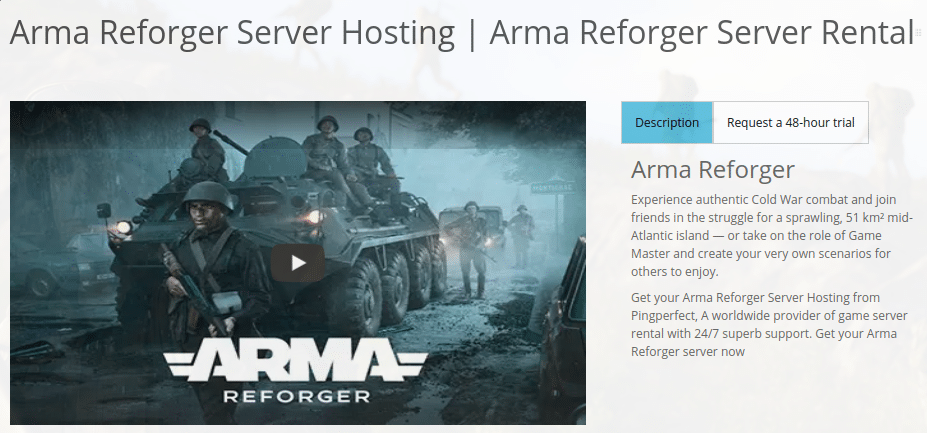
PingPerfect is worth considering when you want to test the host before committing to a longer billing term.
PingPerfect currently advertises a 48-hour free trial across its game server platform. Arma Reforger remains listed in its game catalog, and its knowledge base documents Arma Reforger configuration and custom Workshop scenario management.
The company also advertises DDoS mitigation, 24/7 support, global locations, file access, backups, and game switching.
PingPerfect advantages
- 48-hour free trial
- Arma Reforger remains in the supported game catalog
- Configuration-file access
- Mod and custom scenario guidance
- Global locations
- DDoS mitigation
- Backups
- Game switching
- 24/7 support
PingPerfect drawbacks
- Final pricing and resources depend on the configuration.
- A 48-hour trial is too short to prove long-term reliability.
- You should test real mods rather than an empty vanilla server.
- The control panel includes many options and can take time to learn.
Who should choose PingPerfect?
Choose PingPerfect when reducing purchase risk matters more than finding the lowest advertised price.
Use the trial to test your real server configuration, mod collection, backup workflow, and support quality.
7. Nitrado Arma Reforger Hosting – Best for Flexible Runtime
Nitrado now deserves a full place in the comparison because its current Arma Reforger page publishes useful slot and runtime details.
The provider shows a 20-slot, 30-day example at €19.99 on the public page we checked. It also lets you build configurations from 10 to 125 slots with runtimes from 3 to 365 days.
Nitrado advertises server-mod support, shared server management, daily backups, DDoS protection, multi-language support, game switching, upgrades, downgrades, and flexible runtimes.
Its page also says new Arma Reforger updates are made available shortly after release.
Nitrado advantages
- 10–125 configurable slots
- 3–365-day runtime options
- Daily backups
- DDoS protection
- Mod and plugin management
- Upgrade and downgrade flexibility
- Multiple server locations
- Game switching
- Multi-language support
- Current Arma Reforger product page
Nitrado drawbacks
- Pricing is localized and can vary by country and currency.
- The public page should be checked carefully for your target platform and location.
- Its maximum published slot count is 125 rather than 128.
- Some advanced configuration tasks may still require manual work.
Who should choose Nitrado?
Choose Nitrado when you want flexible player slots and billing duration rather than a fixed monthly plan.
Before ordering, confirm the region, platform support, mod workflow, backup retention, and final localized price.
Best Budget Arma Reforger Server Hosting
If your main goal is finding cheap Arma Reforger server hosting, compare the complete configuration rather than the first price shown in the search result.
Among the providers in this guide, ZAP-Hosting has the lowest advertised monthly entry price at about $7.93. However, its cheapest configuration may need upgrades depending on your player count and mod collection.
GPORTAL can also be cost-effective when you need a server for only a few days because it offers a three-day plan from $9.39. That makes it useful for a weekend event without paying for a complete month.
Shockbyte starts higher at $13.49 per month, but the entry tier clearly lists 12 players and 6GB RAM. This makes the resource comparison easier.
For a budget server, check five things before buying:
- Included player slots
- Included RAM and storage
- Server location
- Backup access
- Renewal or upgrade cost
A $7–$10 plan is not cheap if you immediately need paid upgrades to run your preferred mods.
How Much Does Arma Reforger Server Hosting Cost?
Arma Reforger server rental can start below $10 per month, but the real cost depends on your player count, billing term, server location, and resource needs.
Based on the current offers in this comparison:
| Use case | Typical example from providers in this guide |
|---|---|
| Small budget server | Around $8–$15/month starting price |
| Small to medium managed server | Around $13–$25/month |
| 20-player server | Around $20–$25/month on some providers |
| 40-player server | Around $20–$40/month depending on host |
| 100–128-player community | Usually requires a larger or configurable plan |
| Short event | Some hosts offer 3-day or other short-term options |
These are not universal market prices. They are examples from the hosts reviewed here.
The final amount can rise if you add:
- More RAM
- More storage
- Higher CPU priority
- Dedicated IP options
- Extra backups
- Additional player slots
- Premium support
- Different billing terms
Is renting an Arma Reforger server worth it?
Renting is usually worth considering when you want the server online while your own PC is off, you do not control your router, you want DDoS protection, or you prefer a web panel and managed backups.
Self-hosting can cost less if you already own suitable hardware and have a stable connection, but you take responsibility for updates, networking, security, monitoring, backups, and failures.
How Many Player Slots Do You Need?
Your player limit is one of the easiest ways to narrow the provider list.
2 to 10 players
A basic managed plan is usually enough for a private co-op squad.
Prioritize:
- A nearby server location
- Simple configuration
- Backups
- Mod support
- Low entry cost
Do not pay for 40 or more slots unless you expect the group to grow quickly.
10 to 20 players with mods
Look beyond the slot number.
Check:
- Included RAM
- Storage capacity
- Mod update workflow
- Configuration-file access
- Backup restoration
- CPU upgrade options
A heavily modded 12-player server can need more resources than a lightly modded server with a larger player count.
20 to 48 players
At this size, look for:
- A clear upgrade path
- Multiple server locations
- Offsite backups
- World or scenario uploads
- Log access
- Reliable configuration controls
- DDoS protection
Shockbyte, GPORTAL, Host Havoc, GTXGaming, Nitrado, and other configurable hosts all cover part of this range.
40 to 128 players
Large public or MILSIM servers need more than an advertised slot number.
Review:
- CPU platform
- RAM allocation
- Storage
- Network protection
- Logs
- Backup process
- Support coverage
- Mod-management workflow
- Upgrade limits
Host Havoc publishes a 40–128-player range, while GTXGaming publishes 10–128-player configurations.
Best Arma Reforger Hosting for Mods
Arma Reforger uses its integrated Workshop ecosystem for community content. Modded servers can add maps, factions, scenarios, weapons, gameplay systems, and other content.
For mod-heavy communities, prioritize a host with:
- Easy mod installation
- Full configuration-file access
- Mod dependency handling
- Update controls
- Log access
- Backups before updates
- Enough storage
- World or scenario upload support
- Cross-platform mod compatibility guidance
- Support that understands Arma Reforger
GTXGaming and Host Havoc publish strong mod-management features. Shockbyte also offers full file access and configuration tools. PingPerfect provides documented configuration and Workshop scenario workflows.
Do not install dozens of mods on day one.
Start the vanilla server first. Add a small representative mod collection. Restart the server. Confirm that players can download and join. Then add the rest of your stack in stages.
Read our guide on Best Arma Reforger Mods before building your final Workshop collection.
Does Arma Reforger Hosting Support PC, Xbox, and PS5 Crossplay?
Arma Reforger supports cross-platform multiplayer, but you still need to check the host and your mod collection.
Providers such as Host Havoc and GTXGaming explicitly advertise Arma Reforger crossplay between PC, Xbox Series X|S, and PlayStation 5.
Crossplay does not mean every mod works identically on every platform.
Before paying for a server:
- Confirm the host supports your required platforms.
- Check whether your selected mods are available for console users.
- Test at least one player from each platform.
- Review the server logs after mod updates.
- Keep a backup before changing a working crossplay configuration.
If your community is split between PC and consoles, crossplay testing should be part of your trial or refund-period checklist.
Arma Reforger Dedicated Server Facts
Bohemia Interactive supports both player-hosted and dedicated Arma Reforger servers.
According to the official Arma Reforger server-hosting documentation:
| Server fact | Value |
|---|---|
| Dedicated server | Supported |
| Stable dedicated-server App ID | 1874900 |
| Experimental App ID | 1890870 |
| Installation method | SteamCMD supported |
| Main configuration | JSON-based server configuration |
| Internet hosting | Router/firewall configuration may be required for self-hosting |
| Mods | Supported through the Arma Reforger Workshop ecosystem |
Official reference: Bohemia Interactive Community – Arma Reforger Server Hosting
These details matter because a managed host should remove much of the setup work while still giving you access to the configuration and administration features you need.
Managed Hosting Versus Self-Hosting
You do not have to rent a managed game server. Arma Reforger provides a dedicated-server application that you can run yourself.
Choose managed hosting when:
- You do not control your router.
- You cannot configure port forwarding.
- You want the server online while your PC is off.
- You want DDoS protection.
- Your players are in another region.
- You prefer a web control panel.
- You want managed backups.
- You want support when a server fails to start.
- You do not want to maintain the operating system.
Choose self-hosting when:
- You already own suitable hardware.
- You have enough upload bandwidth.
- You understand firewall and network configuration.
- You are comfortable with Linux or Windows server administration.
- You want full control over the operating system.
- You can manage updates and backups yourself.
- You accept responsibility for security and monitoring.
A VPS gives you more control than a managed game server, but it also adds more work. You need to maintain the operating system, SteamCMD, firewall rules, server updates, monitoring, and backups.
Read our full guide on how to host an Arma Reforger server if you prefer the self-hosted route.
Which Arma Reforger Server Host Should You Choose?
Shockbyte is the best overall choice for most Arma Reforger communities because its plans are easy to compare and combine managed setup, player/RAM tiers, backups, DDoS protection, global locations, and full file access.
Choose Host Havoc if your priority is a large 40–128-player public or MILSIM community. GTXGaming is a strong alternative when you want a wider 10–128-player configuration range and more control over resources. ZAP-Hosting has the lowest advertised monthly entry price in this comparison, while GPORTAL is more practical for a short event because you can buy only a few days.
Choose PingPerfect when you want a 48-hour free trial. Pick Nitrado when flexible slot counts and 3–365-day runtimes matter more than a fixed plan.
Do not choose a host only because it ranks first in a comparison table. Pick the server location closest to your players, then compare the exact slots, RAM, storage, mod workflow, crossplay support, backups, and renewal cost.
If possible, test your real Workshop collection before the trial, refund, or short-term period ends. A host that works well with your actual players and mods is more valuable than one with the lowest headline price.
FAQs
Shockbyte is our best overall choice for most communities because it combines clear player and RAM tiers, automatic backups, DDoS protection, global locations, full file access, and managed setup. Large communities should also compare Host Havoc and GTXGaming. ZAP-Hosting has the lowest advertised monthly starting price in this comparison at about $7.93. Compare the included slots, RAM, storage, location, and upgrade costs before deciding because the cheapest base plan may require additional resources. Entry-level Arma Reforger hosting can start below $10 per month, while small and medium managed plans often fall in the roughly $13 to $25 range. Larger 40 to 128-player servers can cost more depending on slots, RAM, CPU, storage, region, and optional upgrades. Shockbyte is the easiest starting point in this comparison because it publishes clear player and RAM tiers and includes managed setup, backups, configuration tools, and full file access. Host Havoc is a strong choice for large communities because it publishes 40 to 128-player configurations. GTXGaming also supports configurations from 10 to 128 players and offers resource upgrades. Yes. Arma Reforger supports cross-platform multiplayer, but you should confirm the host supports your required platforms and verify that every mod in your server collection is compatible with the players joining from consoles. Test server deployment, ping, real player connections, three representative mods, configuration editing, restart behavior, logs, backup creation, backup restoration, crossplay if required, and technical support response. Rent managed hosting if you want an always-online server, DDoS protection, backups, a control panel, and provider support. Self-hosting makes more sense when you already own suitable hardware and are comfortable managing the operating system, network, updates, security, and backups. What is the best Arma Reforger server hosting provider?
What is the cheapest Arma Reforger server hosting?
How much does an Arma Reforger server cost?
Which Arma Reforger host is best for beginners?
Which Arma Reforger host is best for large communities?
Can Arma Reforger servers support PC, Xbox, and PS5 crossplay?
What should I test during an Arma Reforger hosting trial?
Is it better to rent or self-host an Arma Reforger server?
- 👉
- 👉
- 👉
- 👉
- 👉
- 👉
- 👉
- 👉
- 👉
- 👉
- 👉