
The best ARK Survival Ascended server hosting providers in this comparison are DatHost, GravelHost, Apex Hosting, ZAP-Hosting, and GTXGaming. They do not sell the same service. Apex and GTXGaming advertise managed ASA game servers, GravelHost sells customer-operated infrastructure, and ZAP-Hosting directs ASA users to Windows VPS or dedicated hardware. DatHost’s current ARK page is for ARK: Survival Evolved, so you must confirm Ascended availability before paying.
This guide is for private groups, tribe owners, modded-server administrators, and crossplay communities. It compares pricing, RAM, management responsibility, mods, backups, platform support, and the main limitation of each host. Product details were checked on August 4, 2026, using official pages and documentation.
Best ARK Survival Ascended Server Hosts at a Glance
- DatHost: Best for users who want a fixed-price ARK plan and simple control panel, provided they confirm ASA availability before ordering.
- GravelHost: Best for technical users who want 16GB to 28GB of RAM and full server access.
- Apex Hosting: Best for beginners who want managed setup, automatic backups, mods, and 24/7 assistance.
- ZAP-Hosting: Best for experienced administrators choosing between a Windows VPS and dedicated hardware.
- GTXGaming: Best for crossplay groups that need PC, Xbox, and PS5 support.
ARK Survival Ascended Hosting Comparison
| Provider | Best For | Starting Price | Player Slots | Mods | Crossplay |
|---|---|---|---|---|---|
| DatHost | Simple fixed-price management | €14.90/month | Unlimited | One-click tools advertised for its ARK plan | Steam and Epic PC advertised |
| GravelHost | Self-managed high-RAM servers | $24/month | Unlimited | Self-managed with SFTP, CLI, or Docker | Configured by the customer where supported |
| Apex Hosting | Managed hosting for beginners | $29.24 first month; $38.99 recurring | Unlimited | Control-panel installation | PC, Xbox, and PlayStation support advertised |
| ZAP-Hosting | VPS or dedicated server control | $8.86/month for entry VPS | Customer configured | Self-managed | Not publicly specified for each configuration |
| GTXGaming | Crossplay and world management | £13.99/month | Not publicly specified | Supported through its management tools | PC, Xbox, and PS5 |
Prices and features were checked on August 4, 2026. Final charges can change based on RAM, storage, location, billing period, player slots, CPU priority, and optional upgrades.
The Best ARK Survival Ascended Server Hosting Providers
Ready to elevate your ARK Survival Ascended experience? Explore our top-rated server hosting providers and choose the perfect match for your gaming needs.
#1 – DatHost – Best for Fixed Pricing
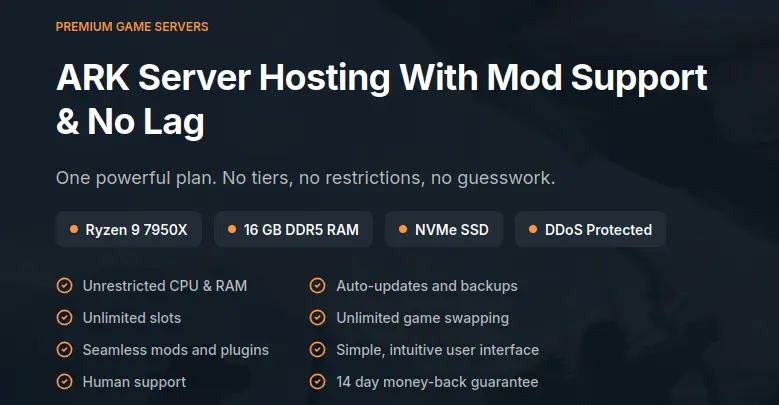
DatHost suits buyers who like one managed plan and predictable billing, but there is a major check: its current official ARK page repeatedly identifies the product as ARK: Survival Evolved, not ARK: Survival Ascended. Its game list also labels the product “ARK: SE.” Ask support for written confirmation that ASA can be deployed before ordering.
For the listed Evolved plan, DatHost shows €14.90 monthly, €8.90 per month with six-month billing, and €6.90 per month annually. The page lists 16GB DDR5 RAM, 30GB storage, modern AMD hardware, daily backups, automatic updates, DDoS protection, a settings manager, mod tools, clustering, global locations, and a 14-day refund period. These details are not confirmed ASA features.
Its advantages are simple pricing and a managed control panel for the supported ARK product. The limitation is decisive: current ASA availability is not confirmed by the official product page.
Verdict: Consider DatHost only after support confirms ASA availability, platform compatibility, mods, backups, and the applicable price.
2. GravelHost — Best for Technical Users Who Want Control
GravelHost sells infrastructure for running ARK: Survival Ascended rather than a fully managed ASA service. Its page states that customers are responsible for installing and operating the software and following third-party terms. It therefore suits users comfortable with updates, ports, security, logs, and recovery.
The ASA tiers start at $24 per month for 16GB RAM. Other choices are 20GB for $30, 24GB for $36, and 28GB for $42. GravelHost lists DDR4 memory, NVMe storage, unlimited slots, clustering, rollbacks, scheduled tasks, a firewall manager, and file access. Its FAQ mentions SFTP, command-line access, Docker, Ryzen-class CPUs, and regions across North America, Asia, Australia, and Europe.
The first advantage is control over the instance. The second is a clear RAM ladder. The drawback is maintenance: you may need to diagnose SteamCMD failures, mod conflicts, firewall errors, and operating-system problems.
The product page advertises a 72-hour refund, but GravelHost’s legal terms exclude VPS products, so confirm eligibility first.
Verdict: Choose GravelHost when you want infrastructure access and can operate ASA without managed game support.
3. Apex Hosting — Best for Beginners and Managed Setup
Apex Hosting sells a managed ARK: Survival Ascended server. It handles deployment and updates, while its web panel controls maps, settings, files, and server actions.
Current plans start with 12GB RAM at $29.24 for the first month and $38.99 on renewal. The 16GB plan is $53.99 initially and $71.99 recurring; 32GB is $77.99 initially and $103.99 recurring.
Apex includes FTP access, automatic backups and updates, DDoS protection, a seven-day money-back period, 24/7 live chat and tickets, and locations across several regions. Its ASA guides show CurseForge mod IDs added through the panel and GameUserSettings.ini access through the configuration editor.
Apex states that its ASA servers support Steam, Xbox, PlayStation, crossplay, and mods. Check each mod before building a mixed-platform server because not every project supports crossplay.
Its main advantages are managed setup and detailed ASA documentation. The limitation is price: the first-invoice discount can hide a much higher recurring charge.
Verdict: Apex is the clearest choice for users who prefer a managed panel over running a VPS.
4. ZAP-Hosting — Best for VPS and Dedicated Deployment
ZAP-Hosting presents ASA as a choice between a Windows VPS and dedicated hardware. The Windows VPS starts at $8.78, while dedicated servers start at $67.15 on the current English page. These are infrastructure products, not managed ASA plans with all game administration handled for you.
ZAP’s guide tells customers to connect through Remote Desktop and install the ASA dedicated server. Its recommendations start at four cores, 16GB RAM, 100GB storage, and 500Mbps for lighter mod use. It suggests six cores and 24GB for more mods, or eight cores, 32GB, and 200GB storage for a very large mod list.
A Windows VPS costs less and gives administrator access, but resources are shared. Dedicated hardware removes that shared-host layer and is better suited to several ASA instances or a heavier cluster.
The advantages are operating-system control and a direct upgrade path to dedicated hardware. The limitation is workload: installation, Windows maintenance, game updates, firewall rules, backups, and monitoring remain your responsibility unless you purchase separate management.
Verdict: ZAP-Hosting fits experienced administrators who want infrastructure choice rather than a managed game-server package.
5. GTXGaming — Best for Managed PC, Xbox, and PS5 Crossplay
GTXGaming advertises managed ARK: Survival Ascended hosting with PC, Xbox, and PS5 crossplay. Its ASA page lists instant setup, 24/7 support, DDoS protection, a web panel, world uploads, offsite backups, restore and download tools, scheduled backups, mods, and global locations.
The host names Intel and Ryzen processors used across its fleet and lets customers upgrade slots, memory, storage, and CPU priority. Its knowledge base shows admins installing mods through a CurseForge button and warns against PC-only mods on crossplay servers. Another guide covers joining from PC, Xbox, and PS5 through the unofficial server list.
The first advantage is clear ASA-specific crossplay support. The second is practical backup control: the page describes creating, restoring, downloading, and scheduling backups. GTXGaming states a 24-hour refund period, and its updated terms list a 24-hour cooling-off period for new monthly orders.
The limitation is pricing transparency. The public ASA page does not show a base monthly price, and its linked store did not expose a current ASA listing during this review.
Verdict: GTXGaming suits mixed-platform groups, but request the complete monthly price before ordering.
Which ARK Survival Ascended Host Should You Choose?
Choose Apex Hosting if you are new to server administration and want deployment, updates, backups, file access, and support under one account. Choose GTXGaming when PC, Xbox, and PS5 crossplay is the priority and you want managed tools.
Choose GravelHost if you can operate server software and want defined 16GB to 28GB plans. Choose ZAP-Hosting when you need a Windows VPS for one server or dedicated hardware for a larger cluster.
DatHost has attractive fixed pricing for its listed ARK product, but do not order it for ASA until support confirms Ascended availability. For every provider, compare the recurring charge, closest location, restore process, mod compatibility, and responsibility for updates before paying.
How We Evaluated the Providers
We reviewed official product pages, pricing pages, documentation, and terms available on August 4, 2026. The main checks were confirmed ASA availability, hosting type, installation responsibility, RAM and CPU details, storage, locations, mods, crossplay, configuration access, backups, support, refund wording, and renewal pricing.
We did not treat an ARK: Survival Evolved page as proof of Ascended support. Managed game-server plans were also separated from VPS and dedicated products because the customer handles more work on unmanaged infrastructure. No hands-on benchmark, uptime measurement, or support test was performed.
What to Look for in ARK Survival Ascended Hosting
Confirm the Exact ARK Version
ARK: Survival Ascended and ARK: Survival Evolved use different server software, mod systems, and platform rules. A host may support Evolved without selling an Ascended plan. Check that the checkout page names ASA.
Managed Hosting vs VPS Hosting
A managed plan normally handles deployment, updates, network settings, and the game panel. With a VPS, you may need to install SteamCMD, manage Windows or Linux, open ports, secure remote access, monitor resources, and repair failed updates.
RAM and CPU Resources
ASA resource use changes with the map, active players, structures, creatures, mods, and cluster design. ZAP-Hosting recommends 16GB RAM for lighter mod use, 24GB for a larger mod list, and 32GB for a very large one. Treat this as its deployment guidance, not a universal rule.
Mods, Backups, and Configuration Access
Check for CurseForge support, access to Game.ini and GameUserSettings.ini, and an actual restore function. Create a restore point before changing maps or updating mods. ASA’s support site directs users to its in-game mod browser and cross-platform mod collection.
Crossplay and Console Support
Verify Steam, Microsoft Store, Xbox, and PlayStation support on the exact product page. PC storefront compatibility does not automatically mean console crossplay.
Final Verdict
Apex Hosting is the most suitable managed option for beginners, while GTXGaming is better positioned for managed PC, Xbox, and PS5 crossplay. GravelHost gives technical users more control through RAM-based infrastructure plans, and ZAP-Hosting fits administrators choosing between a Windows VPS and dedicated hardware.
DatHost remains a conditional choice because its official ARK page covers Survival Evolved rather than Ascended. Before ordering, verify ASA availability, recurring price, RAM, location, mods, console access, restore tools, and who handles installation and updates.
FAQs: Best ARK Survival Ascended Server Hosting
Yes, you can self-host a dedicated server for free by downloading the developer-provided server files via Steam Workshop. Reduce view distance, ground clutter, and structure limits, optimize breeding/maturation rates, and use better hardware. Official PvE servers are not yet available, but you can find unofficial PvE servers hosted by private players. You can play it on PC (Windows), PlayStation 5, and Xbox Series X/S. The best settings depend on your server specs, but limiting structures and tames, optimizing graphics, and using minimal mods is recommended. 1. Is ARK Survival Ascended dedicated server free?
2. How do I make my ARK Survival Ascended server run smoother?
3. Does ARK Survival Ascended have PvE servers?
4. Where can I play ARK Survival Ascended?
5. What are the best mod settings for ARK Survival Ascended?
- 👉
- 👉
- 👉
- 👉
- 👉
- 👉
- 👉
- 👉
- 👉
- 👉
- 👉
- 👉