

Minecraft survival is at its best when every choice matters. You start with nothing. You grab wood, dodge mobs, build a shelter, and slowly turn a rough spawn into a base worth protecting. But after enough worlds, vanilla survival can feel predictable. You know where to mine. You know which food to use. You know when the night is dangerous and when it is just background noise.
That is where the right survival mods help.
The best Minecraft survival mods for 2026 do not just add more items. They make the world harder, smarter, richer, or easier to manage without burying the core survival loop. Some add thirst, seasons, and better food systems. Others improve terrain, structures, mobs, travel, storage, recipes, and server performance.
If your goal is multiplayer, start by learning how to make a modded Minecraft server before installing world-generation or adventure mods.
This guide focuses on Minecraft: Java Edition. Minecraft now uses year-based version numbers, so 2026 releases begin with “26,” and Java Edition 26.2 launched on June 16, 2026. Always check the exact Minecraft version, loader, dependency list, and server/client requirements before starting a long-term world.

Quick Picks: Best Minecraft Survival Mods by Player Type
| Player Type | Recommended Mod | Why It Works |
|---|---|---|
| Hardcore survival players | Tough As Nails | Adds thirst and body temperature for harsher exploration. |
| Long-term world builders | Serene Seasons | Adds seasons, crop effects, color shifts, and weather changes. |
| Food-focused players | Farmer’s Delight | Adds better farming, cooking, and meal progression. |
| Explorers | Terralith | Adds almost 100 biomes using vanilla blocks. |
| Biome variety fans | Biomes O’ Plenty | Adds 50+ unique biomes, trees, flowers, and blocks. |
| Loot hunters | Dungeons and Taverns | Adds dungeons, taverns, and structure-based exploration. |
| New modded players | Just Enough Items | Shows items and recipes in-game. |
| Long-distance travelers | Traveler’s Backpack | Adds upgradeable portable storage. |
| Server owners | ModernFix and spark | Improves performance and helps diagnose lag. |
How We Chose These Minecraft Survival Mods
We prioritized mods that improve survival without replacing the reason people still play Minecraft survival in the first place: risk, planning, exploration, crafting, and base building.
Each pick was evaluated for:
- Survival value
- Update activity
- Version and loader availability
- Multiplayer usefulness
- Stability in focused mod stacks
- Fit with Java Edition survival worlds
- Best forClear use case for players or server owners
We avoided abandoned picks where version support was unclear. We also avoided giant content mods that add too much unrelated material for a survival-focused list.
Minecraft Survival Mods Compatibility Table
Version support changes fast. Use this table as a planning tool, then confirm the latest file on CurseForge, Modrinth, or the creator’s official page before installing.
| Mod | Main Use | Loader / Format | Install Before World Creation? | Notes |
|---|---|---|---|---|
| Tough As Nails | Thirst and temperature | Check latest Forge, Fabric, or NeoForge files | No | Strong hardcore survival pick. |
| Serene Seasons | Seasons and crop effects | Forge, Fabric, NeoForge | Recommended | CurseForge lists 26.2 among supported game versions. |
| Farmer’s Delight | Farming and cooking | Forge, NeoForge | No | Current CurseForge files focus on 1.21.1, 1.21, 1.20.1, and older versions. |
| Biomes O’ Plenty | Biome expansion | Forge, NeoForge, Fabric files vary by version | Yes | Adds 50+ biomes; install before world generation. |
| Terralith | Terrain and biomes | Data pack, Fabric, Forge, NeoForge, Quilt | Yes | Supports 26.2 and adds almost 100 biomes using vanilla blocks. |
| Dungeons and Taverns | Structures | Data pack, Fabric, Forge, NeoForge | Yes | Supports 26.2 and adds dungeons, taverns, and exploration structures. |
| Towns and Towers | Villages, outposts, ships | Mod / data pack | Yes | Expands villages, pillager outposts, and ships. |
| Just Enough Items | Recipes and item lookup | NeoForge and other versions by file | No | JEI has a 26.2 NeoForge file. |
| Traveler’s Backpack | Portable storage | Check latest loader files | No | Adds unique and upgradeable backpacks. |
| AppleSkin | Food HUD | Fabric, Forge, NeoForge, Quilt | No | Supports 26.2 and shows hunger/saturation data. |
| Waystones | Travel points | NeoForge, Fabric, Forge | No | Requires Balm and works for survival, adventure maps, and servers. |
| Friends&Foes | Vanilla-style mobs | Fabric, Quilt, Forge, NeoForge | Recommended | Forge/NeoForge page lists 26.2 support. |
| ModernFix | Performance | Fabric, Forge, NeoForge | No | Supports 26.1.2 and 26.1; check for newer files. |
| spark | Performance profiling | Fabric, Forge, NeoForge, Quilt | No | Supports 26.2 and works on clients, servers, and proxies. |
Best Hardcore Survival Mods: Thirst, Seasons, and Food
Hardcore survival mods work best when they add pressure without making the game annoying. A good realism setup should make you prepare before travel, mining, farming, and combat.
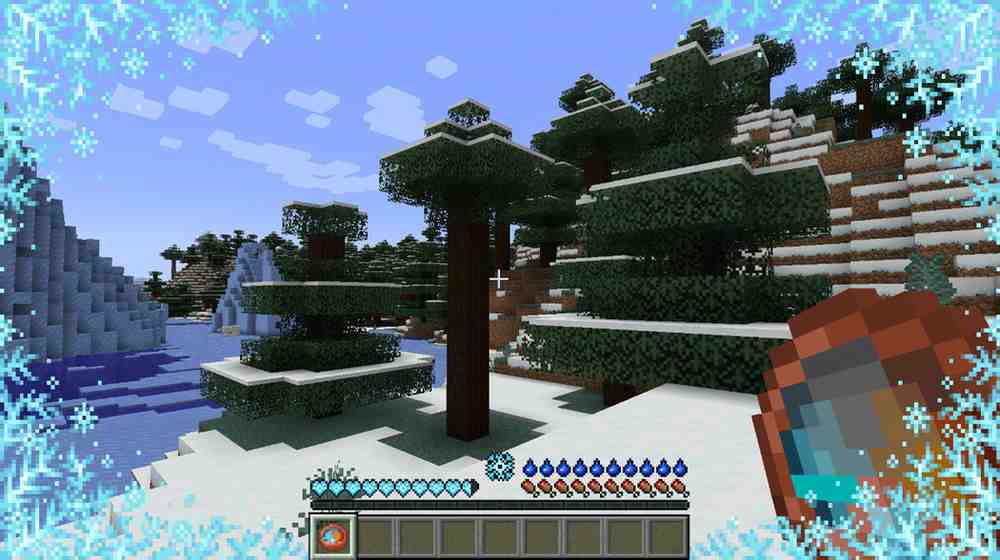
Tough As Nails
Tough As Nails is one of the most direct ways to make survival harder. It adds thirst and body temperature, so deserts, snowy biomes, caves, and long mining trips become more dangerous. The Modrinth page describes it as a survival mod that increases difficulty through body temperature and thirst.
Best for: Hardcore survival worlds, realism servers, and players who want travel to feel risky again.
Why it stands out: Hunger alone is easy to manage. Thirst and temperature make location, time, gear, and preparation matter.
Pair it with: Serene Seasons, AppleSkin, and Farmer’s Delight.
Serene Seasons
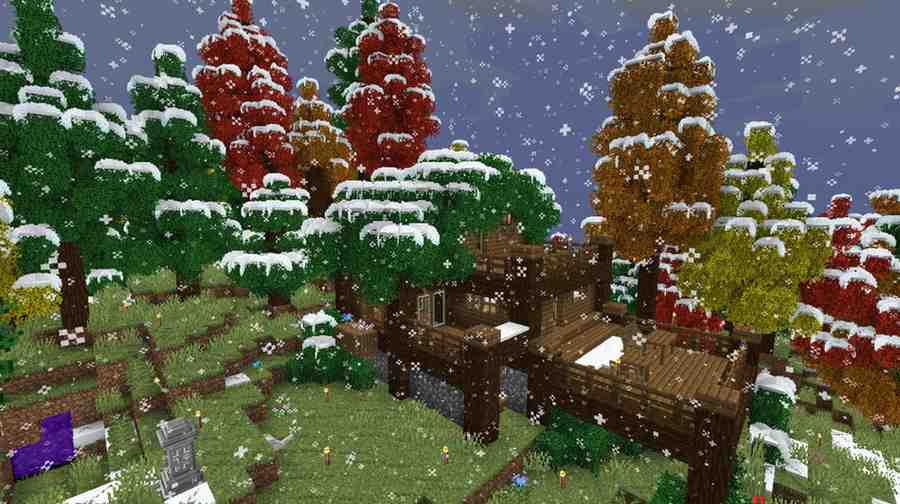
Serene Seasons adds spring, summer, autumn, and winter cycles. Grass and foliage colors change throughout the year, winter can shift temperatures, and seasons can affect crop growth and weather.
Best for: Farming servers, roleplay worlds, cozy survival, and long-term saves.
Why it stands out: It gives a survival world a sense of time. Farms, travel routes, and base planning become more meaningful when the world changes around you.
Pair it with: Tough As Nails, Farmer’s Delight, and AppleSkin.
Farmer’s Delight
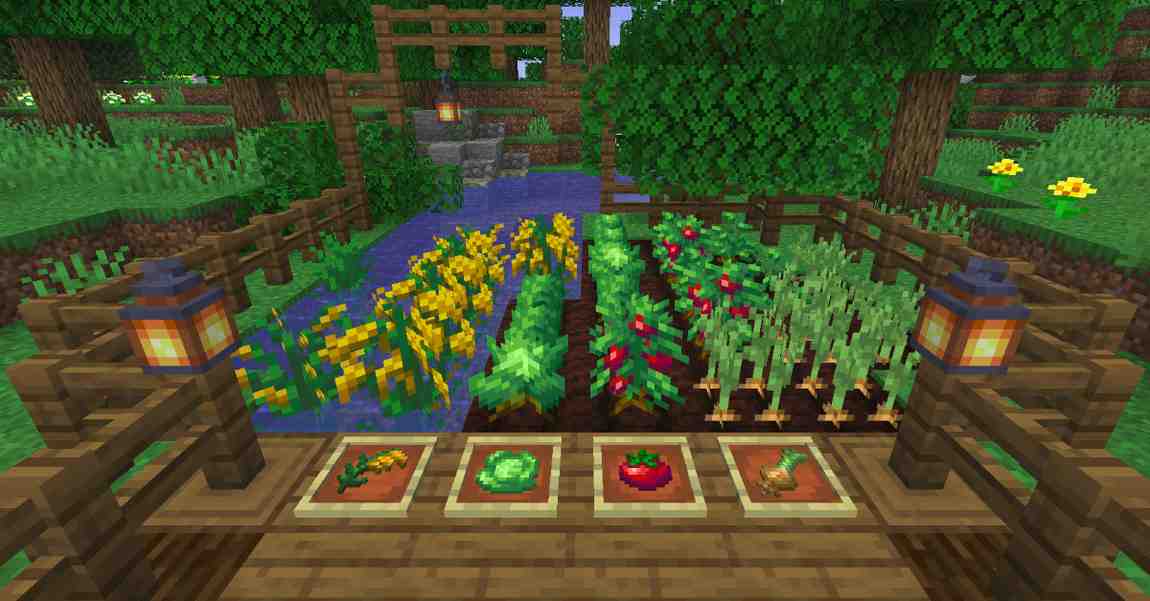
Farmer’s Delight turns food into a real survival system instead of a quick hunger refill. It expands farming and cooking with meals, ingredients, and food preparation. CurseForge lists it as a farming and cooking expansion, with recent files for 1.21.1, 1.21, 1.20.1, and older versions.
Best for: Farming bases, cozy survival towns, food-focused servers, and players who want more reason to cook.
Why it stands out: It makes food progression feel earned. You still gather, farm, and cook, but the rewards feel better than carrying one stack of basic food forever.
Pair it with: AppleSkin, Serene Seasons, and storage mods.
Best Minecraft Exploration Mods for Biomes, Terrain, and Structures
Exploration mods are the fastest way to make survival feel fresh again. They change what you see, where you travel, and what you find away from base.
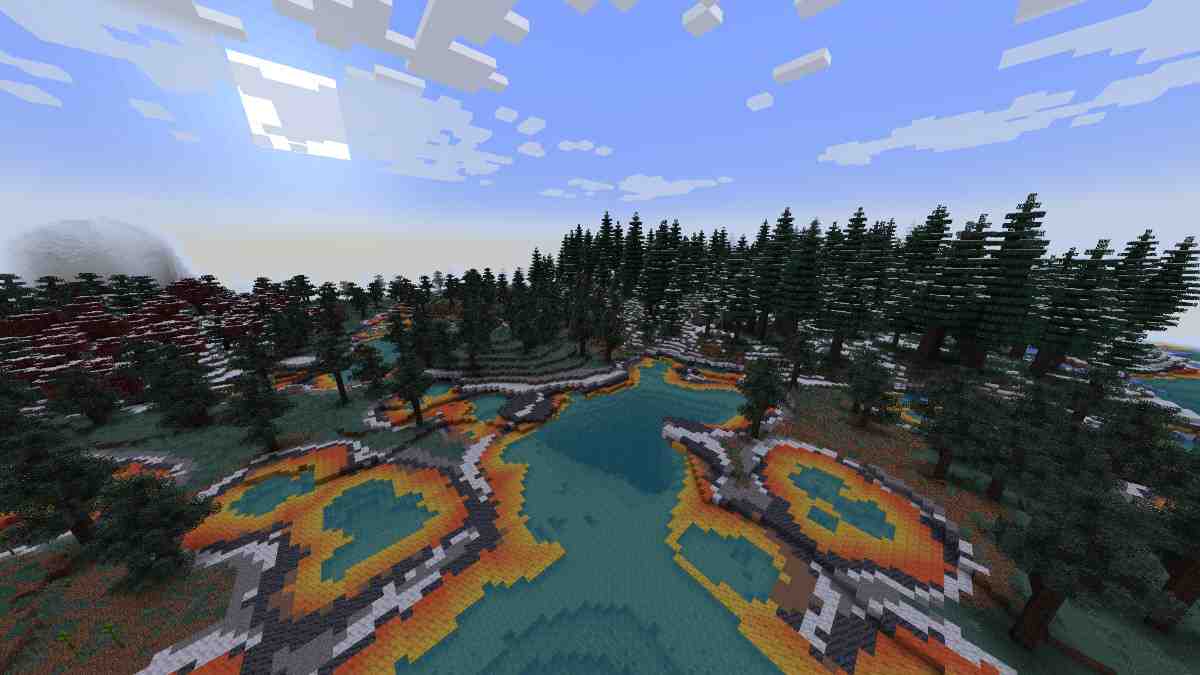
Terralith
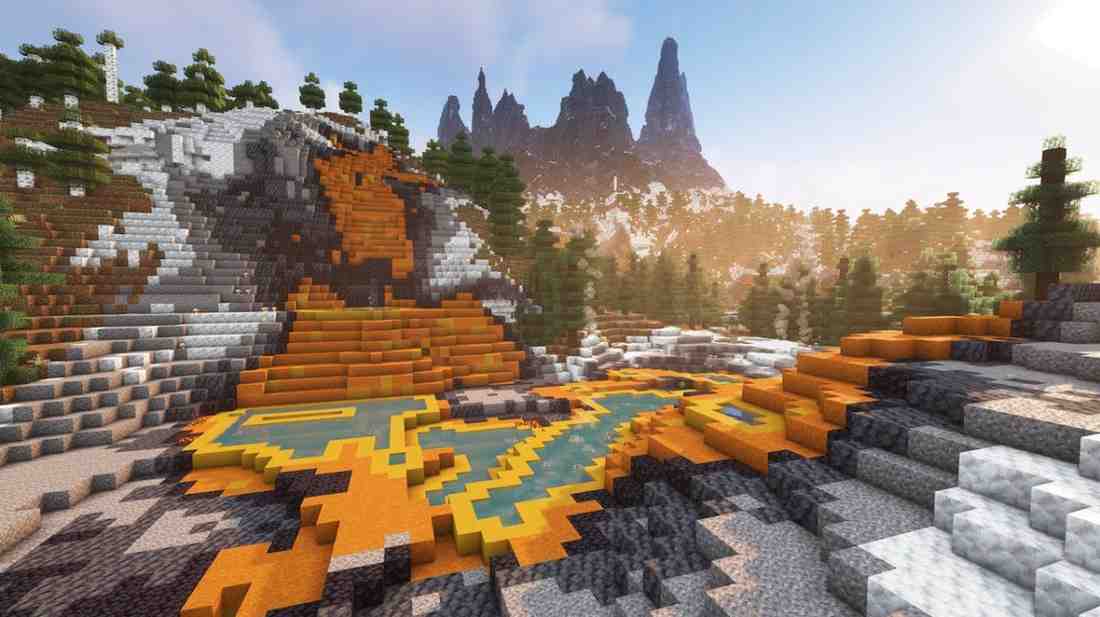
Terralith is one of the best Minecraft exploration mods for players who want dramatic terrain without adding hundreds of new blocks. Modrinth says it adds almost 100 new biomes, uses vanilla blocks, and supports Java Edition 26.2 across data pack and mod formats.
Best for: Vanilla-plus survival, exploration servers, and players who want better mountains, oceans, caves, and biome variety.
Why it stands out: It changes how the world feels while still looking like Minecraft.
Install tip: Add Terralith before creating your world. Terrain and biome mods should be part of the world from day one.
Biomes O’ Plenty
Biomes O’ Plenty is a long-running biome expansion mod that adds 50+ biomes, along with new trees, flowers, plants, building blocks, and environmental variety.
Best for: Builders, explorers, and servers that need more biome variety.
Why it stands out: It gives players more reasons to travel without forcing a new progression system.
Install tip: Add it before world generation. Adding biome mods later usually means new content only appears in unexplored chunks.
Dungeons and Taverns
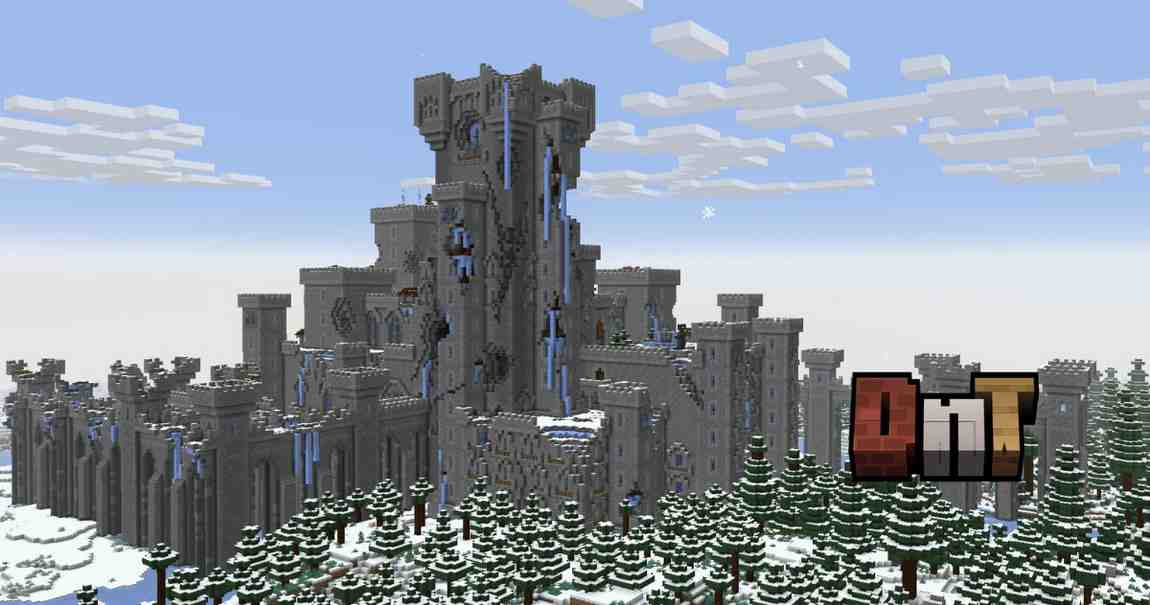
Dungeons and Taverns adds dungeons, taverns, and other structures to find while exploring. Its Modrinth page lists support for Java Edition 26.2 and platforms including data pack, Fabric, Forge, and NeoForge.
Best for: Loot hunters, co-op groups, and survival servers that need more shared destinations.
Why it stands out: It gives exploration a payoff. Players find places, fight through them, and bring back loot.
Pair it with: Terralith, Towns and Towers, Waystones, and Traveler’s Backpack.
Towns and Towers
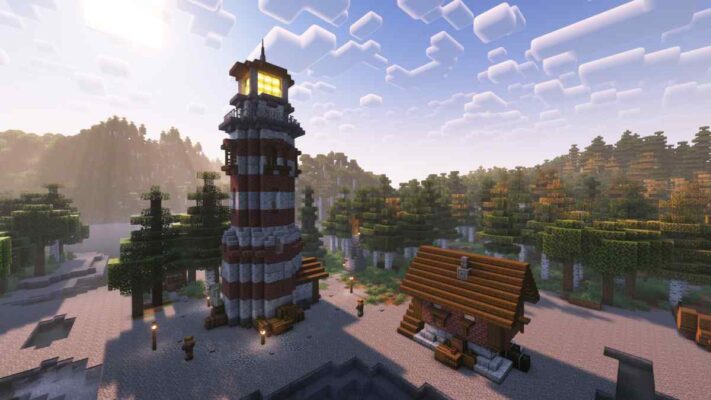
Towns and Towers expands villages, pillager outposts, and ships while keeping the style close to vanilla Minecraft. Modrinth describes it as a project that builds on the 1.14 village update with new villages, outposts, and ships.
Best for: Settlement-style worlds, trading routes, and players who want villages to feel less repetitive.
Why it stands out: It improves places players already care about. That makes it easier to fit into survival than a structure mod that drops random oversized builds everywhere.
Best Quality-of-Life Mods for Survival Worlds
Quality-of-life mods should remove friction, not remove challenge. The best ones make recipes, inventory, food, and travel easier to manage while still keeping survival intact.
Just Enough Items
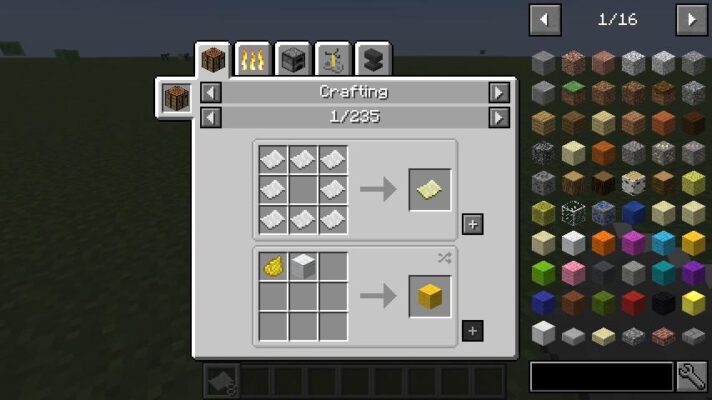
Just Enough Items, better known as JEI, lets players view items and recipes in-game. That makes it one of the most useful Minecraft Java survival mods for beginners and large modpacks. Modrinth lists a 26.2 NeoForge file for JEI.
Best for: New players, modpacks, multiplayer servers, and anyone tired of searching recipe wikis.
Why it stands out: It saves time without giving free resources.
Pair it with: Any modded survival setup.
Traveler’s Backpack
Traveler’s Backpack adds unique and upgradeable backpacks with customization and Curios API or Trinkets integration.
Best for: Mining trips, biome hunts, long-distance travel, and builders collecting bulk materials.
Why it stands out: Inventory fills fast in survival. A backpack lets players stay out longer without turning inventory management into the whole game.
Pair it with: Dungeons and Taverns, Terralith, Waystones, and Biomes O’ Plenty.
AppleSkin
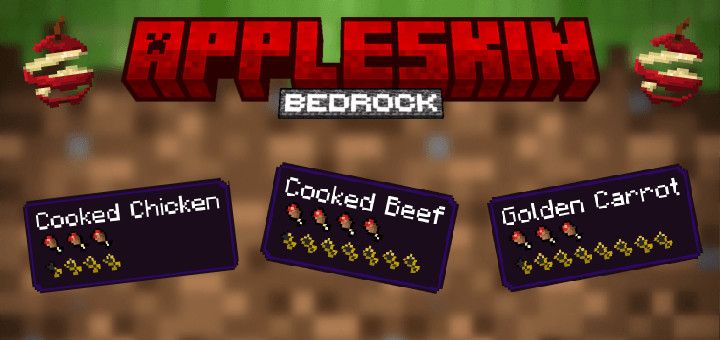
AppleSkin improves the food HUD by showing hunger, saturation, and exhaustion information. Modrinth lists support for Java Edition 26.2 and platforms including Fabric, Forge, NeoForge, and Quilt.
Best for: Hardcore survival, food-focused worlds, and Farmer’s Delight setups.
Why it stands out: Food choices become clearer. Players can see which meals are worth carrying before combat, mining, or travel.
Waystones
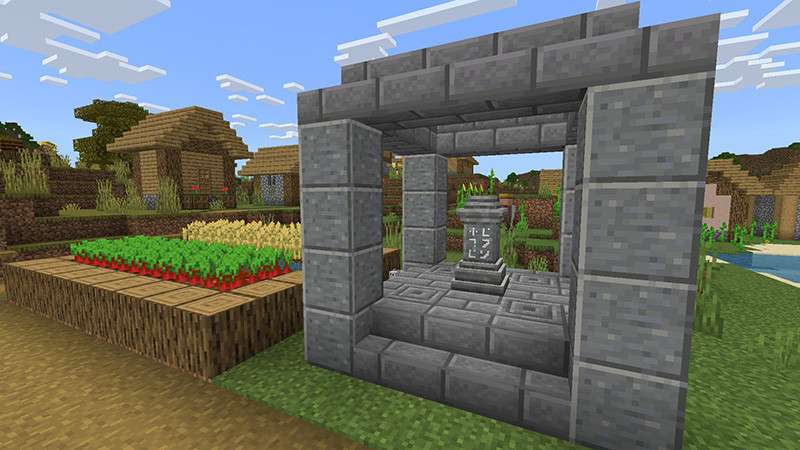
Waystones adds travel points players can activate and return to. It can be used in survival mode, adventure maps, and multiplayer servers as an alternative to common teleport commands. The Modrinth page also notes that it is available for NeoForge, Fabric, and Forge, and requires Balm.
Best for: Multiplayer servers, large worlds, and players who want faster travel without free teleport spam.
Why it stands out: It reduces boring backtracking while still making players discover and activate locations first.
Pair it with: Dungeons and Taverns, Towns and Towers, and any large terrain mod.
Best Adventure Mods for Mobs, Bosses, and New Goals
Once your base is safe and your farms are stable, survival needs goals. Adventure mods add creatures, bosses, dimensions, and reasons to leave home.
Naturalist
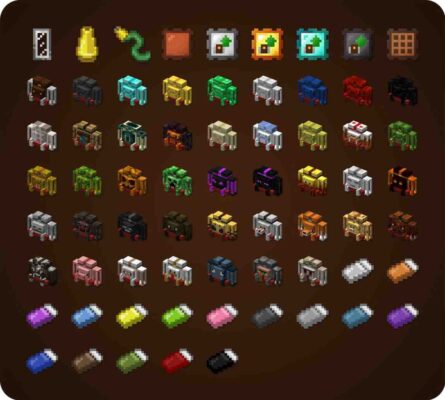
Naturalist adds 24 animals, not counting variants, with behaviors and drops. CurseForge says the mod aims to fit its animals naturally into vanilla-style gameplay.
Best for: Wildlife-focused survival, biome exploration, and players who want the Overworld to feel more alive.
Why it stands out: It adds life without turning the game into a full fantasy pack.
Pair it with: Biomes O’ Plenty, Terralith, and Serene Seasons.

Friends&Foes
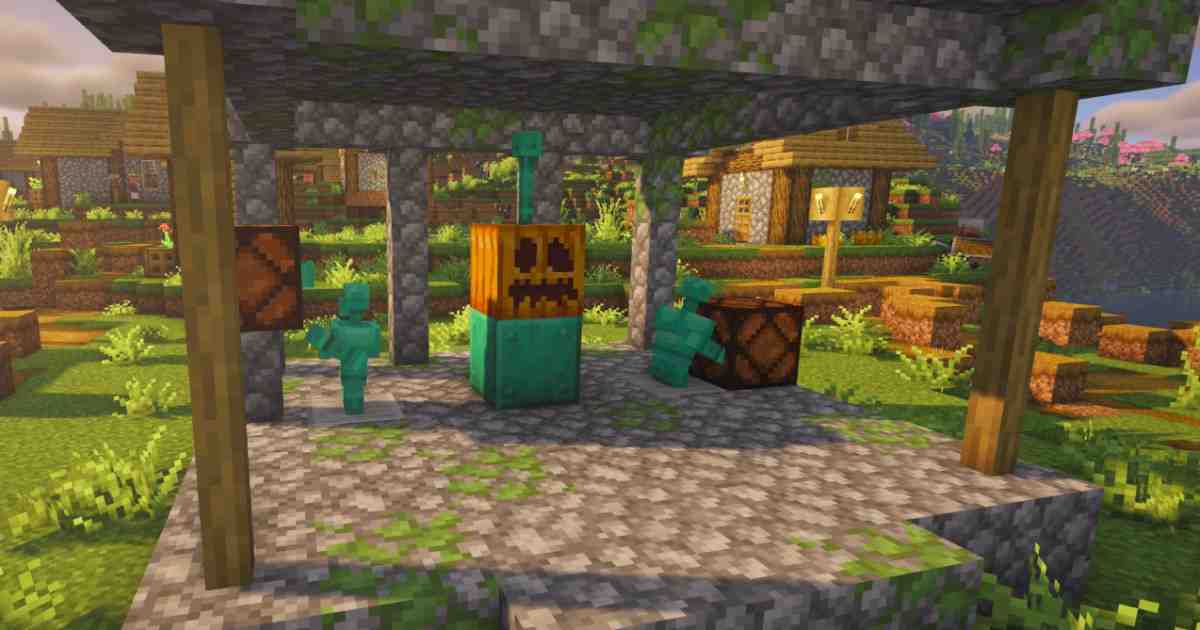
Friends&Foes adds outvoted and forgotten mob concepts, including the Copper Golem, Crab, Glare, Moobloom, Iceologer, Rascal, Tuff Golem, Wildfire, Illusioner, and Zombie Horse. The Forge/NeoForge Modrinth page lists Java Edition 26.2 support.
Best for: Vanilla-plus survival and players who like mob variety without a huge difficulty spike.
Why it stands out: The mobs feel close to Minecraft’s style. That makes the mod easier to recommend for general survival servers.
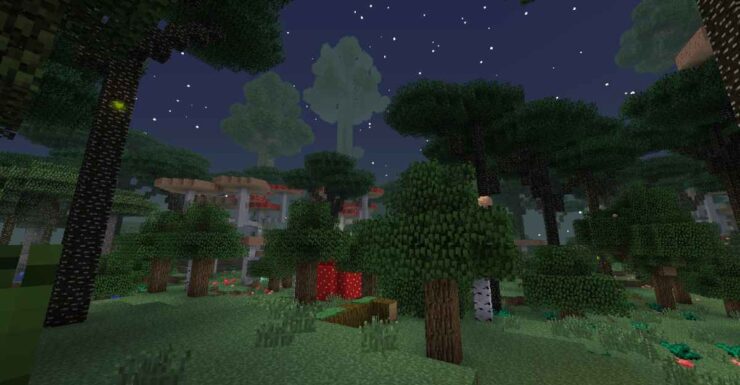
The Twilight Forest
The Twilight Forest is a dimension exploration mod focused on adventure. CurseForge describes it as a mod with dungeons, boss battles, treasure, loot, and strange creatures.
Best for: Co-op survival groups, boss progression, and players who need a new goal after the Overworld feels safe.
Why it stands out: It gives survival players a real adventure path instead of only adding scattered content.
Install tip: Check current version support carefully before building a 2026 pack around it.
Best Performance Mods for Minecraft Survival Servers
Modded survival servers need performance planning. New terrain, extra mobs, backpacks, storage blocks, teleport systems, and structure generation can all increase server load.
ModernFix
ModernFix is an optimization mod that improves performance, reduces memory usage, and fixes bugs in many modern Minecraft versions. Modrinth lists support for Java Edition 26.1.2, 26.1, 1.21.x, 1.20.x, and older versions, with Fabric, Forge, and NeoForge listed as platforms.
Best for: Modpacks, multiplayer servers, and heavier survival setups.
Why it stands out: It helps reduce strain before players notice serious problems.
Install tip: Check whether a newer 26.2 file exists before using it in a Java 26.2 server.
spark
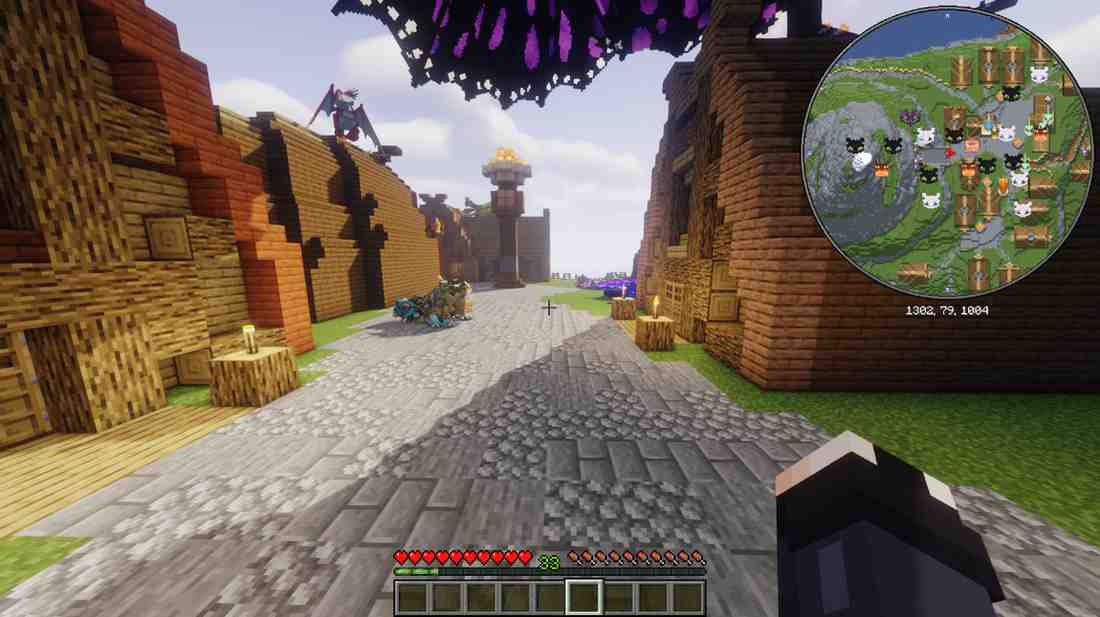
spark is a performance profiler for Minecraft clients, servers, and proxies. Modrinth lists support for Java Edition 26.2 and platforms including Fabric, Forge, NeoForge, and Quilt.
Best for: Server owners, modpack testers, and anyone trying to fix lag.
Why it stands out: It does not guess. It helps identify CPU, memory, and server health issues so you can fix the real problem.
Pair it with: Any serious modded survival server.
Mods to Be Careful Mixing
Not every good mod belongs in the same pack. Some combinations create overlap, slow generation, or unstable worlds.
Be careful when mixing:
- Multiple major biome mods
- Multiple terrain generation mods
- Several structure packs at once
- Dimension mods with heavy mob mods
- Client-side visual mods inside a server mods folder
- Old 1.21.x mods with 26.x servers
- Mods that require different loaders
World-generation mods need the most caution. If a mod changes biomes, terrain, ores, structures, or dimensions, install it before creating the world. Removing it later can break generation, leave missing content, or create ugly chunk borders.
Download Safety Tips for Minecraft Mods
Only download Minecraft mods from trusted platforms such as CurseForge, Modrinth, or the creator’s official page. Avoid reupload sites, shortened links, cracked-client sites, and YouTube descriptions that point to unknown downloads.
This matters in 2026. McAfee reported a Minecraft-focused malware campaign called WeedHack that spread through fake mods, clients, and related downloads. The campaign targeted Minecraft players and was linked to credential theft, account theft, and remote-access risks.
CurseForge says it scans and moderates uploaded mods, but players should still check project names, authors, file dates, dependencies, and comments before installing anything.
Before installing a mod:
- Download from the official project page.
- Check the author name.
- Match the Minecraft version exactly.
- Match the loader exactly.
- Read the dependency list.
- Back up your world.
- Avoid “free premium client” downloads.
- Do not install random JAR files from Discord or video descriptions.
Best Minecraft Survival Mod Stacks
A good survival stack has a clear theme. Do not install every mod from this list at once. Pick the kind of world you want, then build around it.
Hardcore Realism Stack
Use this if vanilla survival feels too easy.
Recommended mods:
- Tough As Nails
- Serene Seasons
- Farmer’s Delight
- AppleSkin
- ModernFix
Why it works: Thirst, temperature, seasonal changes, food planning, and performance support all point in the same direction. The result is harder survival without random clutter.
Exploration Survival Stack
Use this if you want every journey to feel different.
Recommended mods:
- Terralith
- Biomes O’ Plenty
- Dungeons and Taverns
- Towns and Towers
- Traveler’s Backpack
- Waystones
Why it works: Terrain, biomes, structures, storage, and travel all support exploration. Start a new world for this stack.
Beginner-Friendly Survival Stack
Use this for new modded players or relaxed multiplayer.
Recommended mods:
- Just Enough Items
- AppleSkin
- Traveler’s Backpack
- Waystones
- Farmer’s Delight
Why it works: It improves recipes, food, travel, and inventory without making the world too complex.
Adventure Server Stack
Use this for groups that want bosses, travel, mobs, and long-term goals.
Recommended mods:
- The Twilight Forest
- Friends&Foes
- Naturalist
- Dungeons and Taverns
- Waystones
- spark
Why it works: Players get new creatures, structures, travel points, and performance diagnostics for server owners.
Server Performance Stack
Use this if stability matters more than adding content.
Recommended mods:
- ModernFix
- spark
- AppleSkin
- Just Enough Items
- Waystones
Why it works: It supports smoother play, easier troubleshooting, and better quality of life without overloading world generation.
How to Run a Modded Minecraft Survival Server
A modded survival server needs more planning than a vanilla world. Every player must use the same Minecraft version, loader, mod list, and required dependencies. Server-side mods must be uploaded to the server. Client-only mods should not sit in the server’s mods folder.
If you are still choosing a host, compare the best modded Minecraft server hosting options before committing to a long-term survival world. For a full setup walkthrough, use our guide on how to make a modded Minecraft server so your loader, mods, dependencies, and server files match from the start.
Apex Hosting’s custom modpack guide says the server needs the same modloader and Minecraft version as the modpack, and server-compatible mods must go into the server’s mods folder. It also warns that mismatched Forge or NeoForge versions can cause startup failures.
Apex Hosting also provides FTP access through its panel, which lets users upload, download, move, rename, edit, compress, and extract server files.
Before launching a modded survival server:
- Build the pack locally first.
- Test it in single-player.
- Confirm every dependency.
- Remove client-only mods from the server folder.
- Create a fresh world for biome and structure mods.
- Keep backups before every major change.
- Use spark if players report lag.
- Track mod names, versions, loaders, and download sources.
For Apex Hosting users, full file access and modpack installation tools make it easier to manage custom survival packs, but the same rule still applies: the server and client files must match.
What to Check Before Installing Survival Mods
What Minecraft version are you using?
Check whether your world is on Java Edition 26.2, 26.1.x, 1.21.x, or another version. Version mismatch is one of the most common causes of crashes.
Which mod loader do you need?
Forge, Fabric, NeoForge, and Quilt are not interchangeable. Install the loader your mod requires.
Does the mod need dependencies?
Many mods need extra libraries. Waystones requires Balm, for example.
Is the mod client-side, server-side, or both?
Apex Hosting warns that client-side mods like shader tools, minimaps, HUD overlays, and sound mods can cause crashes or errors if left in the server mods folder.
Does the mod change world generation?
Biome, terrain, ore, structure, and dimension mods should be installed before world creation.
Final Thoughts: Build a Better Minecraft Survival World
The best Minecraft survival mods for 2026 are the ones that make survival feel meaningful again.
Use Tough As Nails and Serene Seasons if you want harder survival. Use Farmer’s Delight and AppleSkin if food should matter more. Use Terralith, Biomes O’ Plenty, Dungeons and Taverns, and Towns and Towers if exploration feels stale. Use JEI, Traveler’s Backpack, and Waystones if you want smoother long-term play. Add ModernFix and spark if you are building a serious server.
Start small. Test everything. Back up your world. A focused mod stack will beat a messy mod folder every time.
FAQs: Minecraft Survival Mods in 2026
What are the best Minecraft survival mods for 2026?
The best Minecraft survival mods for 2026 include Tough As Nails, Serene Seasons, Farmer’s Delight, Terralith, Biomes O’ Plenty, Dungeons and Taverns, Towns and Towers, Just Enough Items, Traveler’s Backpack, AppleSkin, Waystones, Naturalist, Friends&Foes, The Twilight Forest, ModernFix, and spark.
Are these Minecraft survival mods for Java or Bedrock?
These recommendations are for Minecraft: Java Edition. Bedrock uses add-ons and Marketplace content rather than Java-style Forge, Fabric, NeoForge, Quilt, and data pack mod setups.
What is the best mod for harder Minecraft survival?
Tough As Nails is the best starting point for harder survival because it adds thirst and temperature. For a stronger survival setup, pair it with Serene Seasons, Farmer’s Delight, and AppleSkin.
What is the best Minecraft survival mod for exploration?
Terralith is the best vanilla-friendly exploration pick because it adds almost 100 biomes using vanilla blocks. Biomes O’ Plenty is better if you want new trees, flowers, blocks, and more biome variety.
Can I add survival mods to an existing Minecraft world?
You can usually add simple utility mods to an existing world. Be careful with biome, terrain, structure, ore, and dimension mods. These are best installed before creating a new save.