Last Updated on 1 Aug 2026
Starting your own Minecraft server opens up a lot of possibilities—whether you want a private world for friends or you’re planning to build a larger community. You can run a server from your own PC, but most players quickly run into issues like lag, crashes, or needing to keep their system online 24/7.
That’s where Minecraft server hosting comes in.
Think of it as running your world on a dedicated, always-online system built specifically for Minecraft. You get better performance, easier setup, and fewer technical problems—so you can focus on playing instead of fixing server issues.
In this guide, we’ll cover the best Minecraft server hosting options in 2026, including both free and paid providers. We’ve focused on what actually matters: performance, reliability, and how each option performs with real players—not just specs on paper.
Free vs Paid Minecraft Hosting: What Most Guides Don’t Tell You
Before jumping into the list, here’s the key difference:
- Free hosting → good for testing, small servers (2–10 players), short sessions
- Paid hosting → required for modpacks, 24/7 uptime, and larger communities
If you’re just starting out, free hosting works. But if you want:
- smoother gameplay
- more players
- no shutdowns or queues
you’ll eventually need to upgrade.
Also Read
How to Set Up a Modded Minecraft Server (Full Guide)
Top Minecraft Hosting Providers Compared (2026)
| Rank | Provider | Starting Price* | Starting RAM | Mod Support | Best For | Key Strength |
|---|---|---|---|---|---|---|
| #1 | DatHost | €12.90/month | 4 GB+ | Yes | Large communities | Scalable infrastructure |
| #2 | G-Portal | £4.17/month | 2–4 GB | Yes | Stable multiplayer servers | Global server locations |
| #3 | Pine Hosting | $3.00/month | 2 GB | Yes | Balanced hosting for small groups | Easy setup |
| #4 | Godlike Host | $2.00/month | 2 GB | Yes | Cheap hosting | Easy to use interface |
| #5 | Apex Hosting | $5.99/month | 2 GB | Full | Modded & long-term servers | One-click modpacks |
| #6 | GravelHost | $1.80/month | 2 GB | Yes | Affordable performance hosting | Strong value for price |
| #7 | ScalaCube | €1.85/month | 768 MB+ | Yes | Beginners | Simple interface |
| #8 | Shockbyte | $3.99/month | 1 GB | Yes | Budget servers | Low entry cost |
Top Minecraft Server Hosting Providers (2026)
After reviewing current providers and filtering out low-quality options, here are the hosting services that consistently deliver reliable performance:
- DatHost — Best for larger communities and scaling
- G-Portal — Strong global infrastructure for stable multiplayer
- Pine Hosting — Good balance of simplicity and performance
- Godlike Host – Affordable option for beginner
- Apex Hosting — Premium performance with easy modpack support
- GravelHost — Best for affordable performance with solid uptime
- ScalaCube — Beginner-friendly with quick setup
- Shockbyte — Budget-friendly hosting for small servers
- GTX Gaming — Flexible configurations for advanced users
Any of these providers can run a solid Minecraft server—it comes down to your needs and budget. The key is choosing based on how you plan to use your server, not just picking the cheapest option.
#1. DatHost – Best for Large Communities and Scaling
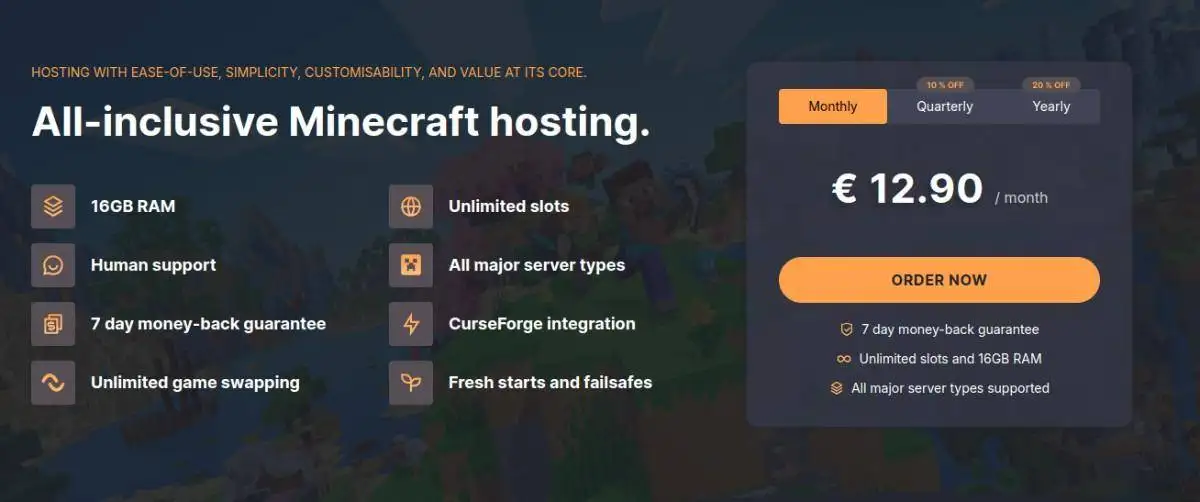
DatHost is designed for servers that go beyond casual play. If you’re planning to host a growing community or expect consistent player activity, it offers the kind of stability and scalability that smaller hosts often struggle to maintain.
Unlike entry-level providers, DatHost focuses on handling higher player loads efficiently. It’s a good fit for server owners who need predictable performance as their community grows, rather than dealing with lag spikes or resource limits.
What stands out
- Strong performance for high player counts
- Scalable plans that grow with your server
- Stable uptime for long-running servers
- Clean interface with quick deployment
Best for
- Medium to large Minecraft communities
- Servers with 15–30+ active players
- Long-running multiplayer worlds
Real-world performance insight
DatHost performs best under sustained load:
- Handles multiple players without major TPS drops
- More consistent performance during peak activity
- Better stability compared to budget hosts at scale
This makes it a reliable option once your server starts growing beyond basic use.
Verdict
DatHost is built for growth. It’s not aimed at beginners or small servers, but if you’re managing an active community, it provides the performance and scalability needed to keep your server running smoothly.
#2. G-Portal – Best for Stable Multiplayer Performance
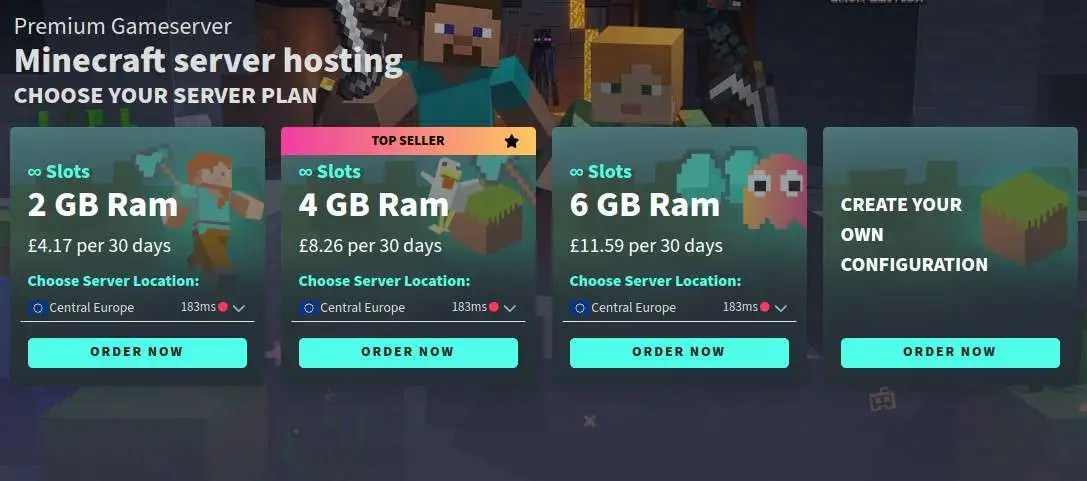
G-Portal is built for players who care about consistent uptime and smooth multiplayer gameplay. It’s widely used for game server hosting, and that experience shows in how well it handles Minecraft servers with steady player activity.
If you’ve outgrown free hosting—or struggled with lag on lower-end paid plans—G-Portal offers a noticeable step up in stability. It’s especially useful for groups that play regularly and need a server that stays reliable without constant restarts or slowdowns.
What stands out
- Strong uptime with minimal interruptions
- Multiple global server locations for lower latency
- Reliable performance for active multiplayer servers
- Easy server deployment with minimal setup time
Best for
- Friend groups playing daily
- Small to mid-sized multiplayer servers (5–20 players)
- Users who want stable performance without constant tweaking
Real-world performance insight
G-Portal performs well under consistent load, which is where many hosts start to struggle:
- Stable TPS during longer play sessions
- Reduced lag spikes compared to budget hosts
- Better latency for geographically distributed players
This makes it a strong choice if your server runs frequently rather than occasionally.
#3. Pine Hosting – Best for Balanced Performance and Simplicity

Pine Hosting is a practical choice if you want a balance between ease of use and reliable performance. It’s designed for users who don’t want to deal with complex configurations but still expect stable gameplay for small to mid-sized servers.
Compared to entry-level hosts, Pine Hosting offers a smoother experience right out of the box. It’s especially useful for players who are moving from free hosting and want something more consistent without stepping into premium pricing.
What stands out
- Quick setup with a clean, easy-to-use panel
- Stable performance for small to medium servers
- Supports plugins and basic modpacks
- Good balance between usability and control
Best for
- Beginners upgrading from free hosting
- Friend groups running 5–15 player servers
- Users who want simple setup with decent performance
Real-world performance insight
Pine Hosting performs reliably for everyday use, especially for casual servers:
- Smooth gameplay for small groups
- Faster startup times compared to free hosts
- Minimal lag with light plugins or vanilla setups
However, like most mid-range hosts, performance can drop if pushed beyond its intended use.
#4. Godlike.Host – Best for Beginner
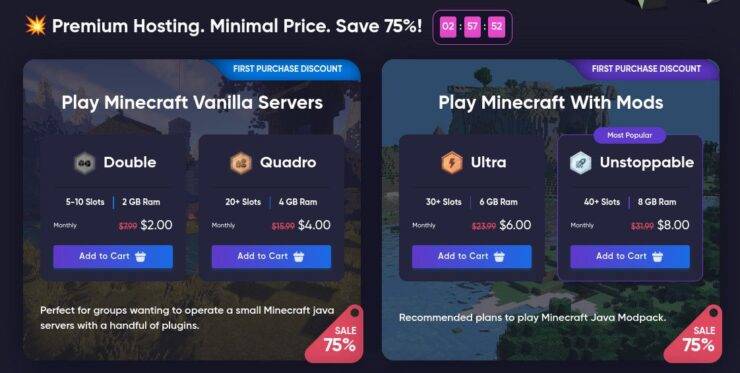
Godlike.Host has built a strong reputation among Minecraft players by offering powerful hardware, global server locations, and support for a wide range of modded and custom server setups. It strikes an excellent balance between performance, flexibility, and affordability, making it a popular choice for both casual players and growing communities.
Unlike many budget hosts that focus only on basic vanilla servers, Godlike.Host is optimized for modded gameplay and resource-intensive server environments. Whether you’re running a private survival world or a heavily customized modpack, the platform provides the resources needed to maintain smooth gameplay.
What stands out
- High-performance Ryzen-powered infrastructure
- Supports Forge, Fabric, Spigot, Paper, and Bukkit
- Multiple global server locations for lower latency
- Instant deployment and user-friendly control panel
- Competitive pricing for modded Minecraft hosting
Best for
- Players running modded Minecraft servers
- Growing communities that need scalable resources
- Server owners looking for global location options
- Users who want strong performance at a reasonable price
Real-world performance insight
Godlike.Host performs particularly well for servers that require additional resources:
- Smooth gameplay with medium to large player counts
- Stable performance when running popular modpacks
- Fast server startup and world-loading times
- Minimal lag during exploration, combat, and automation-heavy gameplay
Verdict
Godlike.Host is one of the strongest value-oriented Minecraft hosting providers available today. Its combination of powerful hardware, mod support, worldwide locations, and affordable pricing makes it an excellent choice for players who want dependable performance without paying enterprise-level hosting costs.
#5. APEX Hosting – Best for Modded Servers and Long-Term Reliability
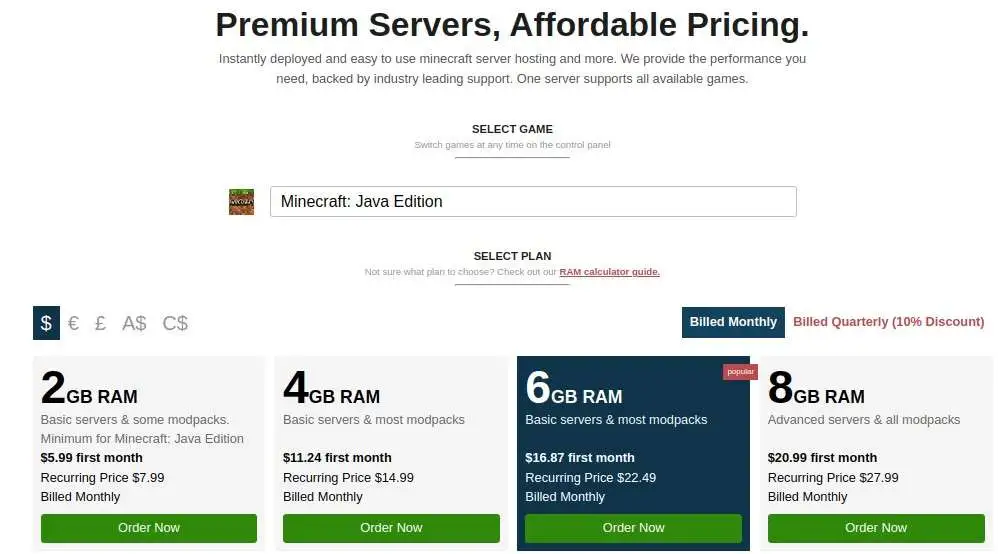
Apex Hosting is one of the most established names in Minecraft hosting, and it’s built for users who want consistent performance without dealing with technical setup. It’s especially strong for modded minecraft servers, where stability and easy configuration matter more than just low pricing.
If you’re planning to run a server long-term—or use modpacks like Forge or Fabric—Apex Hosting removes most of the friction. Instead of manually configuring everything, you can deploy and manage complex setups with minimal effort.
What stands out
- One-click installation for popular modpacks
- Consistent performance across long play sessions
- Wide range of server locations for lower latency
- Easy-to-use control panel with strong documentation
Best for
- Modded Minecraft servers (Forge, Fabric, Spigot)
- Long-term servers with regular player activity
- Users who want performance without technical hassle
Real-world performance insight
Apex Hosting performs best when the workload increases:
- Stable TPS even with multiple plugins or mods
- Faster chunk loading compared to budget hosts
- Fewer crashes under sustained player activity
This makes it a reliable option when your server grows beyond basic use.
Verdict
Apex Hosting is a strong choice for serious Minecraft servers. It’s not the cheapest option, but it delivers where it counts—stable performance, easy mod support, and reliability for long-term use.
#6. GravelHost – Best for Affordable High-Performance Hosting
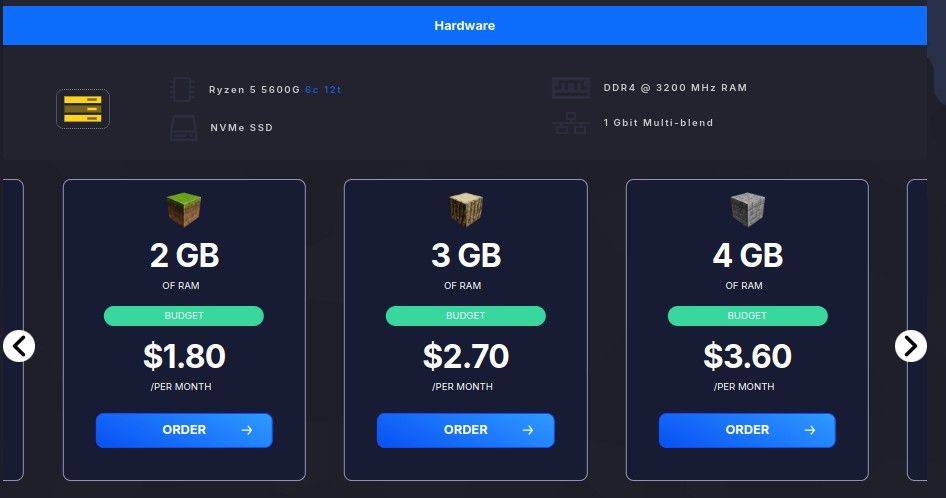
GravelHost stands out as a strong starting point if you want reliable performance without paying premium prices. It’s positioned between budget and high-performance hosting, making it a practical choice for players who are moving beyond free servers but don’t need enterprise-level resources.
Unlike entry-level hosts that struggle under load, GravelHost provides stable performance for small to mid-sized servers. It’s well-suited for both vanilla gameplay and light modpacks, with enough headroom to handle consistent player activity without noticeable lag.
What stands out
- Consistent performance for 5–20 player servers
- Supports mods and plugins (Forge, Fabric, Spigot)
- Simple control panel for quick setup
- Good balance between price and server stability
Best for
- Small communities upgrading from free hosting
- Players who want better performance without overspending
- Servers running light to moderate modpacks
Real-world performance insight
For most users switching from free hosting, GravelHost feels like a major upgrade:
- No forced shutdowns or queue delays
- Faster chunk loading and fewer lag spikes
- More stable gameplay with multiple players online
This makes it a reliable step up when free hosting starts to feel limiting.
#7. Shockbyte – Best Budget Minecraft Hosting
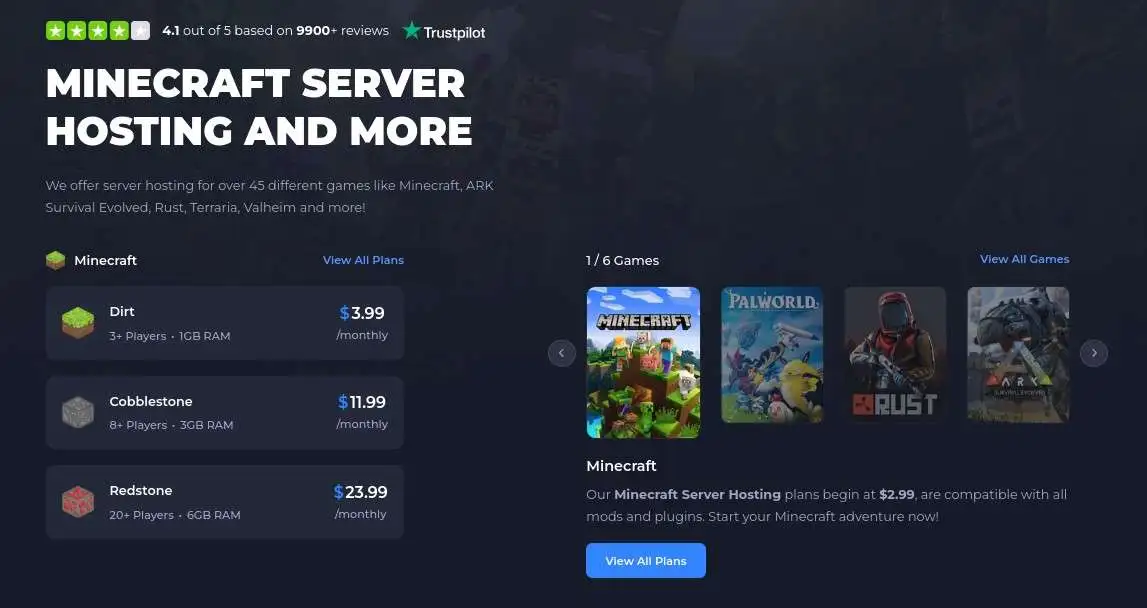
Shockbyte is one of the most popular low-cost Minecraft hosting providers, and it’s often the first paid option users consider after trying free servers. It focuses on affordability while still offering the core features needed to run a stable multiplayer server.
If your priority is keeping costs low while getting better performance than free hosting, Shockbyte is a practical starting point. It works well for small servers, but like most budget providers, performance depends on how heavily you use it.
What stands out
- Low starting price compared to most providers
- Supports plugins and modpacks (Spigot, Forge, Fabric)
- Instant setup with a simple control panel
- Wide range of plans for gradual upgrades
Best for
- Budget-conscious users
- Small servers (2–10 players)
- Players upgrading from free hosting
Real-world performance insight
Shockbyte performs well for light workloads but has limits:
- Smooth gameplay for small groups
- Noticeable lag with higher player counts
- Performance varies depending on plan tier
For basic servers, it’s a clear upgrade from free hosting—but not designed for scaling.
Verdict
Shockbyte is a solid entry-level paid host. It’s not built for demanding servers, but it delivers good value for small communities that want to move beyond free hosting without spending much.
#8. ScalaCube – Best for Beginners Who Want Quick Setup
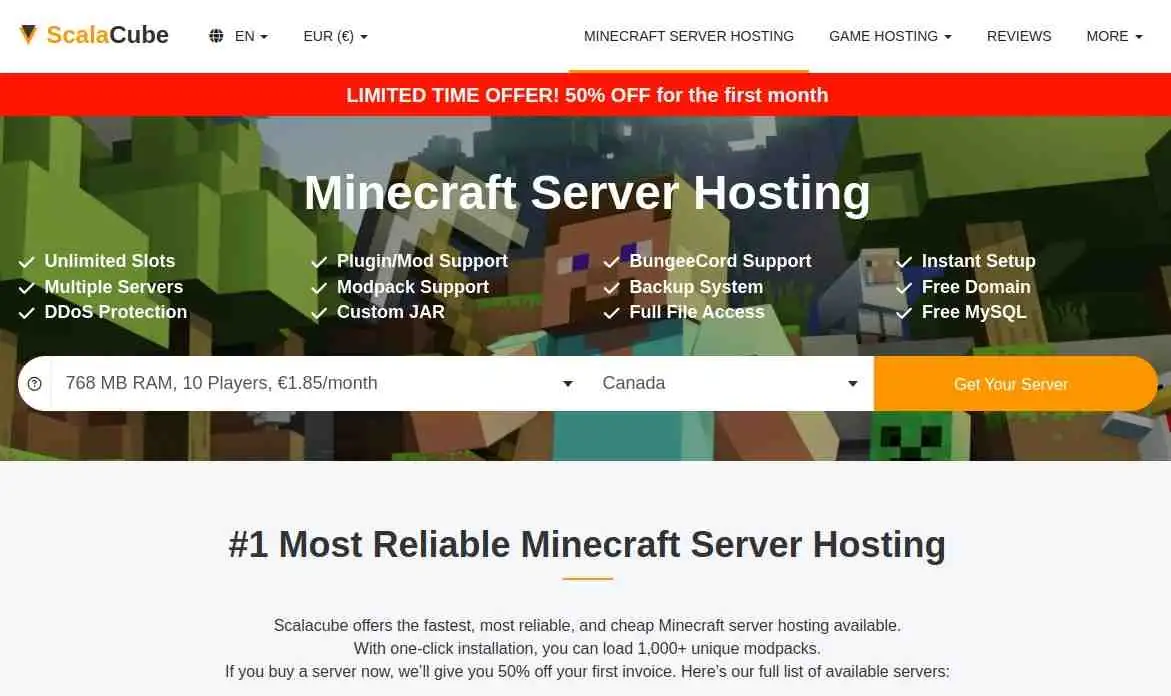
ScalaCube is one of the easiest ways to get a Minecraft server up and running, especially if you’re new to hosting. It focuses on simplicity, offering a guided setup and a clean interface so you can launch a server without dealing with technical details.
While it doesn’t deliver the same level of performance as higher-tier providers, it works well for small servers and casual gameplay. It’s a practical step up from free hosting if you want more control without complexity.
What stands out
- One-click server setup with minimal configuration
- Built-in support for plugins and modpacks
- Beginner-friendly dashboard
- Fast deployment with pre-configured options
Best for
- First-time server owners
- Small friend groups (2–10 players)
- Users who want a simple, no-hassle setup
Real-world performance insight
ScalaCube performs best in lightweight scenarios:
- Smooth experience for small groups
- Easy management without technical overhead
- Performance drops with higher player counts or heavier mods
It’s reliable for casual use, but not built for scaling.
Verdict
ScalaCube is ideal for beginners who want to get started quickly. It prioritizes ease of use over raw performance, making it a good choice for small servers—but you’ll need to upgrade as your needs grow.
#9. GTX Gaming – Best for Advanced Configurations and Control
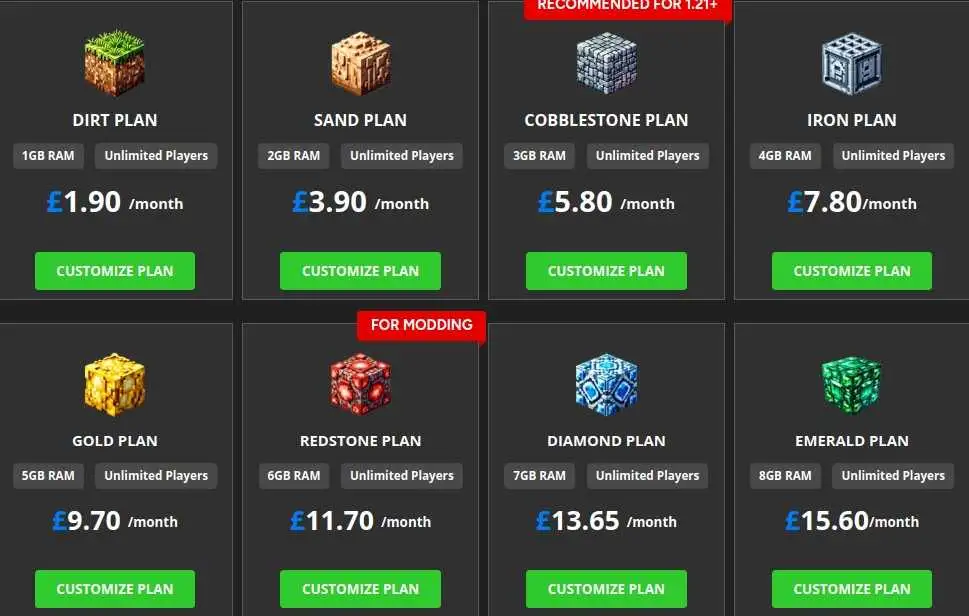
GTX Gaming is built for users who want more control over their Minecraft server setup. It offers flexible configurations and supports a wide range of game server options, making it a strong choice if you need customization beyond basic hosting.
Unlike beginner-focused providers, GTX Gaming gives you more freedom to fine-tune your server environment. This makes it especially useful for experienced users or communities with specific requirements.
What stands out
- Flexible server configurations and customization options
- Full support for mods and plugins (Forge, Fabric, Spigot)
- Multiple global locations for better latency control
- Wide range of plan options for scaling
Best for
- Advanced users who want more control
- Custom or heavily configured servers
- Communities with specific performance requirements
Real-world performance insight
GTX Gaming performs well when properly configured:
- Stable performance with customized setups
- Handles modded servers efficiently with the right resources
- Requires more manual optimization compared to beginner hosts
It’s powerful, but not as beginner-friendly.
Verdict
GTX Gaming is a strong option for experienced users who want flexibility. It’s not the easiest platform to start with, but it offers the control and scalability needed for more advanced Minecraft server setups.
#10. HostHavoc – Best for Consistent Performance and Support
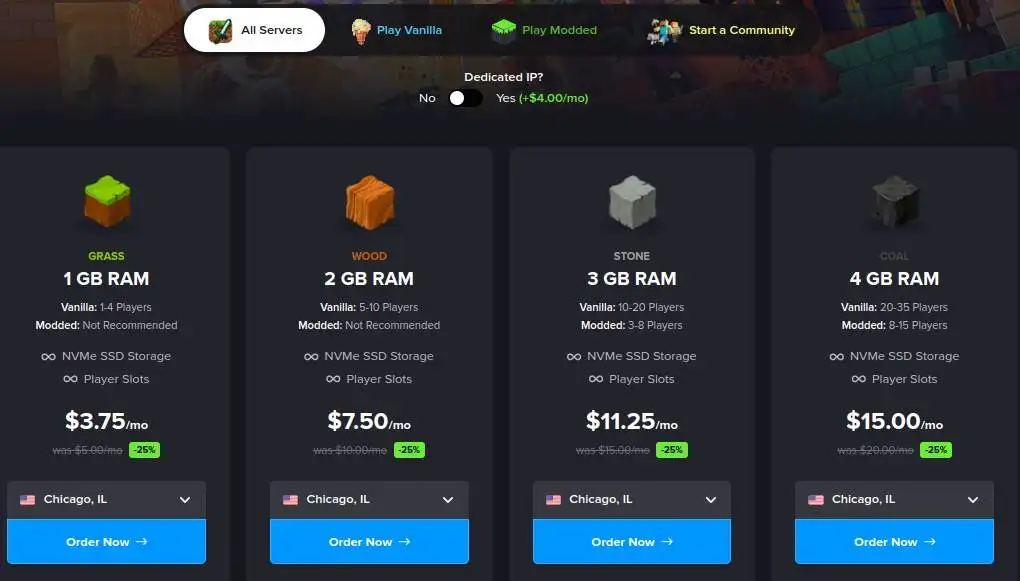
HostHavoc is known for reliable performance and strong customer support, making it a good choice for users who want a stable server without dealing with frequent issues. It focuses on delivering consistent uptime and smooth gameplay rather than competing purely on price.
If you’re running a server that stays active regularly, HostHavoc provides a dependable environment with minimal interruptions. It’s especially useful for communities that value stability and quick support when something goes wrong.
What stands out
- Consistent uptime with stable server performance
- Responsive support available when issues arise
- Supports plugins and modpacks (Forge, Fabric, Spigot)
- Simple control panel with easy server management
Best for
- Small to mid-sized communities (5–20 players)
- Users who prioritize reliability over lowest cost
- Servers that run frequently or long-term
Real-world performance insight
HostHavoc delivers steady performance in real usage:
- Stable TPS during regular multiplayer sessions
- Fewer unexpected crashes compared to budget hosts
- Reliable experience for long-running servers
It’s not the most customizable option, but it performs consistently.
How We Tested These Minecraft Hosting Providers
To make this guide useful, we didn’t rely on specs alone—we focused on real-world performance.
Here’s how we evaluated each provider:
- Server performance under load: Tested with multiple players to check lag, TPS drops, and stability
- Setup and usability: Measured how quickly a server can be deployed and configured
- Mod and plugin handling: Checked compatibility with Forge, Fabric, and common plugins
- Uptime consistency: Observed how stable servers remain during longer sessions
- Upgrade flexibility: Evaluated how easy it is to scale resources as your server grows
The goal was simple: identify hosting providers that actually perform well during gameplay—not just on paper.
What to Look Out for in Minecraft Hosting Providers
Choosing a Minecraft hosting provider isn’t just about price—it’s about how well the server performs when players actually join. Many providers look similar on paper, but the real difference shows up in gameplay, stability, and how they handle load.
Here are the key factors that actually matter when selecting a host:
1. RAM and CPU (Real Performance Drivers)
RAM determines how many players and plugins your server can handle, while CPU affects how smoothly the game runs.
- 1–2 GB RAM → small vanilla servers (2–10 players)
- 3–4 GB RAM → medium servers or light modpacks
- 6+ GB RAM → large or heavily modded servers
👉 If a server lags, it’s usually a CPU or RAM limitation—not your internet.
2. Uptime and Reliability
A server that frequently goes offline ruins the experience.
Look for:
- High uptime consistency (no random shutdowns)
- No forced sleep timers (common in free hosting)
- Stable performance during long sessions
👉 Paid hosting usually removes downtime issues seen in free plans.
3. Mod and Plugin Support
Not all hosts handle mods equally well.
Check if the provider supports:
- Spigot / Paper → plugins
- Forge / Fabric → modpacks
👉 If you plan to use mods, avoid entry-level plans with low RAM.
4. Player Capacity (Real vs Advertised)
Many providers claim “unlimited players,” but performance tells a different story.
- Budget plans → realistically 5–10 players
- Mid-tier → 10–20 players
- High-performance → 20+ players
👉 Always judge by performance, not marketing claims.
5. Server Location and Latency
The closer the server is to your players, the lower the lag.
- Choose a provider with servers near your region
- Global hosts (like G-Portal or Apex Hosting) help reduce latency
👉 Even a powerful server will lag if it’s too far from players.
6. Ease of Setup and Control Panel
A good control panel saves time and frustration.
Look for:
- One-click installs (mods/plugins)
- Simple file management
- Easy server restart and backups
👉 Beginners should prioritize simplicity over advanced features.
7. Scalability (Can You Grow?)
Your needs will change as your server grows.
Make sure the provider allows:
- Easy RAM upgrades
- Plan scaling without migration
- Support for larger player counts
👉 Switching hosts later is possible—but avoid it if you can.
8. Pricing vs Performance (Hidden Tradeoff)
Cheapest doesn’t always mean best.
- Budget hosting → good for small servers
- Mid-range → best value for most users
- Premium → needed for large/modded servers
👉 Focus on value per performance, not just price.
Which Minecraft Host Is Right For You?
The right Minecraft hosting provider depends on how you plan to use your server—not just your budget.
If you’re just getting started with a few friends, a budget-friendly host like Shockbyte or ScalaCube is enough to get you online quickly. These work well for small servers and casual gameplay without overcomplicating things.
If you want better performance and fewer limitations, providers like GravelHost, Pine Hosting, or G-Portal offer a clear upgrade. They handle more players, reduce lag, and give you a smoother overall experience.
For modded servers or long-term communities, it’s worth choosing a more reliable option like Apex Hosting or DatHost. These providers are built to handle heavier workloads and consistent player activity without performance issues.
And if you need advanced control or custom configurations, GTX Gaming is a better fit, especially for experienced users.
FAQs (Quick Answers)
What is the best Minecraft server hosting in 2026?
The best hosting depends on your needs. Apex Hosting and DatHost are strong for performance and modded servers, while Shockbyte and ScalaCube are better for budget-friendly setups.
Is free Minecraft hosting good enough?
Free hosting works for small servers (2–10 players), but it often includes lag, downtime, and limited resources. Paid hosting is better for stability and performance.
Which hosting is best for modded Minecraft?
Apex Hosting and DatHost are better suited for modded servers because they handle higher RAM usage and provide stable performance.
How many players can a Minecraft server handle?
It depends on RAM and CPU. Most basic plans handle 5–10 players, while higher-tier hosting can support 20+ players.
When should I upgrade my hosting plan?
Upgrade when you notice lag, increased player count, or when running modpacks that require more resources.
- 👉
- 👉
- 👉
- 👉
- 👉
- 👉
- 👉
- 👉
- 👉
- 👉
- 👉
- 👉