Top Hytale Server Hosting Providers 2026
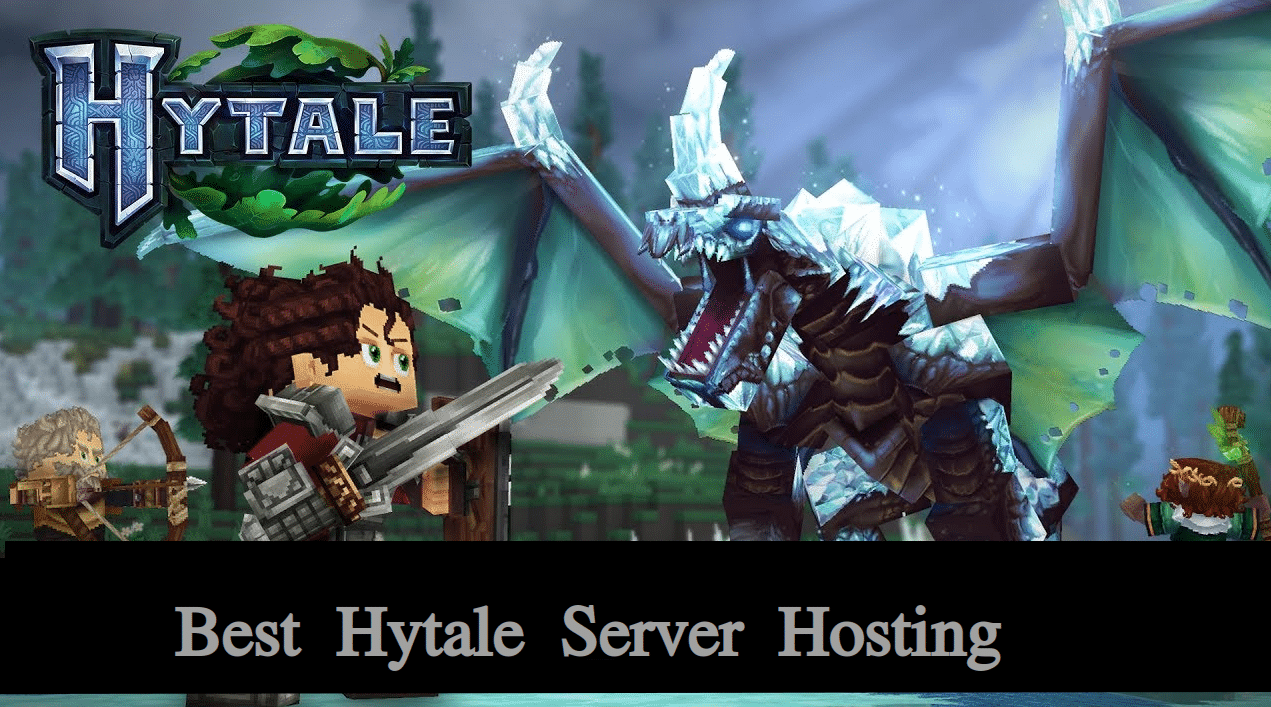
Let’s explore the list of the best Hytale server hosting providers you should consider to buy.
1. DatHost – Best Overall
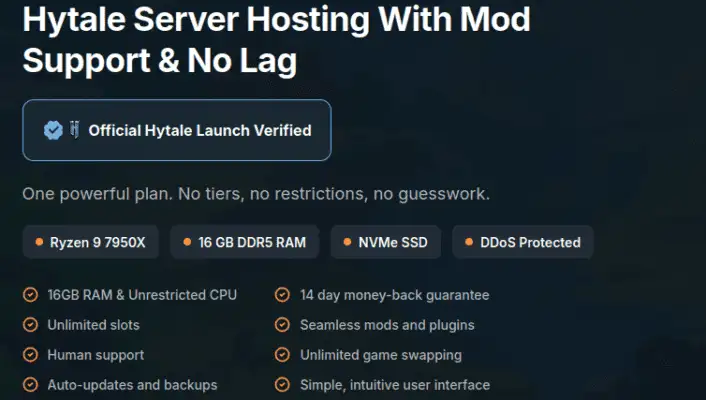
Starting price: €14.90
DatHost is the best overall choice for users who want a streamlined managed server. Its Hytale page promotes AMD Ryzen processors, DDR5 memory, SSD storage, DDoS protection, a custom control panel, and support for custom worlds, mods, minigames, and gameplay settings.
The control panel is one of its strongest features. DatHost’s documentation shows that users can change global and world-specific settings through the panel or edit config.json with the built-in file manager. Beginners get a visual workflow, while experienced administrators keep manual control.
DatHost is suitable for a persistent private world, modded group, or growing community that values simple management. The service also includes tools that reduce the need to edit configuration files over FTP.
Confirm the resources included with the €14.90 figure before ordering. DatHost can display different Hytale starting prices in different regions, so currency and plan details may change at checkout. Its current general refund policy asks customers to contact support within seven days of purchase.
Pros
- Simple custom control panel
- Modern hardware advertised
- Direct settings and file access
- Support for mods and custom worlds
- DDoS protection included
Cons
- Higher price than budget-focused hosts
- Regional prices and plan details need verification
Verdict: Choose DatHost when easy management and a balanced set of features matter more than getting the lowest headline price.
2. GravelHost – Best for budget-friendly Hytale servers
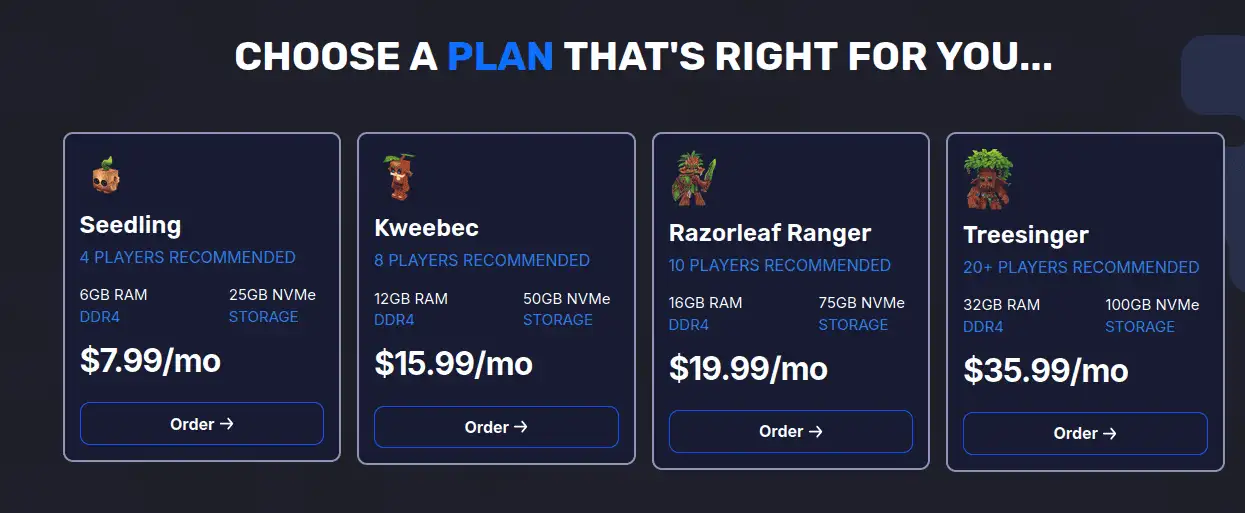
Starting price: $7.99
GravelHost holds the strongest budget position in this comparison. Its Hytale page advertises unlimited player slots, NVMe storage, a custom game panel, scheduled tasks, DDoS protection, file access, and support for mods, plugins, and custom content.
The provider offers locations across North America, Europe, Asia, and Australia. This gives international groups a reasonable chance of finding a region near most of their players.
GravelHost also lets customers upgrade as their communities grow. Its published refund policy gives eligible new purchases a 72-hour refund window. Processing charges, renewals, add-ons, and excluded service types may not qualify.
The main weakness is pricing consistency. Different GravelHost pages can display different promotional figures. Compare the exact RAM allocation, billing period, and normal monthly price instead of relying on the smallest banner price.
Pros
- Low starting price
- NVMe storage
- Custom control panel
- Scheduled tasks
- Multiple geographic regions
- DDoS protection included
Cons
- Short refund window
- Promotional pricing can be confusing
Verdict: GravelHost is the best cheap Hytale server hosting option for friends and smaller communities that want managed hosting without a premium price.
3. Pine Hosting – Best for Beginners
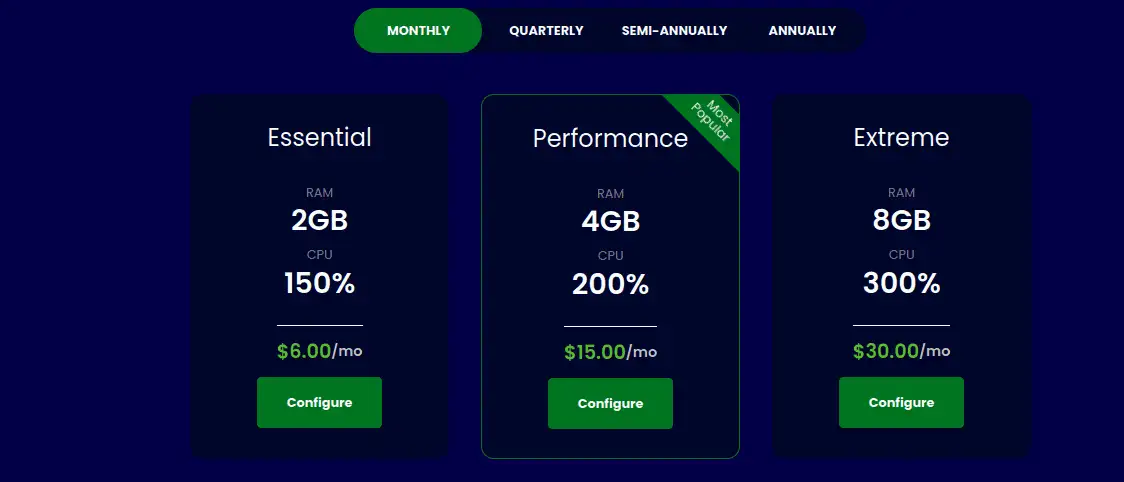
Starting price: $6.00
Pine Hosting focuses on making Hytale administration less technical. Its Easy Config panel lets users change server and world settings with toggles, fields, and visual controls instead of manually editing JSON files.
Full file access remains available for users who want to upload mods, edit advanced settings, or manage custom content. Pine also advertises fast deployment, DDoS protection, around-the-clock support, backup management, and scalable plans.
This combination makes Pine Hosting suitable for first-time server owners who want an easy management experience but may need more control later.
Check which resources are included at the $6 starting price. Pine’s public pages and promotional material may display different plan figures.
Its refund policy is strict. Eligible newly registered clients can request a refund within 48 hours of server creation. The guarantee applies only to the first qualifying order. Non-monthly terms, add-ons, domains, and some payment methods are excluded.
Pros
- Beginner-friendly Easy Config panel
- Full file access
- Mod and custom-content support
- DDoS protection
- Support available around the clock
Cons
- Only a 48-hour eligible refund period
- RAM and billing term need checkout verification
Verdict: Pine Hosting is best for beginners who prefer visual configuration tools over manual file editing.
4. Apex Hosting – Best for Support and Mods
Starting price: $11.24
Apex Hosting combines an accessible panel with a large collection of Hytale documentation. Its hosting page lists mod support, DDoS protection, 24/7 help, and fast deployment. Apex also publishes guides for troubleshooting, connecting to a server, creating worlds, and changing player limits.
Its strongest Hytale-specific feature is Modbox. Apex says this CurseForge integration lets users browse, install, update, repair, and remove mods from the server panel. This reduces the need for manual downloads and folder management.
Apex costs more than GravelHost and Pine Hosting. The $11.24 figure may also be a discounted first-month price rather than the continuing monthly rate. Review the renewal price before paying.
Eligible server plans currently have a seven-day refund period, subject to the company’s terms and request process.
Pros
- CurseForge mod integration
- Strong Hytale documentation
- 24/7 support advertised
- DDoS protection
- Automated off-site backups advertised
Cons
- More expensive than budget providers
- Promotional price may increase on renewal
Verdict: Apex Hosting suits beginners and modded communities that value documentation, live assistance, and easier mod maintenance.
5. ZAP-Hosting – Best Flexible Plan
Starting price: $8.86
ZAP-Hosting provides automatic setup, a proprietary web panel, DDoS protection, live chat, and both rental and lifetime payment options.
The lifetime server may appeal to users who expect to operate a Hytale world for several years. However, it requires a larger upfront payment. You should compare that cost against rental pricing and possible future upgrades.
ZAP has also added a CurseForge-powered mod browser for Hytale. Users can browse, search for, and install mods without leaving the control panel. FTP access provides a manual option for uploading worlds, mods, and other files.
The configurator can be harder to compare than a fixed hosting plan. RAM, CPU priority, storage, location, backup options, and contract length may change the final price.
Treat $8.86 as a starting reference. Read the full order summary and cancellation terms before completing payment.
Pros
- Flexible server configuration
- Integrated CurseForge mod browser
- FTP access
- DDoS protection
- Rental and lifetime options
Cons
- Configurator makes final pricing harder to compare
- Refund and cancellation terms require careful review
Verdict: Choose ZAP-Hosting when you want greater control over your configuration or prefer a lifetime billing option.
6. Shockbyte – Best for Backups and Locations
Starting price: $12.50
Shockbyte advertises instant setup, mod and plugin support, DDoS protection, global server locations, full file access, automatic backups, configuration tools, and 24/7 support.
Automatic backups are particularly useful during Hytale Early Access. Game updates and server-side mods can introduce compatibility problems. A recent backup gives you a way to restore the world if a change breaks the server.
Full file access also helps administrators repair settings, upload custom files, or install content that is unavailable through an automated installer.
Shockbyte costs more than several providers in this list. Its public game directory has also displayed slightly different Hytale prices. Confirm whether the $12.50 figure is a monthly price, temporary discount, or plan-specific offer.
Check the Hytale refund terms during checkout instead of assuming that a policy displayed for another game applies to your server.
Pros
- Automatic backups
- Mod and plugin support
- Full file access
- Global server locations
- DDoS protection
- 24/7 support advertised
Cons
- Higher starting price
- Final pricing and refund details need verification
Verdict: Shockbyte is suitable when automatic backups and location coverage matter more than finding the cheapest hosting plan.
Managed Hytale Hosting vs a VPS
Managed Hytale hosting is easier for most players. The provider handles deployment, network protection, updates, and the control panel.
A VPS gives you root access and more freedom. However, you must install Java 25, download the server files, configure QUIC and UDP network access, secure the operating system, monitor resource consumption, and manage backups yourself. Hytale’s official documentation confirms the Java and network requirements.
Choose a VPS only when you are comfortable with Linux administration or need software that a managed panel cannot support.
New administrators should also read our guides on how to create a Hytale server, Linux firewall configuration, and dedicated server hosting before choosing the self-managed route.
How We Ranked the Providers
We used six practical factors.
- Hytale readiness: The host must provide a working Hytale product and useful setup information.
- Performance foundation: We considered processor information, SSD or NVMe storage, RAM choices, and upgrade options.
- Management tools: A useful panel should provide console access, file management, settings, restarts, and update controls.
- Mod support: Easy installation is helpful, but full file access remains important for custom content.
- Reliability: We looked for DDoS protection, backups, data retention, and suitable server locations.
- Buying clarity: Starting prices, billing periods, support options, and refund terms should be easy to understand.
The cheapest host does not automatically rank first. A higher-priced provider should justify its cost through better hardware, easier management, stronger support, or useful included features.
What to Look for in Hytale Hosting
RAM and CPU Resources
Treat 4GB as the technical minimum, not a guarantee of comfortable public-server performance. A small private world may run near that level, but exploration, entities, simultaneous players, and mods can raise demand.
Starting with 6GB gives a small group additional headroom. A larger community or active modded world may need 8GB or more. Monitor real memory use before paying for a much larger plan.
CPU information also matters. Avoid choosing from broad labels such as “high performance” alone. Look for the processor generation, clock speed, whether CPU access is shared, and whether the host applies fair-use limits.
Server Locations
Choose a data center close to most of your players. A host may advertise global coverage but still lack a suitable location for your group.
Check the actual cities available during checkout. Also ask whether you can move the server later and whether relocation has an extra fee.
Mods, File Access, and Backups
A useful Hytale control panel should let you:
- Upload server files
- Edit settings
- Install or remove mods
- View the live console
- Schedule restarts
- Create and restore backups
A one-click mod browser saves time. However, full file access remains important when a mod is unavailable through the panel or requires manual configuration.
Check how often backups run, how long they are retained, how many restore points are available, and whether backup files count against your storage allowance.
Final Verdict
DatHost is the best overall Hytale server hosting provider in this shortlist because it combines a simple control panel, modern hardware claims, direct file access, configuration tools, and support for custom worlds and mods. It suits users who want a managed server without constant technical work.
GravelHost is the better option when price is the main concern. Its $7.99 starting figure, custom panel, NVMe storage, DDoS protection, and upgrade path make it suitable for friends and smaller communities.
Pine Hosting is another beginner-friendly choice, especially for users who want visual configuration controls. However, its short eligible refund period deserves attention.
Apex Hosting stands out for detailed documentation and one-click mod management. ZAP-Hosting offers the most flexible ordering model, including a lifetime server option. Shockbyte is worth considering when automatic backups and broad location coverage are more important than getting the cheapest plan.
Before paying, confirm the included RAM, normal renewal price, server location, backup retention, CPU policy, and refund exclusions. Hytale remains in active Early Access, so hosting features and resource needs may change. Start with enough capacity for your current group, monitor real usage, and upgrade only when your server workload justifies it.
Frequently Asked Questions
What are the official Hytale server requirements?
The official Hytale server manual lists at least 4GB of memory and Java 25. Both x64 and arm64 systems are supported. Actual CPU and memory use depends on player activity, entity counts, exploration, and loaded world areas.
How much RAM do I need for a Hytale server?
Use 4GB as the minimum. A 6GB plan is a safer starting point for a persistent private world. Consider 8GB or more for active mods, more simultaneous players, or frequent exploration.
Can I install mods on a hosted Hytale server?
Yes. Hytale is designed around player-run servers, mods, plugins, and custom content. Look for full file access, an integrated mod browser, reliable backups, and a simple method for removing incompatible mods.
Can I move my Hytale world to another host?
Usually, yes. Download the world, configuration, and mod files from your existing provider. Upload them to the new server and verify that the game and mod versions match.
- 👉
- 👉
- 👉
- 👉
- 👉
- 👉
- 👉
- 👉
- 👉
- 👉
- 👉