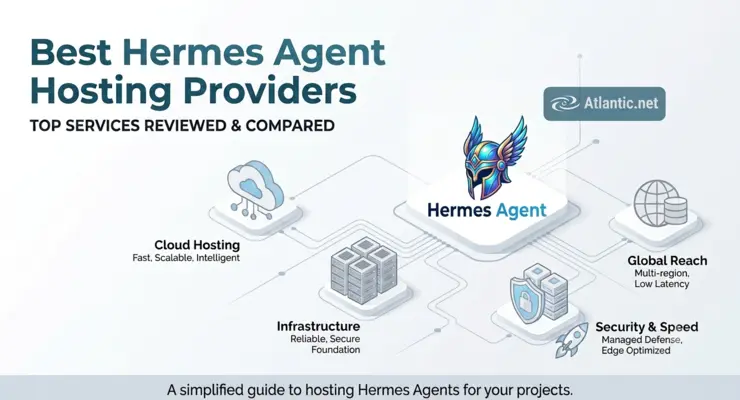
The best Hermes Agent host depends on whether you want one-click deployment, flexible cloud resources, or a self-managed VPS. Atlantic.Net ranks first in this comparison because it offers a documented one-click Hermes Agent image while retaining normal Cloud Server administration. Kamatera fits users who need granular resource selection, while UpCloud offers clear cloud-server tiers. Contabo emphasizes high resource allocations, Amazon Lightsail uses simple fixed bundles, and Hetzner is a strong option for region-focused European deployments. For most Hermes installations using remote model inference, 2 CPU cores and 2–4 GB RAM provide a practical starting range.
What Is Hermes Agent Hosting?
Hermes Agent is an open-source AI agent from Nous Research. It supports persistent memory, reusable skills, terminal operations, browser workflows, scheduled jobs, messaging gateways, delegation, and external model providers.
Hermes Agent hosting means running that software on an always-on cloud server instead of depending on a laptop or desktop that may be shut down.
A hosted server gives Hermes a persistent environment for:
- Configuration and credentials
- Memories and skills
- Scheduled jobs
- Messaging gateways
- Browser sessions
- Working files and outputs
- Logs and supporting processes
The official Hermes installer supports Linux and handles core dependencies including Python, Node.js, ripgrep, and FFmpeg. Linux and Docker are both Tier 1 deployment paths in current Hermes documentation.
Most cloud deployments do not need a GPU when Hermes sends inference requests to an external model provider. Hosting a model locally is a separate workload and needs its own CPU, RAM, storage, or GPU sizing plan.
TL;DR: Best Hermes Agent Hosting Providers
- Atlantic.Net – Best Overall Hermes Agent Hosting
Best for users who want a documented one-click Hermes Agent deployment while retaining full Cloud Server administration. - Kamatera – Best for Custom Hermes Agent Server Sizing
Best for teams that want granular control over CPU, RAM, storage, operating system, and server configuration. - UpCloud – Best for Clear Cloud Server Tiers and Scaling
Best for users who want straightforward cloud-server plans with room to scale as Hermes workloads grow. - Contabo – Best for High-RAM Hermes Agent Hosting
Best for deployments that need generous memory and storage for browser automation, background services, and supporting applications. - Amazon Lightsail – Best for Simple Fixed Cloud Bundles
Best for users who prefer predictable server packages that combine compute, storage, and data transfer. - Hetzner – Best for European Hermes Agent Hosting
Best for teams prioritizing European cloud locations, cost-efficient infrastructure, and standard self-managed Linux deployment.
Best overall: Atlantic.Net is the strongest option when deployment simplicity matters most.
How We Evaluated Hermes Agent Hosting Providers
We ranked the providers using criteria directly related to an always-on Hermes deployment.
The weighting used for this guide is:
| Evaluation Criterion | Weight |
|---|---|
| Hermes deployment fit | 25% |
| Security and isolation options | 20% |
| Resource suitability | 15% |
| Scaling and configuration flexibility | 15% |
| Price relative to resources | 15% |
| Backup and recovery options | 5% |
| Regions and support model | 5% |
A documented Hermes-specific installation path receives more weight than a generic VPS because it directly reduces setup work.
We also favor providers that let users start with modest resources and increase capacity without rebuilding the entire deployment.
This ranking does not claim independent CPU or network benchmark testing. Provider specifications and product capabilities were checked against current vendor documentation, while Hermes requirements were checked against Nous Research documentation.
Quick Comparison of the Best Hermes Agent Hosting Providers
| Provider | Best For | Hermes Deployment | Resource Model | Setup Effort |
|---|---|---|---|---|
| Atlantic.Net | One-click Hermes deployment | Hermes application image | Fixed cloud-server tiers | Low |
| Kamatera | Custom server sizing | Manual Linux install | Highly configurable | Medium |
| UpCloud | Clear cloud tiers and scaling | Manual Linux or Docker install | Starter and Premium plans | Medium |
| Contabo | High RAM and storage allocations | Manual Linux or Docker install | Fixed VPS tiers | Medium |
| Amazon Lightsail | Simple fixed cloud bundles | Manual Linux or Docker install | Fixed bundles | Medium |
| Hetzner | Region-focused European cloud deployments | Manual Linux or Docker install | Shared and dedicated cloud plans | Medium |
Best One-Click Hermes Agent Hosting
#1 – Atlantic.Net
Best for one-click Hermes Agent deployment
Atlantic.Net takes the top position because it now provides an official one-click Hermes Agent application on its On-Demand Cloud platform. Users select the Hermes application, choose a server and region, deploy it, and then connect their model provider. The current image is documented on Ubuntu 26.04 Cloud Servers.
This significantly reduces initial installation work compared with starting from a blank Linux VPS. It still preserves normal server administration, so users remain responsible for access, credentials, workflow permissions, and the applications running on the server.
Atlantic.Net also provides a step-by-step guide covering both its Marketplace deployment and manual installation methods. See How to Set Up Hermes Agent on an Atlantic.Net Cloud Server for the full setup process.
Key Specs: Current General Purpose cloud tiers include 4 GB and larger configurations; the G3.4GB tier lists 2 vCPU, 4 GB RAM, 80 GB SSD, and 5 TB transfer on the live pricing page.
Support: Atlantic.Net provides the underlying Cloud Server and a documented Hermes deployment path; customers retain control of Hermes configuration, tools, credentials, and workflows.
Verdict: Atlantic.Net is the strongest choice in this ranking when reducing initial Hermes setup work is more important than finding the lowest raw VPS price. Its advantage is the documented Hermes-specific application path rather than superior hardware on every metric.
What Stands Out:
- Hermes Agent is available directly through the cloud application workflow.
- The agent runs on a persistent Cloud Server with standard administrative control.
- Model selection remains separate from hosting, so users can change supported model providers without rebuilding the server.
Who Should Choose Atlantic.Net?: Choose Atlantic.Net if you want to get from server provisioning to Hermes configuration with less manual base installation while retaining control of the VPS.
Best Configurable Cloud Servers for Hermes Agent
#2 – Kamatera
Best for custom resource sizing
Kamatera suits users who want to select CPU type, RAM, storage, operating system, and extra disks rather than stay within one fixed VPS bundle. Its Cloud Server interface also supports hourly and monthly billing and several CPU resource classes.
That flexibility is useful when a Hermes installation starts small but may later gain browser automation, additional gateways, containers, or supporting services.
Key Specs: CPU, RAM, NVMe storage, server type, operating system, and additional disks can be configured individually; general-purpose CPU options include reserved resources.
Support: Infrastructure support is available, and an optional managed-service selection is offered; Hermes itself still needs to be configured for the workload.
Verdict: Kamatera is a strong fit when precise sizing matters more than one-click Hermes installation. Users should expect a standard Linux deployment process.
What Stands Out:
- CPU, memory, and storage can be adjusted without relying on one preselected VPS bundle.
- Multiple CPU allocation types let users choose between lower-cost and more predictable compute.
- Hourly billing is useful for staging or short-lived test environments.
Who Should Choose Kamatera?: Choose Kamatera if you expect the Hermes workload to change frequently and want more control over individual server resources.
#3 – UpCloud
Best for clear cloud-server tiers and scaling
UpCloud provides Starter, Premium, and other Cloud Server models that let users choose between lower-cost infrastructure and plans aimed at more demanding production workloads. A current Starter tier pairs 2 CPU cores with 4 GB RAM, while Premium plans offer a separate performance and availability model.
Hermes requires a manual Linux or Docker installation, but the provider’s resource tiers make it easy to choose an initial class and move upward as usage becomes measurable.
Key Specs: Current Starter options include a 2-CPU, 4-GB configuration; Premium options include higher-performance storage and separate availability terms.
Support: Provider support covers the cloud infrastructure; Hermes installation, tool permissions, security policy, and workflow operation remain customer-managed.
Verdict: UpCloud fits teams that want straightforward server tiers without requiring a Hermes-specific marketplace image. It provides a useful middle ground between budget VPS hosting and highly granular custom infrastructure.
What Stands Out:
- Starter and Premium tiers make cost-versus-performance choices explicit.
- 4 GB options fit the recommended Hermes range for many remote-model deployments.
- Users can move to higher-resource plans as browser use and concurrency increase.
Who Should Choose UpCloud?: Choose UpCloud if you want a conventional cloud server with clear scaling paths and are comfortable installing Hermes yourself.
Best High-RAM and Fixed-Bundle VPS Options
#4 – Contabo
Best for high RAM and storage allocations
Contabo’s current VPS portfolio separates Core, Performance, and Max Performance options. Its Core range emphasizes RAM and storage, while its Performance range adds NVMe-focused configurations for workloads where storage speed and CPU throughput matter more.
This model can suit Hermes installations that need plenty of memory for browsers, several background processes, or supporting applications without requiring a highly customized server configuration.
Key Specs: The current Core VPS range starts with an 8 GB RAM class and scales through much larger memory and storage tiers; Performance VPS options use NVMe storage.
Support: Contabo supplies the VPS infrastructure and related control-panel functions; Hermes installation and operation remain self-managed.
Verdict: Contabo is most attractive when memory and storage allocation matter more than a provider-specific Hermes installation workflow. Do not compare plans on RAM alone if your automation is CPU-sensitive.
What Stands Out:
- Current entry-level Core VPS allocations start with more RAM than Hermes typically needs for a basic remote-model deployment.
- Separate Core and Performance ranges make it possible to prioritize either capacity or faster storage and compute.
- Larger fixed tiers can accommodate Hermes alongside supporting services.
Who Should Choose Contabo?: Choose Contabo if your priority is generous RAM and storage and you are comfortable managing the Linux and Hermes stack yourself.
#5 – Amazon Lightsail
Best for simple fixed cloud bundles
Amazon Lightsail packages virtual servers into fixed bundles that combine compute, storage, and data transfer. AWS expanded Lightsail in 2026 with additional compute-optimized and memory-optimized choices as well as broader regional availability.
Hermes is not supplied as a native one-click blueprint in the sources reviewed for this update, so expect to deploy a supported Linux image and install Hermes manually or through Docker.
Key Specs: Lightsail offers Linux server bundles across several memory classes, plus newer compute-optimized and memory-optimized options. Current bundles combine compute, storage, and transfer into fixed monthly packages.
Support: AWS’ standard support structure applies to the infrastructure; Hermes remains a customer-installed application.
Verdict: Lightsail is a good choice for users who prefer simple cloud bundles and already understand the AWS account model. It offers less resource granularity than Kamatera but can make basic infrastructure budgeting easier.
What Stands Out:
- Fixed server bundles combine compute, disk, and transfer.
- Lightsail expanded into additional regions during 2026.
- Linux and Ubuntu blueprints provide a straightforward base for a manual Hermes installation.
Who Should Choose Amazon Lightsail?: Choose Lightsail if you prefer fixed server packages and want to keep a Hermes deployment inside an existing AWS environment.
Best European Cloud Option for Hermes Agent
#6 – Hetzner
Best for region-focused European deployments
Hetzner offers shared and dedicated cloud-server classes across European and international locations. Current shared x86 options include server classes with 4 GB RAM and NVMe storage, which place them within the practical range for many externally hosted Hermes model workflows.
Plan availability changes by location and server class. Users should therefore select the desired region first and verify which x86 or Arm resources are currently orderable rather than assuming one plan exists everywhere.
Key Specs: Current x86 cloud options include 4 GB classes with NVMe storage; traffic allocations and available plans differ by location and resource family.
Support: Hetzner supplies the cloud infrastructure and related platform features; Hermes remains a self-managed application.
Verdict: Hetzner is a useful option for teams focused on European cloud locations and comfortable with normal Linux administration. Check current plan availability before building a sizing recommendation around one server identifier.
What Stands Out:
- European cloud regions are a major part of the provider’s infrastructure offering.
- Both shared and dedicated CPU classes are available.
- NVMe-backed cloud-server options provide a suitable base for persistent agent workloads.
Who Should Choose Hetzner?: Choose Hetzner when European infrastructure is a leading requirement and your team can maintain Hermes on a standard Linux server.
How Should You Choose Hermes Agent Hosting?
The cheapest VPS is not automatically the best Hermes host.
Hermes can execute commands, browse websites, use files, connect to external services, store memory, and run scheduled tasks. That means hosting decisions affect security and operational reliability as much as raw server performance.
Use the following criteria before comparing providers.
Do You Want One-Click Deployment or a Standard VPS?
This is the first decision.
A standard VPS gives you a Linux server. You install Hermes, configure its dependencies, connect a model provider, create services, secure the host, and maintain the installation yourself.
A one-click Hermes image removes part of that initial installation work.
That does not necessarily mean the application is fully managed.
You may still be responsible for:
- Hermes configuration
- API credentials
- Tool permissions
- System updates
- Backups
- Monitoring
- User access
- Agent behavior
Atlantic.Net currently provides a Hermes Agent application directly through its Cloud Portal. The documented workflow lets customers select Hermes from the Applications section, provision a Cloud Server, and connect their preferred model provider.
For users comfortable administering Linux, a normal VPS remains a viable option because Hermes provides an official Linux installer.
How Much RAM Does Hermes Agent Need?
Nous Research’s current Docker documentation lists 1 GB as a minimum and 2–4 GB as the recommended memory range. Browser automation is identified as the most memory-intensive common feature, with at least 2 GB advised when browser tools are active.
For this comparison, 4 GB is the preferred starting point for an always-on general-purpose installation.
Consider 8 GB or more when you expect to run:
- Several browser sessions
- Multiple messaging gateways
- Concurrent jobs
- Larger media-processing tasks
- Additional databases or services on the same server
- Several persistent Docker workloads
Do not treat 4 GB as a universal Hermes requirement. A lightweight installation without browser automation can use less, while an active automation server can use considerably more.
How Many CPU Cores Should You Start With?
Hermes’ official Docker documentation recommends two CPU cores for a typical container deployment.
Two cores are therefore a sensible baseline for:
- Remote model calls
- Messaging
- File operations
- Scheduled automation
- Light browser usage
Four or more cores provide extra capacity for concurrent browser work, code execution, media processing, several agent tasks, or supporting applications.
CPU consistency can also matter.
Shared CPU plans may be appropriate for light orchestration. Workflows with sustained command execution or browser activity may benefit from plans that provide more predictable CPU allocation.
Does Hermes Agent Need a GPU?
Not when the server is primarily hosting the agent and model inference happens through a remote provider.
In that setup, the Hermes server handles orchestration, memory, tools, files, messaging, browser activity, and requests to the model endpoint.
Local inference changes the calculation.
If you plan to host a large language model on the same infrastructure, size that model separately. GPU memory, system RAM, model quantization, context length, and concurrency become major factors.
For most first deployments, keeping Hermes and model inference separate makes server sizing simpler.
How Much Storage Should You Allocate?
Hermes itself does not require a large data volume.
Its official Docker guidance recommends at least 2 GB for the persistent data volume, with growth depending on sessions and skills. The wider server still needs room for the operating system, dependencies, containers, logs, browser data, packages, and workflow outputs.
A cloud plan with 20 GB or more is therefore easier to operate than sizing tightly around the Hermes data directory.
Increase storage when you expect to retain:
- Downloaded files
- Browser artifacts
- Generated media
- Large logs
- Project repositories
- Package caches
- Several container images
- Long-lived workflow outputs
Storage capacity should follow the workload rather than an arbitrary Hermes minimum.
Should Hermes Run as Root?
For most deployments, no.
Hermes supports installation under a dedicated unprivileged service account. The official installer documentation explains how to run the agent without persistent root access while allowing an administrator to install browser-related system libraries separately when required.
A dedicated account reduces the impact of accidental commands and makes permission boundaries easier to understand.
Do not give an autonomous agent broader operating-system access simply because the server is dedicated to it.
Should You Use Docker With Hermes?
Docker is optional, but it can add a useful execution boundary.
Hermes supports running the agent itself in Docker as well as using Docker as the backend for terminal execution.
The terminal sandbox applies controls including dropped Linux capabilities, restrictions on privilege escalation, process limits, and isolated persistent workspaces. Hermes documentation specifically recommends isolated execution backends for higher-risk workloads.
Use Docker or another supported isolated backend when the agent will execute commands you do not want running directly against the host operating system.
How Should You Protect API Keys and Credentials?
Treat every credential available to Hermes as an account the agent may potentially use.
Use separate credentials for different environments where possible. Scope each key to the minimum permissions required.
Hermes separates secrets from normal configuration and stores secret values in its environment configuration. The documentation also warns that environment variables explicitly forwarded into execution containers become visible to commands running inside that container.
Avoid forwarding a large host environment into agent execution.
Should You Expose the Hermes Dashboard or API to the Internet?
Not by default.
The official Docker documentation explicitly warns that exposing ports on an internet-facing server creates security risk. When remote access is needed, use authentication and restrict network exposure.
Prefer:
- Provider-level firewall rules
- Host firewall rules
- Restricted administration sources
- VPN or private-network access
- Strong dashboard authentication
- API keys
- SSH keys instead of password-based SSH
Do not expose administrative services merely for convenience.
What Should You Back Up?
Back up the data needed to rebuild the agent’s working state, not just the operating-system disk.
Important data may include:
- Hermes configuration
- Memories
- Skills
- Profiles
- Scheduled jobs
- Gateway configuration
- Working files
- Local application data
Hermes also provides export, import, and backup functionality for moving installations. The documentation notes that profile exports intentionally exclude credentials, so an agent profile export should not be treated as a complete backup.
Test restoration before treating a backup strategy as complete.
Remember That Server Cost and Model Cost Are Separate
A VPS keeps Hermes online. It does not automatically include the language model used by the agent.
When you use a remote model provider, model usage is normally a separate charge.
Atlantic.Net explicitly states this distinction for its current Hermes image: customers connect their own supported model provider, and model usage is billed separately from the Cloud Server.
Estimate both costs before comparing hosts.
A cheap server can still support an expensive agent if model usage is high.
How Should You Choose Hermes Agent Hosting?
The cheapest VPS is not automatically the best Hermes host.
Hermes can execute commands, browse websites, use files, connect to external services, store memory, and run scheduled tasks. That means hosting decisions affect security and operational reliability as much as raw server performance.
Use the following criteria before comparing providers.
Do You Want One-Click Deployment or a Standard VPS?
This is the first decision.
A standard VPS gives you a Linux server. You install Hermes, configure its dependencies, connect a model provider, create services, secure the host, and maintain the installation yourself.
A one-click Hermes image removes part of that initial installation work.
That does not necessarily mean the application is fully managed.
You may still be responsible for:
- Hermes configuration
- API credentials
- Tool permissions
- System updates
- Backups
- Monitoring
- User access
- Agent behavior
Atlantic.Net currently provides a Hermes Agent application directly through its Cloud Portal. The documented workflow lets customers select Hermes from the Applications section, provision a Cloud Server, and connect their preferred model provider.
For users comfortable administering Linux, a normal VPS remains a viable option because Hermes provides an official Linux installer.
How Much RAM Does Hermes Agent Need?
Nous Research’s current Docker documentation lists 1 GB as a minimum and 2–4 GB as the recommended memory range. Browser automation is identified as the most memory-intensive common feature, with at least 2 GB advised when browser tools are active.
For this comparison, 4 GB is the preferred starting point for an always-on general-purpose installation.
Consider 8 GB or more when you expect to run:
- Several browser sessions
- Multiple messaging gateways
- Concurrent jobs
- Larger media-processing tasks
- Additional databases or services on the same server
- Several persistent Docker workloads
Do not treat 4 GB as a universal Hermes requirement. A lightweight installation without browser automation can use less, while an active automation server can use considerably more.
How Many CPU Cores Should You Start With?
Hermes’ official Docker documentation recommends two CPU cores for a typical container deployment.
Two cores are therefore a sensible baseline for:
- Remote model calls
- Messaging
- File operations
- Scheduled automation
- Light browser usage
Four or more cores provide extra capacity for concurrent browser work, code execution, media processing, several agent tasks, or supporting applications.
CPU consistency can also matter.
Shared CPU plans may be appropriate for light orchestration. Workflows with sustained command execution or browser activity may benefit from plans that provide more predictable CPU allocation.
Does Hermes Agent Need a GPU?
Not when the server is primarily hosting the agent and model inference happens through a remote provider.
In that setup, the Hermes server handles orchestration, memory, tools, files, messaging, browser activity, and requests to the model endpoint.
Local inference changes the calculation.
If you plan to host a large language model on the same infrastructure, size that model separately. GPU memory, system RAM, model quantization, context length, and concurrency become major factors.
For most first deployments, keeping Hermes and model inference separate makes server sizing simpler.
How Much Storage Should You Allocate?
Hermes itself does not require a large data volume.
Its official Docker guidance recommends at least 2 GB for the persistent data volume, with growth depending on sessions and skills. The wider server still needs room for the operating system, dependencies, containers, logs, browser data, packages, and workflow outputs.
A cloud plan with 20 GB or more is therefore easier to operate than sizing tightly around the Hermes data directory.
Increase storage when you expect to retain:
- Downloaded files
- Browser artifacts
- Generated media
- Large logs
- Project repositories
- Package caches
- Several container images
- Long-lived workflow outputs
Storage capacity should follow the workload rather than an arbitrary Hermes minimum.
Should Hermes Run as Root?
For most deployments, no.
Hermes supports installation under a dedicated unprivileged service account. The official installer documentation explains how to run the agent without persistent root access while allowing an administrator to install browser-related system libraries separately when required.
A dedicated account reduces the impact of accidental commands and makes permission boundaries easier to understand.
Do not give an autonomous agent broader operating-system access simply because the server is dedicated to it.
Should You Use Docker With Hermes?
Docker is optional, but it can add a useful execution boundary.
Hermes supports running the agent itself in Docker as well as using Docker as the backend for terminal execution.
The terminal sandbox applies controls including dropped Linux capabilities, restrictions on privilege escalation, process limits, and isolated persistent workspaces. Hermes documentation specifically recommends isolated execution backends for higher-risk workloads.
Use Docker or another supported isolated backend when the agent will execute commands you do not want running directly against the host operating system.
How Should You Protect API Keys and Credentials?
Treat every credential available to Hermes as an account the agent may potentially use.
Use separate credentials for different environments where possible. Scope each key to the minimum permissions required.
Hermes separates secrets from normal configuration and stores secret values in its environment configuration. The documentation also warns that environment variables explicitly forwarded into execution containers become visible to commands running inside that container.
Avoid forwarding a large host environment into agent execution.
Should You Expose the Hermes Dashboard or API to the Internet?
Not by default.
The official Docker documentation explicitly warns that exposing ports on an internet-facing server creates security risk. When remote access is needed, use authentication and restrict network exposure.
Prefer:
- Provider-level firewall rules
- Host firewall rules
- Restricted administration sources
- VPN or private-network access
- Strong dashboard authentication
- API keys
- SSH keys instead of password-based SSH
Do not expose administrative services merely for convenience.
What Should You Back Up?
Back up the data needed to rebuild the agent’s working state, not just the operating-system disk.
Important data may include:
- Hermes configuration
- Memories
- Skills
- Profiles
- Scheduled jobs
- Gateway configuration
- Working files
- Local application data
Hermes also provides export, import, and backup functionality for moving installations. The documentation notes that profile exports intentionally exclude credentials, so an agent profile export should not be treated as a complete backup.
Test restoration before treating a backup strategy as complete.
Remember That Server Cost and Model Cost Are Separate
A VPS keeps Hermes online. It does not automatically include the language model used by the agent.
When you use a remote model provider, model usage is normally a separate charge.
Atlantic.Net explicitly states this distinction for its current Hermes image: customers connect their own supported model provider, and model usage is billed separately from the Cloud Server.
Estimate both costs before comparing hosts.
A cheap server can still support an expensive agent if model usage is high.
Which Hermes Agent Hosting Provider Should You Choose?
Choose Atlantic.Net if reducing installation effort is the priority. Its documented one-click Hermes image is the clearest differentiator in this group.
Choose Kamatera if you want to tune individual CPU, RAM, storage, and server characteristics.
Choose UpCloud if you want clear server tiers with an easy path from smaller development infrastructure to higher-specification cloud plans.
Choose Contabo when high memory and storage allocations matter more than a Hermes-specific deployment image.
Choose Amazon Lightsail if you prefer fixed cloud bundles and already work within AWS.
Choose Hetzner if European cloud locations and conventional self-managed Linux infrastructure fit your requirements.
For most first deployments using remote model inference, begin around 2 CPU cores and 2–4 GB RAM, with 4 GB providing more headroom for browser automation and persistent background services. Hermes’ own Docker documentation supports that range.
Do not scale based only on model usage.
The server also handles browser processes, tool execution, gateways, files, containers, memory, logs, and scheduled work. Measure CPU, RAM, storage growth, and concurrent processes after the real workflow is running.