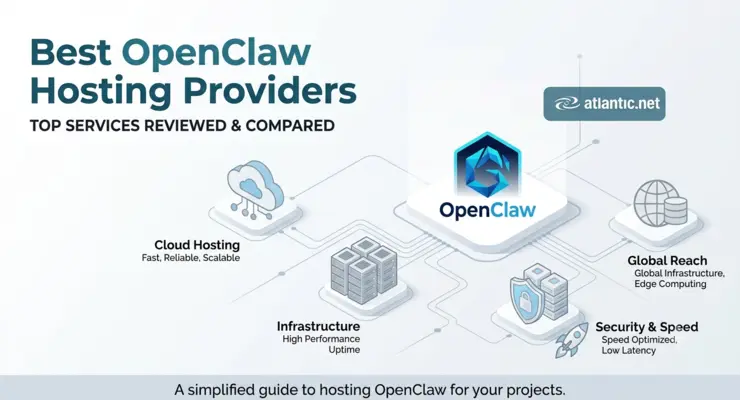
The best OpenClaw hosting provider depends on how much setup work, server control, and resource flexibility you need. Atlantic.Net is our top choice for one-click deployment with full VPS control. Kamatera is a strong fit for granular server sizing, Amazon Lightsail works well for AWS and Bedrock users, Contabo provides larger baseline resources, and IONOS offers low introductory VPS pricing with multiple OpenClaw setup paths.
This guide compares VPS and cloud infrastructure for self-hosted OpenClaw, not fully managed OpenClaw services. A prepared application can reduce setup work, but server maintenance, credentials, backups, permissions, and OpenClaw administration may still remain your responsibility.
OpenClaw Hosting Comparison
| Provider | Hosting Type | Example Configuration | Pricing | Best For |
|---|---|---|---|---|
| Atlantic.Net | One-click OpenClaw VPS | 1 vCPU, 2 GB RAM, 50 GB SSD | $10/month | Simple deployment and server control |
| Kamatera | Configurable cloud VPS | 1 vCPU, 2 GB RAM, 20 GB NVMe | From $6/month | Flexible resource sizing |
| Amazon Lightsail | OpenClaw blueprint | 2 vCPU, 4 GB RAM, 80 GB SSD | $24/month | AWS and Bedrock users |
| Contabo | 1-Click application VPS | 4 vCores, 8 GB RAM, 100 GB SSD | Varies | Higher baseline resources |
| IONOS | VPS+ / OpenClaw deployment | 2 vCores, 4 GB RAM, 120 GB NVMe | $4 intro, then $11 | Low introductory VPS price |
All five options provide infrastructure for self-hosted OpenClaw. One-click installation or a prepared blueprint does not automatically mean that ongoing OpenClaw management is included.
What Should You Look for in OpenClaw Hosting?
Choosing OpenClaw VPS hosting is not only about finding the cheapest server. The deployment method, memory, backup options, security model, and ongoing model costs can affect how practical the server is after the first installation.
Choose the right OpenClaw deployment type
Start by deciding how much setup work you want to handle.
A prepared OpenClaw application or blueprint reduces the initial installation steps. The provider prepares more of the environment, and you complete OpenClaw onboarding, model authentication, channels, and agent configuration.
A configurable Linux VPS gives you more control over the operating system, runtime, packages, firewall rules, storage, and update schedule. It also requires more server administration.
Do not assume that “one-click OpenClaw hosting” means “fully managed OpenClaw.” In many VPS deployments, the customer remains responsible for application updates, model API keys, channels, permissions, backups, and troubleshooting.
Match RAM and CPU to your OpenClaw workload
OpenClaw’s current VPS minimum is 1 vCPU, 1 GB RAM, and about 500 MB of disk space. The recommended VPS baseline is 1–2 vCPU and 2 GB or more RAM. Ubuntu LTS or another current Debian or Ubuntu release is the best-tested Linux path.
For most self-hosted OpenClaw installations using remote AI APIs:
- 2 GB RAM: Light personal assistant, a small number of channels, and API-based models.
- 4 GB RAM: Browser automation, several integrations, media processing, heavier tools, or additional services.
- 8 GB+ RAM: Larger supporting workloads, several containers, or services running beside OpenClaw.
Local LLM inference is different. If the model runs on the same server, size the system for the model’s CPU, RAM, storage, and GPU requirements rather than using the Gateway requirements as your target.
Check storage, snapshots, and backups
OpenClaw’s base installation does not need much disk space, but the server can accumulate workspace files, logs, browser data, media, tools, and application state.
OpenClaw’s Linux-server guidance recommends treating the VPS as the source of truth and backing up state and workspace data regularly.
Before choosing a host, check whether the plan supports snapshots or scheduled backups and how restores work. A cheap VPS can become expensive to recover if the only copy of important configuration or agent state lives on the server.
SSD or NVMe storage is adequate for normal Gateway use. Faster storage becomes more useful when additional databases, containers, browser workloads, or local services share the machine.
Protect the OpenClaw Gateway
Security matters more for OpenClaw than for a simple static website because an agent can be given access to files, tools, messaging accounts, APIs, and external services.
OpenClaw keeps the Gateway on loopback by default. For personal administration, the recommended pattern is loopback plus an SSH tunnel. Tailscale Serve is another option for private remote access while keeping the Gateway itself on loopback. Non-loopback binds expand the attack surface and require Gateway authentication and appropriate firewall controls.
Also consider SSH access, operating-system updates, API-key permissions, tool permissions, and whether unrelated applications should share the same server.
Compare the real monthly cost
The VPS price is normally only one part of the OpenClaw cost.
Server charges cover infrastructure such as CPU, RAM, storage, bandwidth, IP addresses, and optional backups. The language model is usually billed separately by the model provider or model platform.
This means a $10 VPS does not necessarily create a $10 monthly OpenClaw bill. Model usage can exceed the infrastructure cost when the agent handles long conversations, scheduled tasks, large contexts, or repeated tool calls.
Compare introductory and standard pricing separately. Also check whether scaling from 2 GB to 4 GB changes the entire plan and whether backup or networking services add separate charges.
Check how easily the VPS can scale
A personal OpenClaw Gateway may start small and grow as you add browser automation, more channels, scheduled jobs, tools, or users.
Look at the next one or two server sizes before choosing the entry plan. A provider with a good 2 GB option is less attractive if moving to 4 GB requires an awkward migration or a large price jump.
Region choice can also matter for latency and operational requirements. If OpenClaw frequently calls services near a particular location, placing the Gateway closer to those services can reduce network delay.
Ranking methodology: We compared these providers using current first-party documentation for OpenClaw deployment, server resources, pricing, scaling options, security responsibilities, and the amount of administration required after provisioning. We did not use synthetic performance benchmarks.
#1 – Atlantic.Net
Best for: One-click OpenClaw deployment with full VPS control
Atlantic.Net offers a prepared OpenClaw Marketplace application when creating a Cloud Server. You select OpenClaw, choose the server plan and region, provision the instance, and then complete OpenClaw onboarding. The installation guide covers model authentication, Gateway verification, secure Control UI access, Telegram, Discord, and manual Ubuntu installation as an alternative.
This approach reduces installation work while preserving normal Linux administration. You still control the OpenClaw configuration, model credentials, integrations, permissions, networking, and backups.
For a detailed setup walkthrough, use the step-by-step OpenClaw installation guide.
Pricing and resource fit
The G3.2GB Linux plan includes 1 vCPU, 2 GB RAM, 50 GB SSD storage, and 3 TB transfer for $10 per month on demand. That reaches OpenClaw’s recommended 2 GB memory level without requiring a larger server.
For browser automation or heavier tools, the G3.4GB configuration increases capacity to 2 vCPU, 4 GB RAM, 80 GB SSD, and 5 TB transfer for $20 per month on demand.
The trade-off is that this remains customer-administered OpenClaw hosting. Model API usage is separate, and users need to maintain the application and its credentials.
Who should choose Atlantic.Net?
Choose Atlantic.Net if you want a prepared OpenClaw deployment, a small 2 GB starting configuration, and full control over the underlying VPS.
#2 – Kamatera
Kamatera is a strong option when you want to size the server around the OpenClaw workload rather than buy a fixed resource bundle.
Its recommended personal assistant configuration uses 1 vCPU, 2 GB RAM, and 20 GB NVMe. The developer profile uses 2 vCPU, 4 GB RAM, and 50 GB NVMe, while larger profiles are available for local services and heavier workloads.
Kamatera also supports more than 20 deployment locations and allows CPU, memory, storage, backup, and related services to be selected around the workload. Development environments start from $6 per month, although the final price depends on the resources selected.
Where Kamatera fits best
The main benefit is scaling flexibility. A 2 GB personal Gateway can grow to 4 GB or beyond without forcing every customer into the same standard configuration.
The trade-off is choice. Users need to make more infrastructure decisions during deployment, so it suits people who know roughly how they want the server configured.
Who should choose Kamatera?
Choose Kamatera when adjustable CPU, RAM, storage, and region selection matter more than the simplicity of a fixed VPS package.
#3 – Amazon Lightsail
Best for: AWS users and Amazon Bedrock integration
Amazon Lightsail has a dedicated OpenClaw blueprint. AWS recommends the 4 GB memory plan for optimal OpenClaw performance.
The deployment includes browser pairing, HTTPS dashboard access, sandboxing for agent sessions, automatic snapshots, and Amazon Bedrock as the default model provider. OpenClaw can also connect to supported messaging channels after setup.
The current 4 GB Linux bundle with public IPv4 includes 2 vCPU, 4 GB RAM, 80 GB SSD storage, and 4 TB transfer for $24 per month.
Where Lightsail fits best
Lightsail is easier to justify when OpenClaw already needs to live inside AWS. Bedrock integration and the prepared blueprint reduce some initial configuration work, while snapshots provide a built-in recovery path.
The trade-off is price. The recommended 4 GB instance costs more than the smaller VPS configurations in this comparison, and Bedrock model usage is billed separately.
Who should choose Amazon Lightsail?
Choose Lightsail if your team already works in AWS or wants OpenClaw and Bedrock inside the same cloud environment.
#4 – Contabo
Best for: Larger baseline RAM and storage allocations
Contabo supports OpenClaw through its 1-Click application installation flow. The OpenClaw application can be installed on a VPS or VDS without an extra application charge, after which onboarding and ongoing configuration continue through SSH.
The current Core VPS range starts at 4 vCores, 8 GB RAM, and 100 GB SSD. Performance VPS starts at 4 cores, 8 GB RAM, and 150 GB NVMe and includes five snapshots. The Performance line specifically identifies OpenClaw as a suitable workload.
Where Contabo fits best
Eight GB of RAM is far above OpenClaw’s recommended baseline for a light Gateway. That extra capacity can be useful when the server also runs containers, monitoring, databases, browser workloads, or other supporting tools.
Core VPS configurations are standardized, however. CPU, RAM, and several other specifications cannot be individually adjusted, giving users less granular sizing than Kamatera.
OpenClaw maintenance, updates, security, API keys, and application troubleshooting remain customer responsibilities.
Who should choose Contabo?
Choose Contabo if higher baseline RAM and storage are more useful to you than building a small, precisely sized OpenClaw VPS.
#5 – IONOS
Best for: Low introductory VPS pricing
IONOS currently supports more than one OpenClaw setup path. Its VPS ordering flow can provision OpenClaw as a 1-click application, with Docker, the web interface, and dependencies prepared as part of application setup. A separate OpenClaw Help Center workflow documents command-line installation through SSH for users following that VPS path.
This gives users a choice between a simplified deployment flow and a more hands-on installation approach.
Pricing and resource fit
The current VPS M+ configuration includes 2 vCores, 4 GB RAM, and 120 GB NVMe storage. US pricing is $4 per month for the first three months on a one-year term, followed by $11 per month.
Four GB of RAM provides more headroom than the basic OpenClaw recommendation and is a better fit for browser automation or multiple active integrations.
The main trade-off is promotional pricing. Compare the annual cost using the standard rate rather than judging the plan only by its first three months. IONOS also notes that VPS upgrades move between predefined configurations and later downgrades to a smaller plan are not available on the documented OpenClaw VPS path.
Who should choose IONOS?
Choose IONOS if low introductory infrastructure cost and 4 GB RAM are priorities and you are comfortable retaining responsibility for your VPS and OpenClaw configuration.
Which OpenClaw Hosting Provider Should You Choose?
Choose Atlantic.Net for one-click deployment with a practical 2 GB entry configuration. Choose Kamatera when fine-grained resource sizing matters most. Amazon Lightsail is the strongest fit for AWS and Bedrock users. Contabo works well when higher baseline RAM and storage are priorities, while IONOS is worth considering for low introductory VPS pricing.
For most self-hosted OpenClaw installations using remote model APIs, start around 2 GB RAM. Move to 4 GB or more when browser automation, multiple channels, media processing, or additional services increase memory demand.